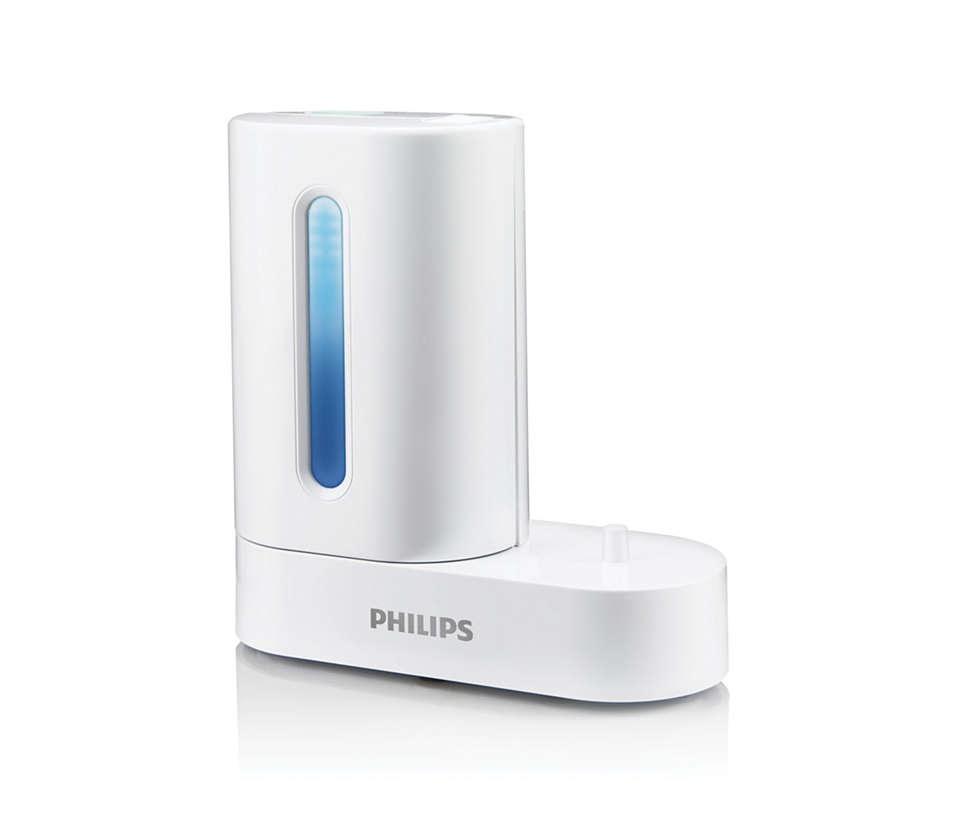
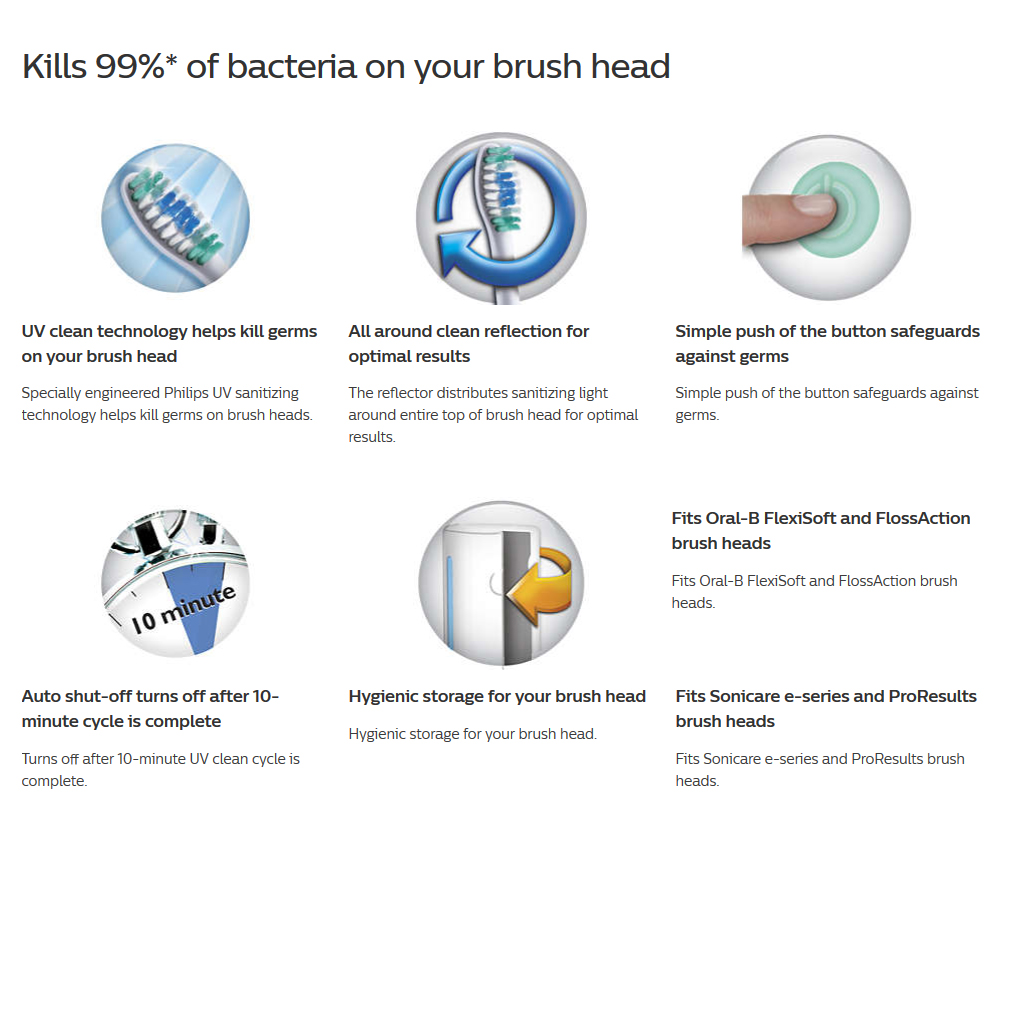
Philips Sonicare introduces a new innovation with a UV Sanitizer that helps kill up to 99% of bacteria* on your toothbrush. With a simple push of a button, UV Clean technology sanitizes your brush head to clean right down to the bristles.
How to use my Philips Sonicare UV Sanitizer
The Philips Sonicare UV Sanitizer uses a specially designed UV light bulb that helps kill germs on the brush head of your rechargeable toothbrush. Below you will find step-by-step instructions on how to use it.
Using the UV Sanitizer
1. After brushing, rinse the brush head and shake off any excess water. Do not put the travel brush head cap on during sanitization. 2. Place your fingers in the door recess on top of the sanitizer and pull the door open 3. Place the brush head on one of the 2 hooks in the sanitizer with the bristles facing the light bulb 4. Plug the sanitizer into a working outlet. 5. Close the door and press the green power on/off button once to select the UV clean cycle.
The sanitizer cycle runs for 10 minutes and automatically shuts off.
Note: Only clean the Philips Sonicare snap-on brush heads in the sanitizer.
Do not clean Philips Sonicare For Kids brush heads in the sanitizer.
You can only turn on the sanitizer if the door is properly closed. The sanitizer stops if you open the door during the sanitizing cycle. The sanitizer is in operation when the light glows through the window.
How to clean my Philips Sonicare UV Sanitizer
Philips Sonicare UV Sanitizer uses a specially designed UV light bulb that helps kill germs on the brush head of your rechargeable toothbrush. For optimal effectiveness, it is recommended to clean your sanitizer weekly. Below you will find a step-by-step instructions on how to clean your UV sanitizer.
Cleaning the UV Sanitizer
Unplug the sanitizer
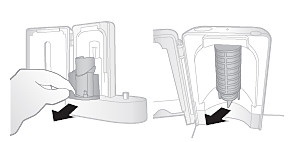
Pull the drip tray out. Clean the interior of the sanitizer with a damp cloth.
Rinse the drip tray and wipe it clean with a damp cloth.
Remove the protective screen in front of the UV light bulb. To remove the screen, hold the edges next to the snaps, gently squeeze and pull out the protective screen.
Remove the UV light bulb. To remove the bulb, hold and pull it out of the metal clasp.
Clean the protective screen and the UV light bulb with a damp cloth.
Reinsert the UV light bulb. To reinsert the light bulb, align the bottom of the light bulb with the metal clasp and push the bulb into the clasp.
Reinsert the protective screen. To reinsert the screen, align the pegs on the screen with the slots on the reflective surface near the UV light bulb. Push the screen straight into the slots on the sanitizer.
How to install the Sonicare Sanitizer UV light bulb.
Sometimes, the Philips Sonicare Sanitiser comes with the UV light bulb uninstalled. Find out how you can easily install it yourself.
Step-by-step instructions
Place your finger in the door recess on the right-hand side of the Sanitiser and pull open the door
Remove the drip tray
Remove the protective screen by gently lifting it up and pulling it forward
Install the UV light bulb by snapping it into the lamp holder
Align the pegs on the protective screen with the slots in the reflective surface of the Sanitiser on either side of the UV light bulb
Insert and gently push down the screen to secure it in the Sanitiser
Please note that there is a difference between WalkingPad R1 and R1 PRO. We guest for licensing and pricing control, R1 is released only within China, for their domestic market; while the same model is released internationally as R1 PRO, at a much higher pricing.
At the time of this write-up, if you are using R1 outside of China, to register R1 with the KS FIT App, you’ll need to choose China as the country, and you’ll need a China mobile number to register, as they do not allow email for registration. This is how Kingsmith restricted the cheaper domestic version from using outside of China, unless you have a China Mobile Number.
Without a valid China mobile number, you won’t be able to register R1 with the KS Fit App, and add R1 to the App, to unlock the full features of R1, especially to allow the unit to go full running speed of 10km/h.
R1 shipped with locked features from factory, (restricted speed and features) and you first need to connect to the KS Fit to go through and complete their “Novice Guide” to unlock all those features. There are ways to unlock the R1 (through some internal engineer keystrokes on the remote and panel), where after the unlock, you will get full features for R1, and can operate R1 with the Remote Control, but not with the KS Fit App.
Above only unlock the speed and features, you still need a China Mobile number to register and use the KS Fit App, it won’t work if you register with a non China number, you won’t see R1 on the list of available devices. This is how they use software to differentiate R1 & R1 Pro, so that they can fetch higher pricing for R1 Pro selling international.
R1 is for China domestic market only.
R1 PRO
R1 Pro is the International release of R1, which comes with
a) English manual
b) You can use your email or mobile number to register the KS Fit App, and use freely. No more restriction on using a China Mobile Number for registration, to enable you to use the KS Fit App
c) Power cable comes in UK 3-Pin Plug
WalkingPad R1 Pro – 2-in-1 treadmill
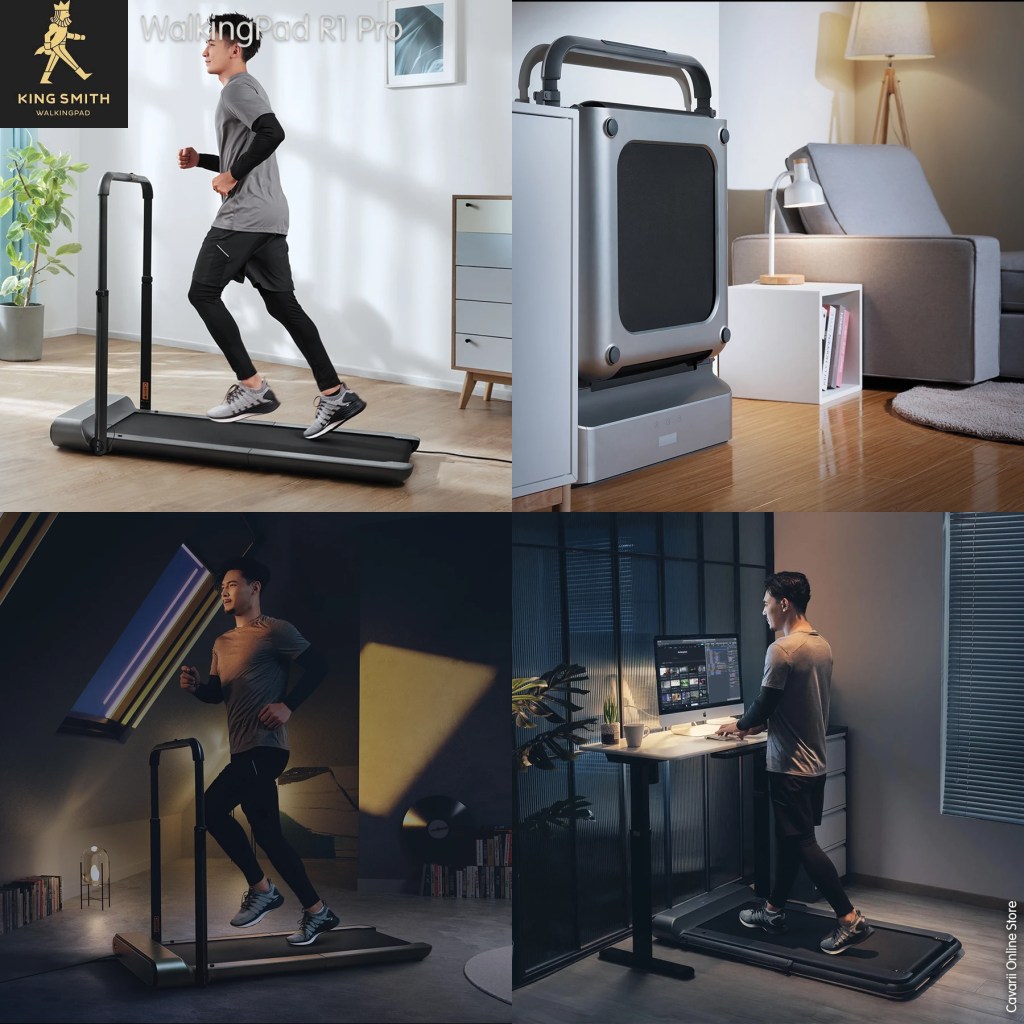
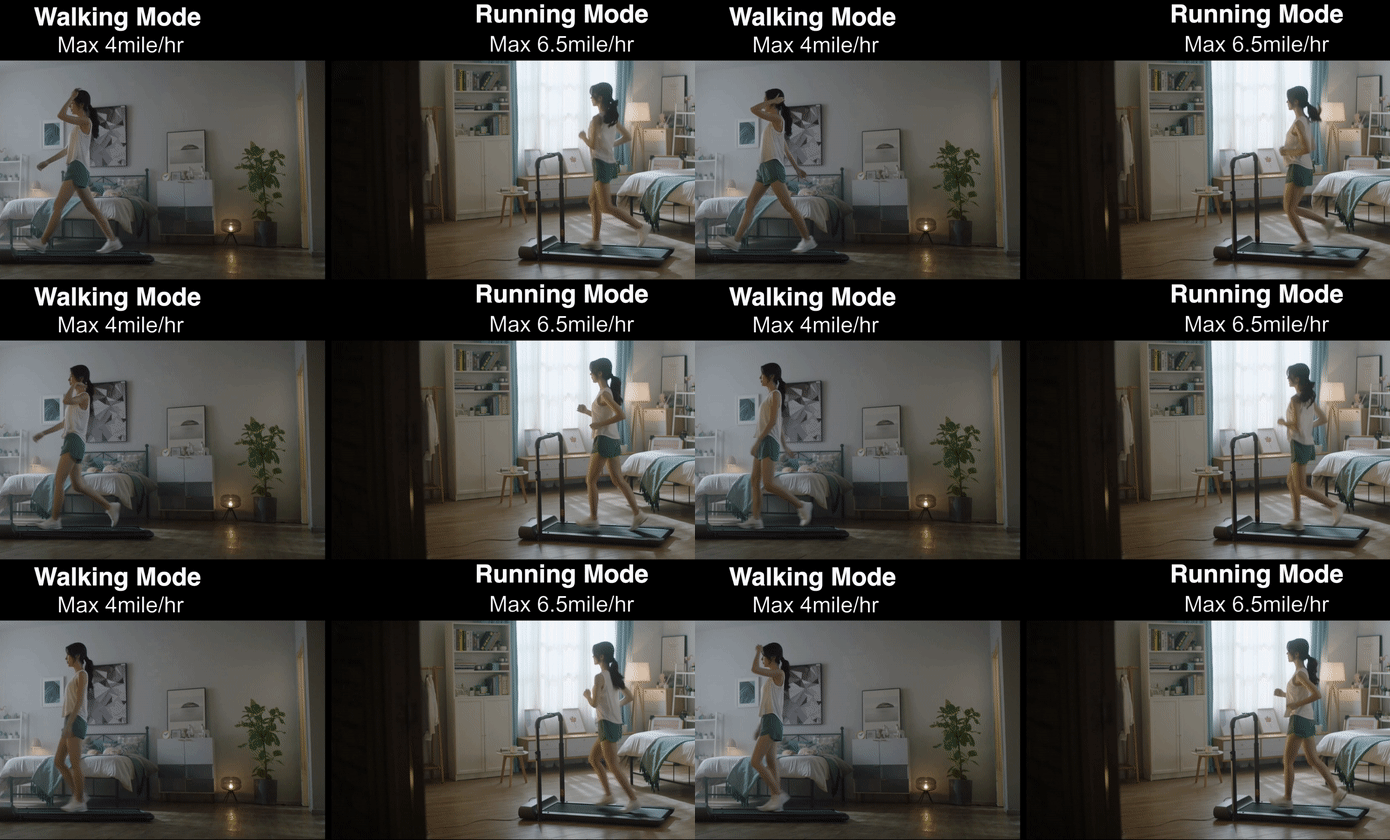
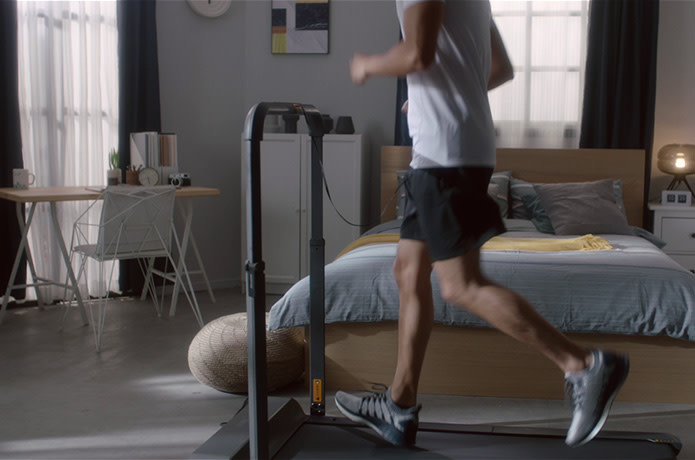
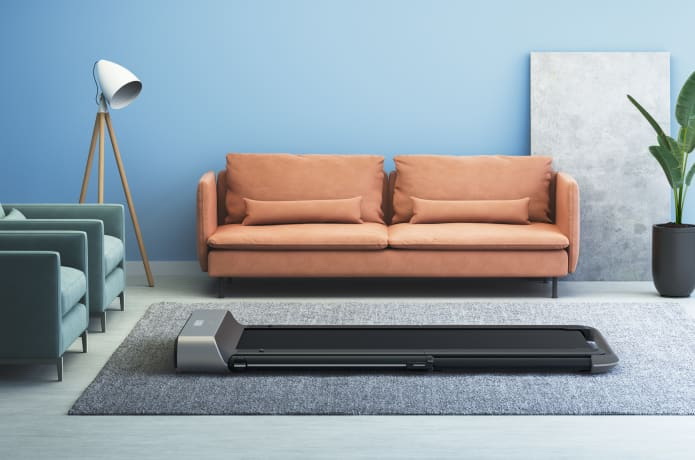
R1 has two unique styling designs. The conventional form is a treadmill, which can meet the daily running needs of users. Store the armrests downwards to become a more space-saving walking machine, suitable for use in a variety of scenarios.
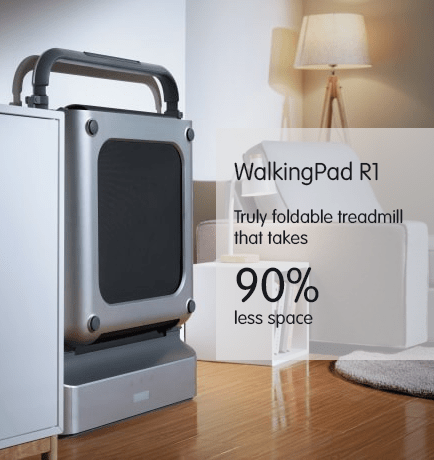
Store upright, save more space
Space Saving Design
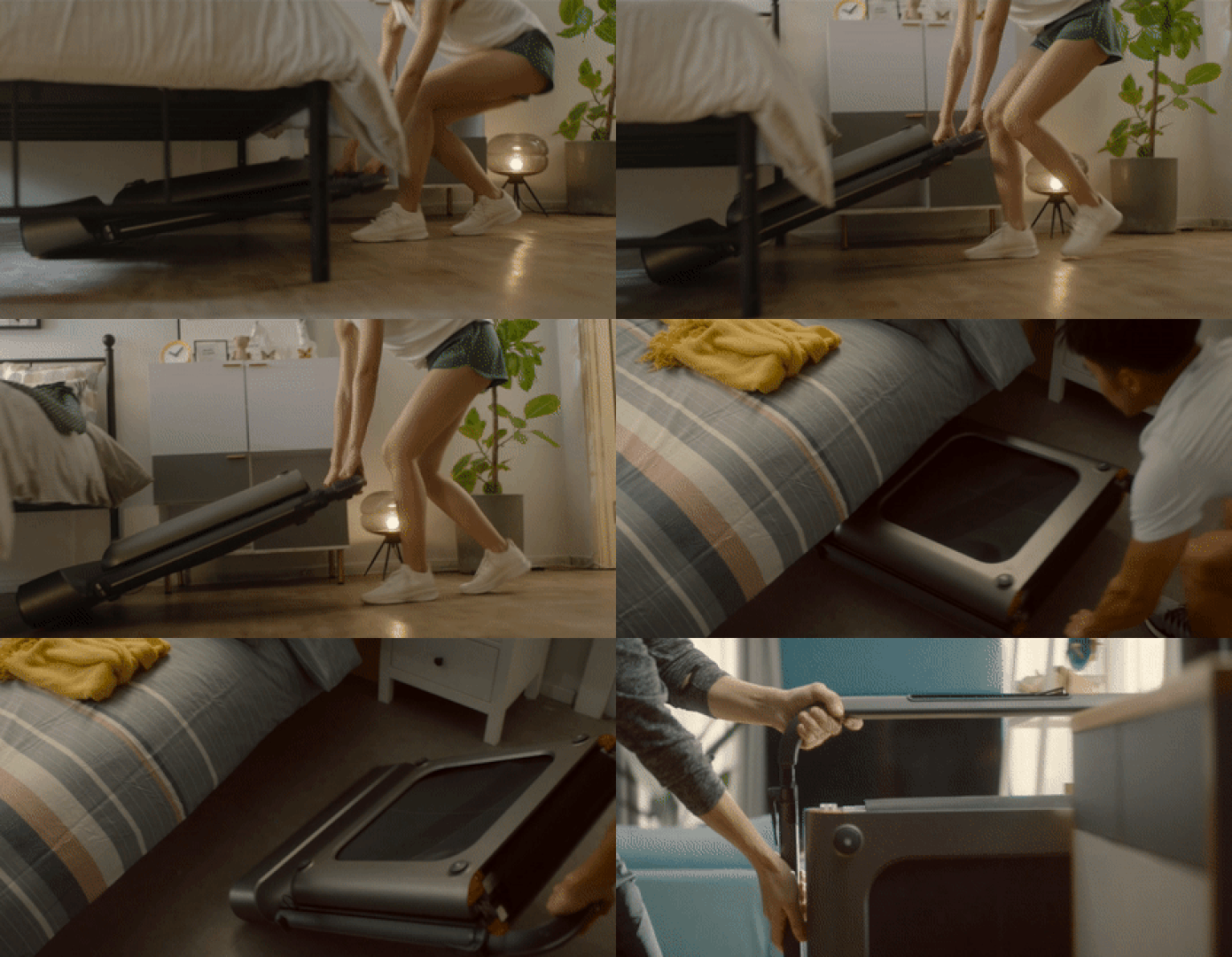
One of the outstanding design of of WalkingPad R1 over the previous releases of A1, C1 and A1 Pro is that the WalkingPad can now be store vertically standing up, instead of the designs where A1, A1 Pro and C1 were advised to be stored away horizontally.
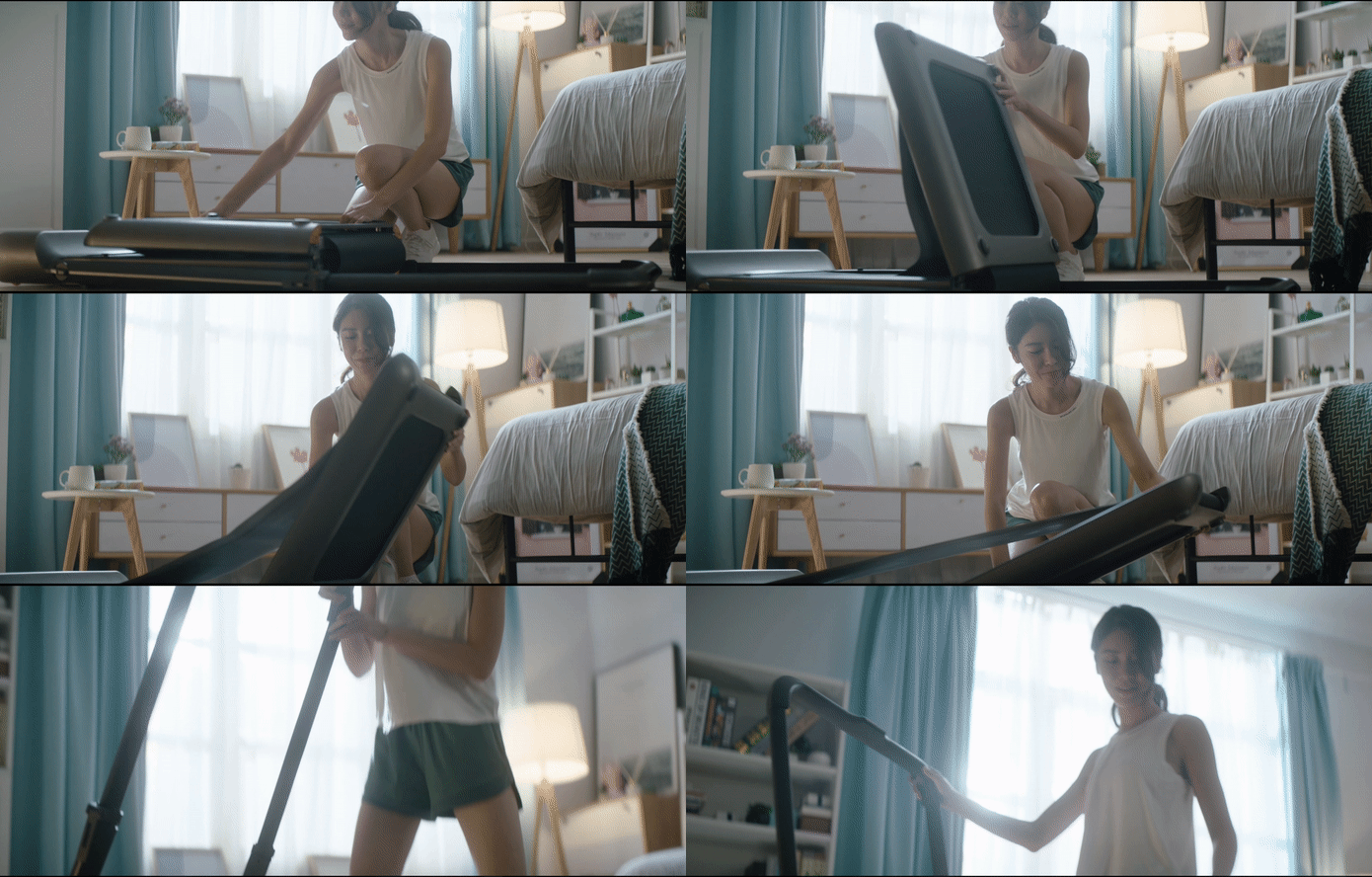
R1 adopts the WalkingPad family’s patented technology of folding platform. After exercise, the running platform can be folded 180 degrees, which greatly reduces the occupied space and floor space.
R1 can be placed upright, with a thickness of only 15 cm and an area of less than 0.2 square meters. With the movable roller at the bottom, it can be placed in a small corner of the home, saving space and not getting in the way.
WalkingPad R1 can be easily folded up for compact and simple storage
Superior Foldable Design
Conventional treadmills are huge and occupy unnecessary space. The WalkingPad R1 incorporates a unique dual folding mechanism, the deck and handle can be easily folded up for compact and simple storage.
Unlock New Possibilities
WalkingPad R1 is your perfect exercise buddy that allows you to stay healthy under different scenarios.
Dual-Mode Exercise Machine
Learn from the feedback of our previous customers, they redesign the WalkingPad with the capability to serve your running need. They also reshape the WalkingPad by adding a balancing handle and prolonging the deck for the better running experience.
Increased Convenience – Easily Movable
With smooth-rolling wheels attached, the WalkingPad R1 is guaranteed for easy transport.
3 Modes of Control
WalkingPad R1 can be controlled in three ways. Under manual mode, it can be controlled used the remote control or the KS Fit APP. Alternatively, it can be controlled by feet under the auto mode to provide greater convenience.
Advanced Design and build Quality – Enhanced Durability and Stability
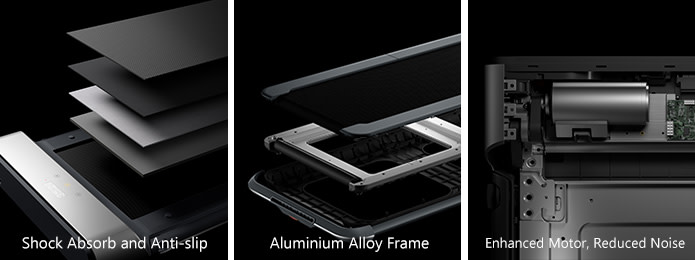
By using an aluminum alloy frame, the durability and stability of WalkingPad R1 are significantly enhanced. We improved the power of the motor but also reduced the noise level at the same time. Additionally, the EVA cushioning softens the impact on your knees and the anti-slip running belt will provide a better grip.
Hidden Phone / Tablet Holder
They designed a dedicated slot for phone and tablet on the handle, so you can always stay entertained and connected.
Safety Clip and Handle
The WalkingPad R1 has a newly added safety clip and front handle to keep you safe while you exercise. The handle provides additional balance while the safety clip acts as an emergency stop button.
LED Panel
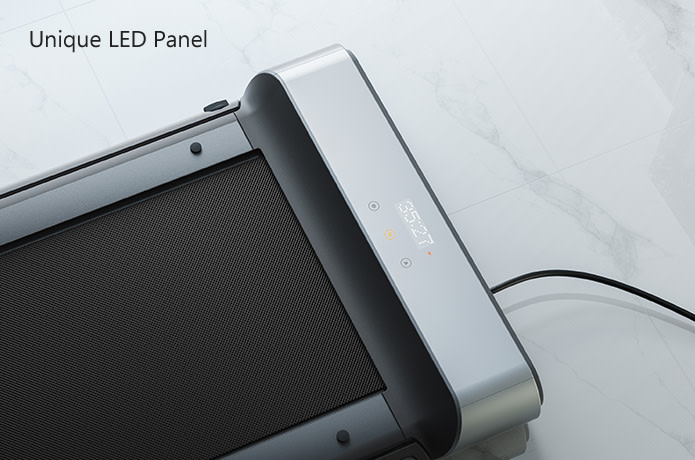
The LED panel sits at the front of the WalkingPad R1 helps you to monitor your speed, distance and workout time.
KS Fit App
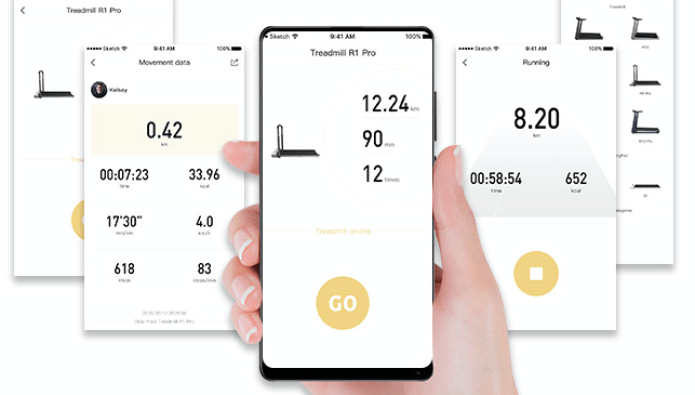
WalkingPad R1 can be controlled via KS Fit APP in which has a variety of training options.
The EB10 Replacement Brush Heads for Kids’ range of electric toothbrush
The Oral-B EB10 Kids Power Replacement Brush Head provides dental hygiene for kids. This specially crafted brush head fits both electric and battery operated Oral-B brushes. Its design is suitable for children over 3 years of age. With delicate bristle layout and a smart design, it helps them thwart dental issues at an early age.
It offer different theme from Disney’s animated films characters, this means that your child will take a liking to at least one of the designs. All brush heads are interchangeable, and is compatible for all ranges brush handles from DB4010K, D12.513K, D10.513K & D1000 models.
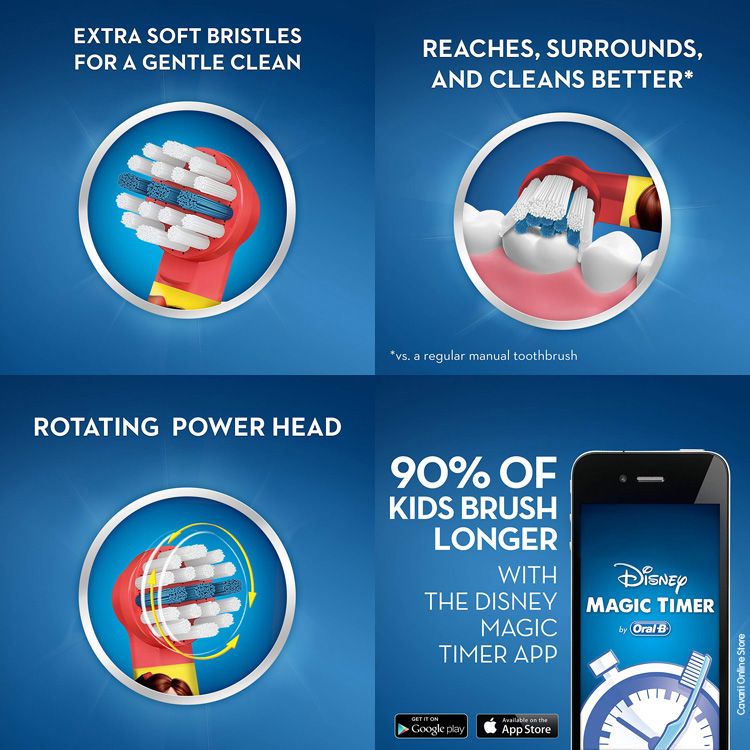
Children Specific Brush Head The Oral-B EB10 Kids Power Replacement Brush Head comprises of smaller bristles. These are placed in a way that they provide extra-soft brushing and are gentler on the gums. It suits small mouth openings and smaller teeth of children. The longer row of bristles clean chewing surfaces better which are susceptible to cavities.
EB10K Replacement Brush heads
Oral-B Stages Power battery operated toothbrush EB4510K , and rechargeable battery powered D12.513K, D10.513K and D100 uses the EB10K replacement brush heads, and is compatible for all themes.
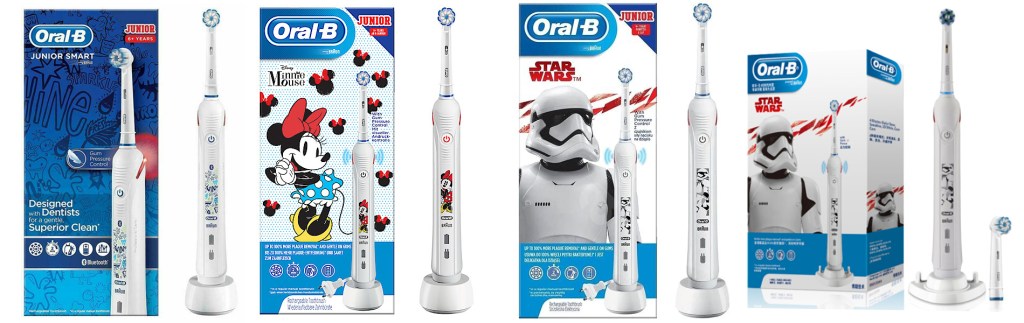
For 6+ to 11 years old children As stated on the box, the Junior Smart has been designed with children aged 6+ years and over in mind.
Typically, children need assistance from parents when brushing their teeth up until the age of about 8 years old. But, come 6 years old, routine and probably a bit of parental nagging has kicked in and they are doing a pretty good job themselves.
The Junior Smart offers a product that is still child friendly, but has been refined to be more mature and more ‘cool’ than the bright coloured handles typically applied to younger children’s toothbrushes.
Believe it or not the only thing, from what I can tell, that makes this toothbrush geared to Juniors is the design on the brush handle. It even has the same sized brush head you would find on an adults Oral-B toothbrush.
Children’s mouths at this age are getting larger as they grow and can generally accommodate a larger brush head, but the round head is smaller than most toothbrush heads.
To put it bluntly, the Junior Smart is a repackaged Oral-B Smart 4 4000, which is marketed for adults. The same can be said of the Oral-B Teen. 3 toothbrushes that are technically the same, just small design and box contents differences set them apart.
Junior Smart is really targeting the slightly older children who still like interactive engagement but are more capable and disciplined and want less parental interaction.
If Bluetooth connectivity really is a desire, then the Junior Smart sort of stands on its own, with a more funky brush handle design.
Variants of this brush
Junior Smart, Junior Smart Minnie Mouse, Junior Smart Star Wars, China Edition’s Pro 4000 Star Wars with 4 cleaning modes
Apart from the Junior Smart reviewed above, there are also some variant of the product, with the same look for packaging, and same brush handle, but with slightly different features
1) Oral-B Junior Minnie Mouse
Stylistically this looks very similar to the Junior Smart, but the handle features a Stormtrooper from Star Wars, the brush has 1 less cleaning mode and no Bluetooth connectivity.
2) Oral-B Junior Star Wars
Stylistically this looks very similar to the Junior Smart, but the handle features a Stormtrooper from Star Wars, the brush has 1 less cleaning mode and no Bluetooth connectivity.
3) Oral-B Pro 4000 Star Wars – China Edition
This looks exactly the same as the UK Edition of Oral-B Junior Star Wars, but the brush handle has 4 cleaning modes and no Bluetooth connectivity.
Replacement Brush heads
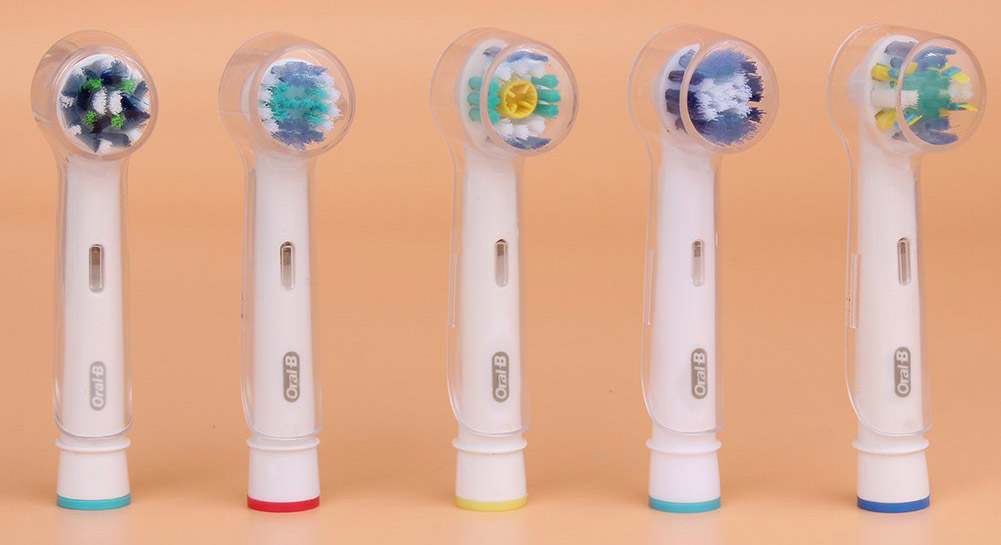
This Oral-B electric toothbrush is bundled with the sensitive brush head, however, you can use any of the other compatible replacement brush head from Oral-B
The Oral-B Replacement brush heads – select the video you want to play from top-right corner
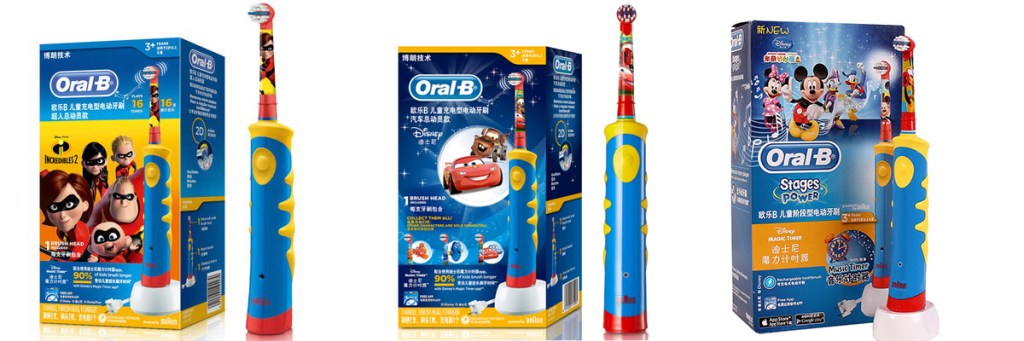
The Oral-B Stages Power Kids Electric Toothbrush D10.513K currently comes in 3 different Disney themes and designs:
Disney Cars
The Incredibles
Mickey Mouse
It is the only Oral-B kid’s toothbrush that comes with a charging Indicator – which shows when the handle is fully charged. One full charge provides enough power for approximately 1 week of use.
Small brush head and Squish Grip specially designed for children, the extra-soft bristles for gentle cleaning of teeth and gums. Raised row of blue bristles for cleaning chewing surface
Mystery musical timer randomly plays 1 of 16 tunes after 1 minute intervals. Encourages longer brushing.
Suitable for children over 3 years of age
Replacement Brush heads
EB4510K Oral-B Stages Power battery operated toothbrush uses the EB10 replacement brush heads, and is compatible for all themes.
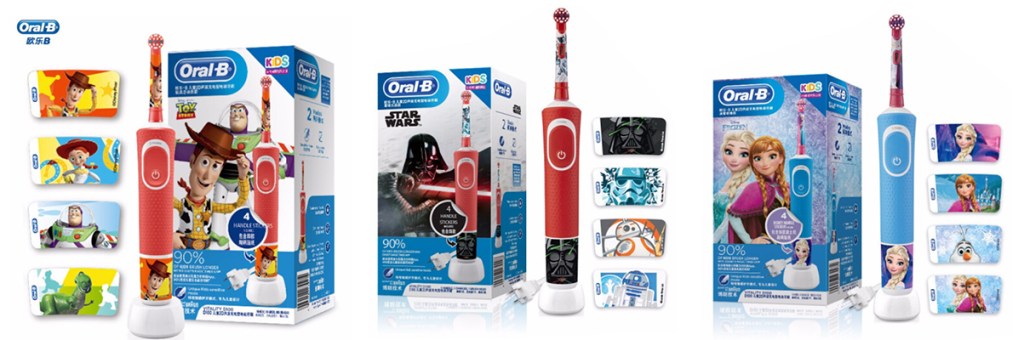
The Oral-B Stages Power Kids Electric Toothbrush D100 is a 2019 launched kid’s range from Oral-B. It currently comes in 5 different Disney themes and designs:
Disney cars
Disney Star Wars
Disney Princesses
Frozen
Toy Story
For 3+ to 6 years old children
D100 is the latest product launch from Oral-B for kids in 2019. It is the first Oral-B kids’ range that offer 2 cleaning modes.
The China Packaging – 3 themes
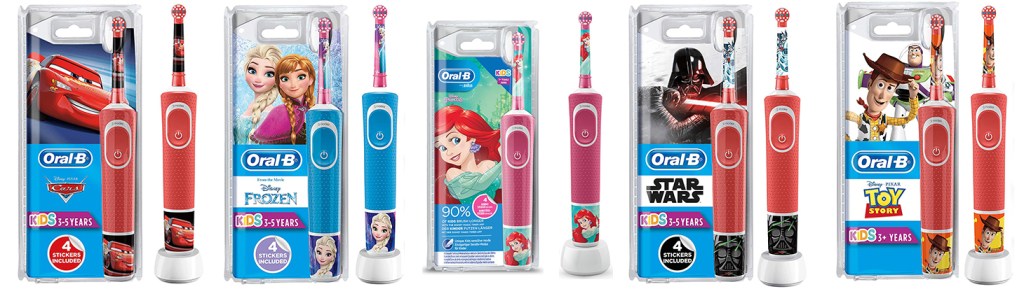
The same range is also available from UK/Germany, with the same familiar D12.513K plastic packaging, but with an additional Princess and Cars themes added.
UK and Germany Packaging – 5 Themes
Replacement Brush heads
EB4510K Oral-B Stages Power battery operated toothbrush uses the EB10 replacement brush heads, and is compatible for all themes.
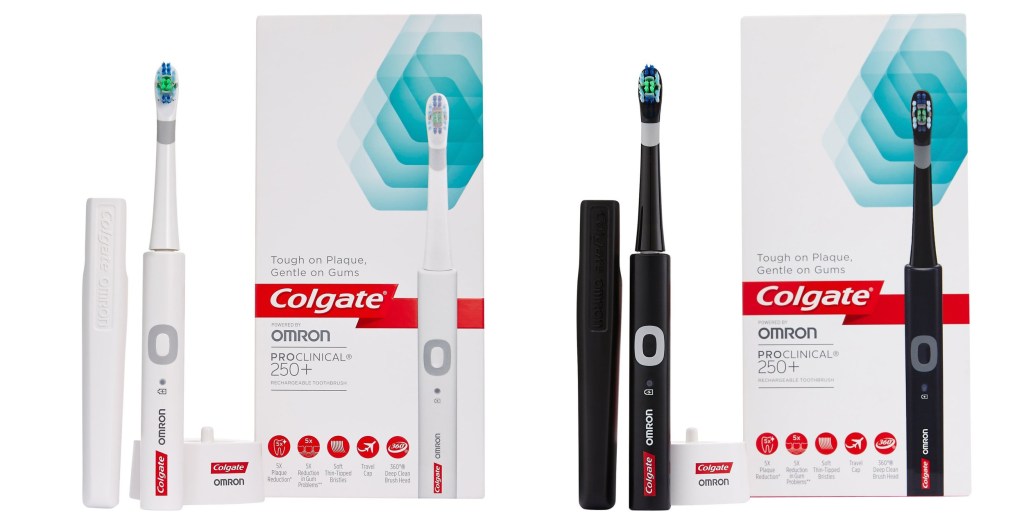
The Colgate ProClinical 250+ comes with 1 cleaning head, a travel cap and a charger. It’s available in white or black, and it’s very straightforward to use. Cleaning results were mixed, with some testers saying it made a difference and others saying it was the same as their current brand. It’s a fairly basic, entry-level toothbrush that won’t break the bank. It’s ideal for someone getting their first electric toothbrush to ease them in.
This product has been scientifically assessed and found to be quieter than most in this category.
Some testers did notice reduced plaque levels, which is encouraging. It has a 2-minute timer and a pacer, to ensure you clean effectively. It automatically switches it off after two minutes of use. There’s a charge indicator light to alert you when it’s running out and a handy travel cap for hygiene when you’re away.
This
toothbrush has a really simple design and minimal features. It
promises 5 X more plaque removal (compared to Philips’ 10) – and very
little faff.
The
Colgate Pro Clinical 250+ essentially doubles down on the essentials:
soft bristles, a handy travel case, and the all-important timer. If
toothbrushes were massages, this Colgate would be calming aromatherapy
rather than a back-cracking session. The soft bristles would be ideal
for those with sensitive gums. It’s also one of the quickest to fully
charge, at just 10 hours.
The Oral-B Vitality is a budget range electric toothbrush that sits below the Oral-B Pro 600 in the Oral-B range. As with most budget range electric toothbrushes, it provides great value for money however at the cost of some features. The Oral-B vitality comes in three main versions:
Oral-B Vitality D12.013 – this comes without the 2 minutes timer
Oral-B Vitality D12.513 – this comes with the 2 minutes timer
The only difference between these models is the type of brush head that it comes with, and the color of the handles. The handle is exactly the same. Of the 2 main versions, we will be looking at the Oral-B Vitality Cross-action electric toothbrush today. We will be exploring whether the lack of features impact the overall value for money and providing the low down on whether it is really worth buying.
2 Minutes Timer The Oral-B Vitality D12.513 comes with a limited number of features. It has a 2 minute timer (without the Quadpacer) which is a helpful. We have often stated that a 2 minute timer is a must on an electric toothbrush and are really glad that a budget ranged electric toothbrush contains this feature.
Handle The handle is a slightly thicker profile than the Oral-B Pro 2000 or 3000 however it is still easy to grip with the rubberized material. The handle is also waterproof which is useful if you want to use the electric toothbrush in the shower or accidentally drop it in the sink.
The On/Off Button on the Oral-B vitality feels a little cheaper in construction than the more expensive Oral-B Electric Toothbrushes. It has a hard “plasticy” feel to it instead of the soft touch plastics used in higher-end models.
Missing features There is no visible pressure sensor on the vitality which does score it lower points. Pressing too firmly with a toothbrush causes tooth abrasion. This is where the toothbrush starts to remove the enamel of a tooth and can lead to gum recession and tooth sensitivity.
The Battery indicator is non-existent on the Oral-B vitality and so it is extremely difficult to predict when the toothbrush is about to run out of battery (usually it is before you are just about to go on holiday)
Portability The Oral-B Vitality is fairly light weighing in at 109g. It is also reasonably sized despite the larger handle size. One major negative is that it does not come with a travel case so you will have to wrap it in some clothes when travelling to protect it.
2D Brushing The Oral-B Vitality uses a slightly inferior 2D oscillating rotating mechanism of action. This means that it only oscillates and rotates instead of oscillating, rotating and pulsating for the 3D models. The 2D mechanism of action will clean your teeth better than a regular manual toothbrush however not as well as the 3D.
Cleaning Mode The Oral-B Vitality only comes with one mode of action – daily clean. This happens to be Oral-B’s best cleaning mode and will suffice for the vast majority of people. The Oral-B daily clean mode cleans at 8,800 oscillations per minute and brushes away plaque very effectively.
Battery Life The battery life for the Oral-B vitality is adequate at 5 days of continuous use (4 minutes each day cleaning twice a day for 2 minutes) which is a total in use time of 20 minutes. If you share the toothbrush handle between a couple then that would mean a 2.5 day usage which is not acceptable. The more expensive Oral-B Pro 600 has 7 days of use which is more user-friendly.
The lack of a battery indicator is also quite annoying coupled with the low battery life. It is next to impossible to work out when the toothbrush is going to run out of battery.
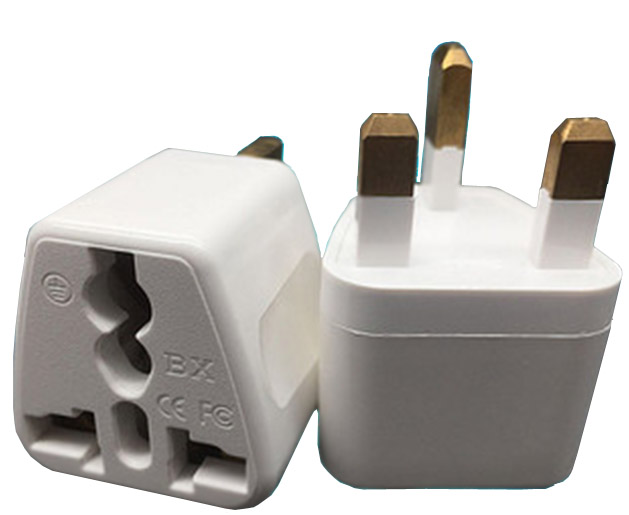
The charging station for the Oral-B vitality is well designed and seems to be of solid construction. As with most electric toothbrush chargers, it comes with a 2 pin plug so you will need to get a shaving adaptor. This can be picked up from any decent hardware store.
What are the best alternatives to the Oral-B Vitality?
The Oral-B Pro 600 and Oral-B Pro 2000 is the nearest competitor to the Oral-B Vitality. Oral-B Pro 600 and 2000 comes with an upgraded 3D mechanism of action cleaning. The Oral-B Pro 2000 also comes with another cleaning mode and a visible pressure sensor so it is definitely worth a look at.
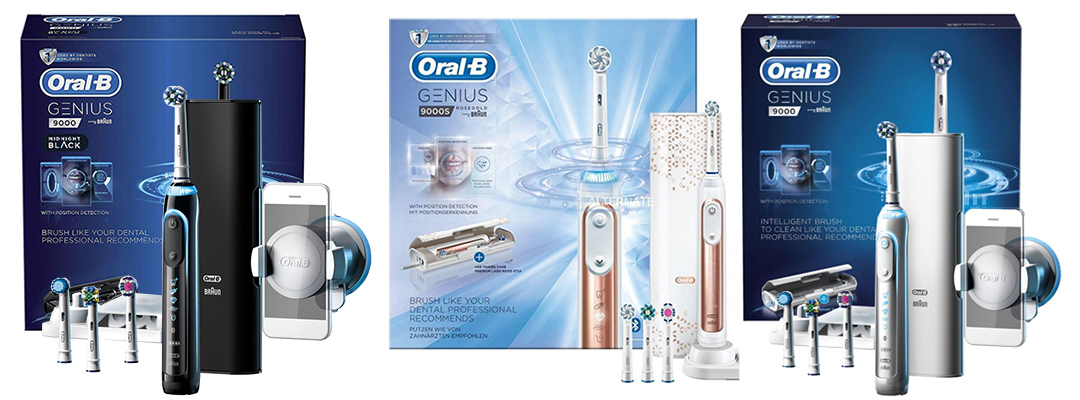
Genius 9000 comes in Black, Rose Gold and White, plus some other commemorative editions, with other design and colors
The Oral-B Genius 9000 is Oral-B’s most exclusive, flagship electric toothbrush. It is a fantastic electric toothbrush, that we personally use on a daily basis and therefore we can give you an in-depth review of why we think this electric toothbrush is awesome.
The Oral-B Genius 9000 is a fantastic electric toothbrush that provides you with all the tools you need to maintain healthy teeth and gums. It does have a high price tag however, this is more than offset by the technology and usability of the brush.
Styling The styling of the electric toothbrush is close to perfect and is a great balance between ergonomics and design. The Oral-B Genius 9000 is chunkier and more solid in construction than other cheaper Oral-B models. It features a rubberised back of the electric toothbrush handle which is soft to touch and extremely grippy when wet. This is useful as the Oral-B Genius 9000 can be used in the shower because it is waterproof
The front of the electric toothbrush handle has two buttons an on/off switch which gives good feedback when pressed and a downward arrow which changes between the cleaning modes. There are 6 cleaning modes in this model which are extremely easy to change between. The Oral-B Genius 9000 also remembers the last cleaning mode you put it on, so you do not have to constantly flick between them every time you turn on the brush.
The front of the electric toothbrush lights up when turned on, which makes it easy to see what cleaning mode you are on. There is a handy battery indicator which accurately depicts if the battery is low. There is also an icon letting you know if the Bluetooth is switched on or off.
At the top of the brush is a thin metal rod that is used to connect the Oral-B Genius 9000 electric toothbrush handle to the brush head. The Oral-B Genius 9000 is compatible with almost all of the Oral-B Brush heads.
2 Minutes Timer & Quadpacer The Oral-B Genius 9000 features a 2 minutes timer with inbuilt Quadpacer. This is an essential feature for any good electric toothbrush. The Quadpacer is an on handle timer that “buzzes” every 30 seconds to indicate when you are supposed to change areas of your mouth. In daily clean mode, it also “double buzzes” when you have reached 2 minutes of brushing.
Having a two-minute timer built into your toothbrush is extremely important. On average people only brush for 45 seconds, which has a seriously detrimental effect on your oral hygiene. If you only brush for 45 seconds then it will leave a layer of dental plaque on your teeth, which will ultimately lead to gum disease and tooth decay.
The Quadpacer means you will brush your teeth more evenly. Most people have a favoured side when brushing. This means that one side of your mouth gets brushed well whilst the other side doesn’t. A Quadpacer will remind you to regularly change areas leading to a more consistent clean.
Bluetooth connection and Position Detection As with most high-end Oral-B electric toothbrushes, the Oral-B Genius 9000 comes with Bluetooth connectivity which links to the new and improved Oral-B App. The Oral-B App is available on both Android and Apple. It is so easy to set up and literally takes 30 seconds.
Having the Oral-B app on your smartphone provides a great aid to brushing and has:
A visible 2-minute timer allowing you to see exactly how long you have been brushing for
A pressure sensor monitor showing you how long you pressed too hard for
Guidance from a dental professional allowing you to create customized brushing routines with your dentist
Brushing activity and achievements that motivates you to keep up your brushing habits
National Geographic images that gives you something to look at when you are brushing your teeth
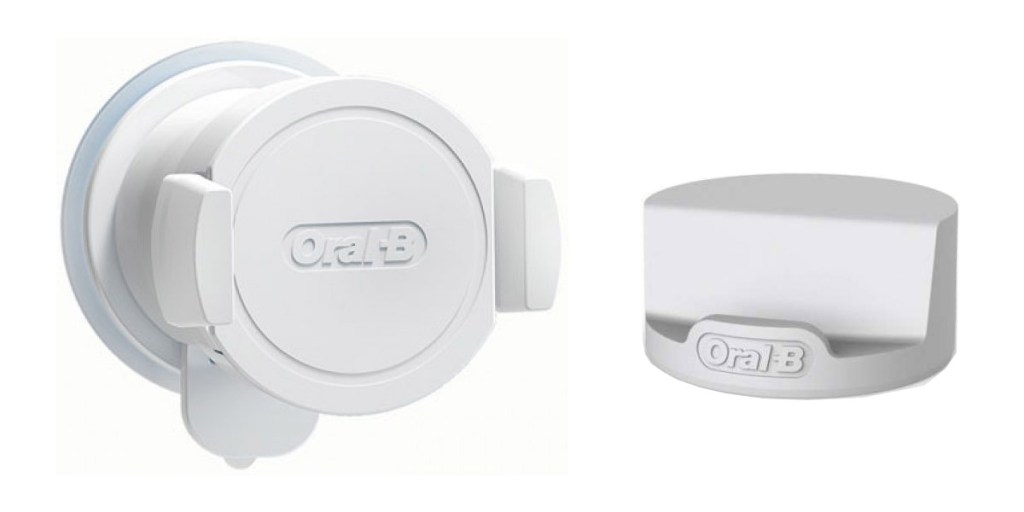
Smart Phone Holder The Oral-B Genius 9000 comes with a smartphone holder that allows you to stick your smartphone to a mirror.
With the Oral-B genius electric toothbrushes, they also come with position detection. Position detection is where the electric toothbrush can tell which areas you have cleaned and which you have missed. Areas which are frequently missed when brushing can lead to plaque accumulation and gum disease.
Visible Pressure Sensor with 360-degree smart ring If you press too firmly with an electric toothbrush it can cause a type of footwear called toothbrush abrasion. This over time can lead to gingival recession and sensitive teeth.
To prevent this from happening, Oral-B has installed a visible pressure sensor on the back of the electric toothbrush handle. To make this pressure sensor even fancier, Oral-B has made it completely personalisable with a 360 degree smart ring. This allows you to chose the colour that the ring changes when you turn the electric toothbrush on.
To change the colour of the 360 degree smart ring it is really simple. After connecting the brush via Bluetooth to the Oral-B app, go to settings and click on toothbrush handle. Under visual, you will have a choice of 12 colours, click on your preferred one and voila it is set up. The whole process literally takes 20 seconds to do.
Battery Life The Oral-B Genius 9000 comes with an extended battery life which has often been the downfall of the Oral-B range. This electric toothbrush comes with a 2 week battery life when used twice a day for 2 minutes. This is extremely convenient as it means less downtime.
The lithium-ion battery that the Oral-B genius 9000 uses also charges extremely quickly taking around 5-6 hours from flat. This means you can leave it to charge overnight and it will be ready to work for another 2 weeks in the morning.
The battery indicator light on this model is much improved compared to the cheaper Oral-B pro electric toothbrushes. The Oral-B Genius battery indicator light lets you know well in advance before it needs charging and is very accurate.
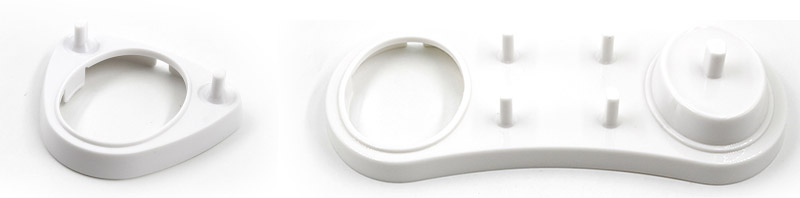
The charging station featured on this electric toothbrush is similar to the ones featured on the older Oral-Bs. It can hold up to four separate brush heads which is extremely useful for multiple users.
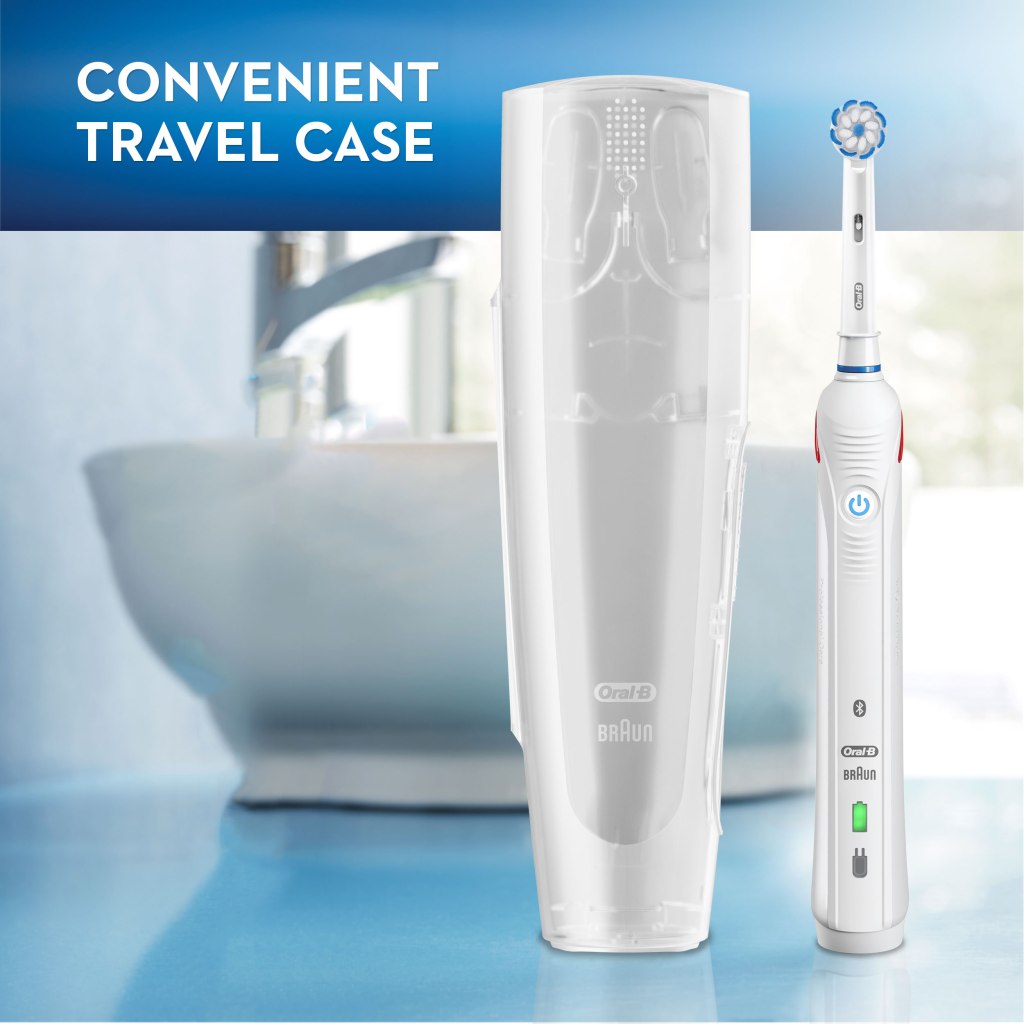
Smart Travel Case The Oral-B Genius 9000 comes with a beautiful, soft touch, premium travel case. It provides good protection to the electric toothbrush handle on your travels and also serves as a charger for your electric toothbrush handle and has a USB port to charge your smartphone. This feature is unique to the Oral-B Genius 9000.
The travel case also houses two brush heads for you to use on the handle and comes in two colours either white or black. The only model to come with the black travel case is the new midnight black edition Oral-B Genius 9000.
The travel case can also hold your smartphone so that you can use your position detection and Bluetooth connectivity when you are on your travels. This means that you do not need to take your smartphone holder with you.
What’s In The Box? The Oral-B Genius 9000 box is pretty cool. It has a magnetic flap that lets you see the electric toothbrush handle through the front of it.
Inside the box the contents is well packaged and safely wrapped up. The Oral-B Genius box contains:












 Cavarii Online Store