Blog Feed

Oral-B Troubleshooting & Common Issues

The following are taken from ElectricTeeth Site – https://www.electricteeth.com/

My brush head is stuck/won’t come off the handle

  • Run the top of the handle under warm water for a minute or so, to loosen the brush head. Make another attempt to remove it, it should come off with ease.
  • It is recommended to remove and rinse the brush head after each use before placing it back on the handle.

Oral-B toothbrush won’t stop blinking/flashing

  • Green or white blinking/flashing light.
    • The battery is in the process of charging.
    • The light will turn a solid green or go out when complete*.
  • Red blinking/flashing light.
    • The battery power is very low and requires charging.

* Usually for NiMH battery models, the light will turn solid green and will not go out, only Li-ion battery charging light will go off after fully charged. Please refer to respective user manual that comes with the package.

Toothbrush has stopped working the first time I used it

  • The battery of the brush only comes charged to last a few minutes. To maximize the capacity and life of the rechargeable batteries, the power handle should be placed on the charging stand for several hours before the first use.

Handle not turning on/does not work at all

  • The power button is stuck.
    • Toothpaste residue can build-up around the power button. This can cause the button to get stuck and not function correctly.
    • Rinse the handle under warm water for about 10 seconds.
    • Clean the power button and surrounding area with a damp cloth to ensure it is clean and free of debris.
  • Correct button used?
    • If the handle has 2 buttons, ensure the correct button is being pushed.
    • The mode button will not turn the toothbrush on, only the power button.
  • Is the toothbrush charged?
    • If the battery icon indicates that the battery is flat or low on power, it may require charging before it will turn on.
  • Any noise coming from the handle?
    • Turn on the toothbrush with a brush head attached and place the handle near your ear. If you hear a soft humming sound, it is likely that a fault has occurred.
  • Is the metal shaft in place?
    • With the brush head removed check if the metal shaft that extends from inside the handle. Is it loose or does it come out of the handle? If it does it is likely that a fault has occurred.
  • Has it been dropped?
    • If a toothbrush has been dropped or taken a very hard knock, it is possible that the battery connection inside the handle has been damaged.
    • The connection is usually a small solder connection between the +/- terminals of the battery that connects this to the main printed circuit board.
    • Cracked solder joints can, in theory, be repaired. However, the Oral-B handles are not designed to be opened up by users. Doing so will invalidate your warranty and may even render the brush broken for good.
  • Has it gotten wet?
    • Whilst the brush is designed to resist water prolonged exposure or submersion in water may lead to water ingress inside the handle.
    • Any physical damage to the handle will likely increase the likelihood of any water having impacted the internal electronics.
    • Water can cause corrosion, staining and crystal formation on the circuit board rendering the brush no longer functional.
Oral-B Troubleshooting & Common Issues 1

Oral-B toothbrush does not charge

  • Handle is not fully charged
    • After a total discharge it is possible for the charge indicator to take up to 15 minutes to begin flashing.
    • If you see the battery indicator light blinking it means it is charging.
    • Fully charge the Oral-B handle for up to 22 hours.
  • Not using the original charger
    • Make sure that you use the original charger that came with your Oral-B toothbrush.
  • The socket is not working
    • Try another appliance in the same power outlet/socket and see if that works. If that is also not working the issue might be with that socket. Try an alternative outlet.
  • Has it been dropped?
    • If a toothbrush has been dropped or taken a very hard knock, it is possible that the battery connection inside the handle has been damaged.
    • The connection is usually a small solder connection between the +/- terminals of the battery that connects this to the main printed circuit board.
    • Cracked solder joints can, in theory, be repaired. However, the Oral-B handles are not designed to be opened up by users. Doing so will invalidate your warranty and may even render the brush broken for good.
  • Has it gotten wet?
    • Whilst the brush is designed to resist water prolonged exposure or submersion in water may lead to water ingress inside the handle.
    • Any physical damage to the handle will likely increase the likelihood of any water having impacted the internal electronics.
    • Water can cause corrosion, staining and crystal formation on the circuit board rendering the brush no longer functional.

My Oral-B toothbrush charger isn’t working

  • Any lights on the handle?
    • When a brush handle is placed on the charging stand do any lights flash/blink?
    • If yes, this would suggest the charging stand is functioning correctly.
    • If no, leave the handle on the charger for at least 1 hour and see if the lights are now flashing/blinking.
    • After a total discharge it is possible for the charge indicator to take up to 15 minutes to begin flashing.
  • Handle warmth
    • Is the base of the handle slightly warm after having been sat on the charging stand for a few hours. If so, this is usually a sign it is functioning correctly.
  • Power outlet/socket
    • Try another appliance in the same power outlet/socket and see if that works. If that is also not working the issue might be with that socket. Try an alternative outlet.
  • Cables & damage
    • Check the power lead cable to see if there are any cuts or damage. If so stop using for your own safety.
    • Has the charger recently gotten wet or been damaged in some way? If so, stop using for your own safety.
  • Try an alternative charger
    • Does a friend or family member have an Oral-B toothbrush. If so use their charger to confirm if your brush charges on theirs.
    • If so, it will likely confirm your charger is at fault.
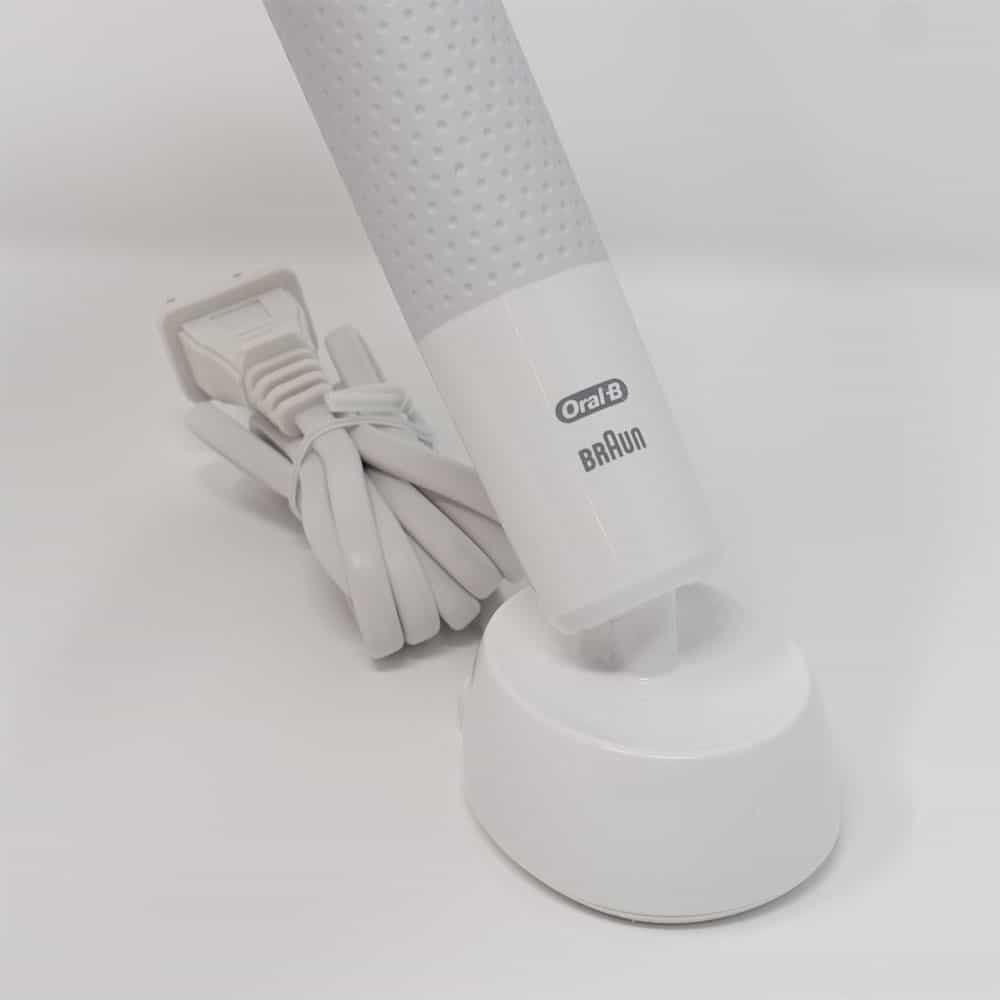
Oral-B Troubleshooting & Common Issues 2

What do the battery status lights mean?

Your Oral-B toothbrush has smart ways of telling you when it is time for a recharge. The lights and beeps of your toothbrush indicate the charging behaviour.  

Some toothbrushes have only one indicator light, while others have three. Below, you can find what the indicator lights mean for each of these models. 

  • Toothbrushes with 1 indicator light
    • Toothbrush on charger
      • No lights – Fully charged and on sleep mode
      • Green or white light flashing – Charging
      • Solid green light – Fully charged
    • Toothbrush not on charger
      • Solid green light – Fully charged
      • Flashing red light – Battery empty
  • Toothbrushes with 3 indicator lights
    • Toothbrush on charger
      • No lights – Fully charged and on sleep mode
      • 1, 2 or 3 lights flashing – Charging
      • 3 solid white/green lights – Fully charged
    • Toothbrush not on the charger
      • 3 solid white/green lights – Fully charged
      • 2 solid white/green lights – Moderately charged
      • 1 solid white/green light – Low battery
      • 1 flashing red light – Battery empty

Note that some toothbrushes like the Vitality series do not have a battery light indicator. In this case, just follow the normal charging advice as specified in the user manual. 

Toothbrush takes a long time to charge

  • Depending on the model of toothbrush it can take anything up to 22 hours to charge an Oral-B toothbrush battery.
  • Most models are fully charged within 12-15 hours.
  • If you are charging your toothbrush on a metal surface, this can cause the charge time to be longer.
  • The tooth brush charger works by electromagnetic induction.
  • Using the inductive tooth brush charger on a metal surface influences the electric flux and reduces the induced power of about 15-20% compared to a non-metal surface. This leads to an increased charging time.

The handle is very loud/noisy

  • Are you familiar with an Oral-B toothbrush?
    • The sound and vibration may appear odd because you are not familiar with the sound that it makes, particularly if this is your first electric toothbrush.
    • Oral-B toothbrushes are louder than Sonicare and other sonic toothbrushes, producing a more mechanical sound.
  • Check that the brush head is attached correctly.
    • A loose brush head may result in increased noise being generated.
    • If no brush head is attached it will likely sound louder.
  • If certain modes the toothbrush will sound louder, and if the highest level of brushing intensity has been set, this will increase the pitch of the sound.

Ticking sound coming from my Oral-B toothbrush

  • On some toothbrush handles you might hear a low ticking sound coming from inside the body. The sound may be heard even if the body is not on the charging station. The sound comes from the working frequency of the voltage converter and can be heard in very quiet environments.
  • This ticking sound doesn’t necessarily indicate any malfunction of the brush.

Toothbrush stutters regularly/pauses briefly

  • This is part of the professional timer, also known as the pacer/quadpacer/30 second timer.
  • A short, stuttering noise reminds you at 30 second intervals to clean all four areas of your jaw (upper right, upper left, lower right and lower left) for the same amount of time (30 seconds).
  • A long spluttering noise tells you that you have reached the end of the two-minute cleaning time recommended by dentists.

Oral-B toothbrush power cycles on/off

  • If the Oral-B toothbrush is turning itself on and off very quickly, and then continues to run this likely normal. This is the professional timer, also known as the pacer/quadpacer/30 second timer.
  • A short, stuttering noise reminds you at 30 second intervals to clean all four areas of your jaw (upper right, upper left, lower right and lower left) for the same amount of time (30 seconds).
  • A long spluttering noise tells you that you have reached the end of the two-minute cleaning time recommended by dentists.
  • If an Oral-B toothbrush is turning itself on or off regularly without input from yourself and not during a typical brushing cycle, the brush requires inspection by Oral-B.

Oral-B toothbrush handle turns itself on

  • If the toothbrush is turning itself on, without any interaction from you, then there is a fault with the handle that requires repair.

Oral-B electric toothbrush head has stopped moving

  • If the brush head is not moving, and the toothbrush is definitely switched on (because you can hear it), try removing and replacing the brush head. It may not be seated correctly.
  • If this does not resolve the issue, use another replacement brush head. This rules out that the brush head itself is the issue.
  • Next, have a look at the metal shaft under the brush head. When the toothbrush is switched on, does it move? It should spin around in a circle. If it does not, there may be something wrong with the handle and it will require service.

Oral-B Troubleshooting & Common Issues 3

Pressure sensor light not working

  • Not all brushes have pressure sensors. Those that do have a red panel on the neck of the brush head or a clear ring around the top of the head that will light up.
  • To function, a certain amount of pressure must be applied.
  • A method to test it:
    • Attach the brush head to the handle.
    • Turn the toothbrush on.
    • With the toothbrush out of the mouth, use your hand/fingers to push on the long neck of the brush head, starting gently, gradually increasing the force.
    • With a light-medium pressure, you should hear the sound of the motor in the handle slowing/straining a little and the light should come on.
    • If the light does not come on, apply a little more pressure, not too much as it does not require lots of pressure.
    • If the light still does not come on, it is likely that a fault has occurred.

Water dripping from Oral-B handle

  • Water can build up within or be retained within the brush head attached to the handle. This can exit the brush head over time. This is normally very safe and will cause no issue. It is advised to remove and rinse the brush head after each use. To help it dry, keep it detached from the handle.
  • If water appears to be dripping from inside the handle, look for any signs of possible damage. Consider whether this has happened before and whether this could be moisture that has collected/built-up on the handle.
  • Should you have any doubts bout the safety of your device or you suspect that it is faulty, please do not continue to use it.

Oral-B toothbrush gets warm

  • A rise in temperature during charging is normal.
  • An increase of 40°C above the ambient temperature of the device is acceptable.
  • If the device, the power cable or the power adaptor are damaged or if you have any doubts about the safety of your device or you suspect that it is faulty, please do not continue to use it.

Toothbrush get very hot and parts are melting

  • Please do not use the device.
  • If the device, the power cable or the power adaptor are damaged or if you have any doubts about the safety of your device or you suspect that it is faulty, please do not continue to use it and detach it from the power outlet.

Burning smell/smoke coming from toothbrush

  • Please do not use the device.
  • If the device, the power cable or the power adaptor are damaged or if you have any doubts about the safety of your device or you suspect that it is faulty, please do not continue to use it and detach it from the power outlet.

Oral-B toothbrush smells

  • If it is producing a burning smell, please do not use the device.
  • It is however more likely that the smell is related to residual moisture.
  • It is important to keep the toothbrush clean and allow the toothbrush to air dry.
  • If the toothbrush is unclean or is in a wet environment, damp and mold can form.
  • Store the toothbrush in a dry place with a good airflow and see if it improves.
  • This guide to cleaning a toothbrush may help.

Foreign (grey) susbtance on/in toothbrush

  • The use of rough / abrasive toothpaste can cause abrasion of the metallic parts inside the brush head.
  • Clean the affected brush head thoroughly under running water for a couple of seconds. Turn the device off and detach the brush head. Clean both parts separately under running water and wipe them dry. Let them dry separately.

Rust on metal shaft/metal axis

  • In rare cases it might happen that the drive axis (the metal shaft that the brush head fits to) gets rusty or discolured.
  • This might be more apparent if you store your refill brush head permanently on the handle or if you use tap water filtered from sea water with a high residue of sodium chloride.
  • Try to keep the brush as clean as possible. After brushing, rinse the brush head for several seconds under running water with the handle switched on.
  • Switch off the handle and remove the brush head. Rinse both parts separately under running water then wipe them dry before reassembling the toothbrush.

Oral-B toothbrush handle is discoloring/changing color

  • The Oral-B handles are designed to last and as best as possible resist discoloration.
  • In some instances, the plastics and rubber materials can dull/change color if the handle is not regularly cleaned and dried.
  • If the handle is left in very warm conditions and in direct sunlight.
  • If the handle is used with tap water filtered from sea water with a high residue of sodium chloride.
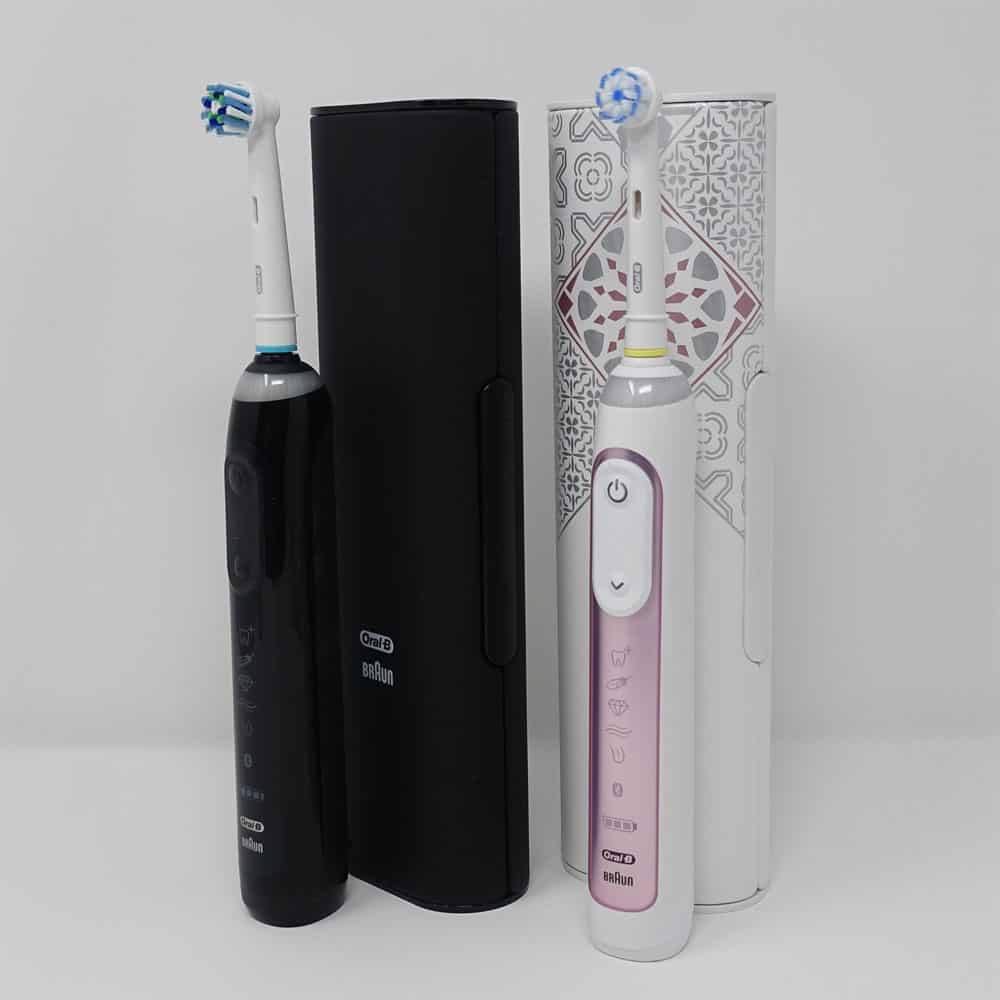
Oral-B Troubleshooting & Common Issues 4

The metal shaft/adaptor on my handle is loose

  • Remove the brush head and see if the metal shaft on the handle is loose.
    • If yes, there is a fault with your handle.
    • If not, check other troubleshooting advice.

Toothbrush does not vibrate as much as it did/weak vibration/has lost power

  • Make sure that your toothbrush is fully charged – give it up to 22 hours.
  • If your toothbrush has more than one mode of operation, you may have activated a different mode with a different brushing action or intensity.
    • Press the power/cleaning mode button to make relevant changes.
  • Old worn brush heads can also seem to be less effective or powerful in their rushing action.  
    • If your brush head has been in use for more than 3 months, it should be replaced with a new one.

The vibration is too powerful

  • Change the cleaning mode.
    • If your toothbrush has the option to, you may wish to change the cleaning mode selected. Different brushing modes use varying amounts of power from the brush motor causing more or less intense vibrations at the brush head.

Cleaning modes no longer available

  • You more than likely have a particular ‘journey’ set within the smartphone application.
  • If you have a smart (Bluetooth enabled) toothbrush, that has been paired to the smartphone, within the app you can set specific goals/journeys that change the brush configuration, including disabling certain cleaning modes.
  • Enter the app and modify or cancel the journey to restore particular cleaning modes.

Order of cleaning modes have changed

  • You more than likely have altered the order of the cleaning modes available on the brush from within the smartphone application.
  • If you have a smart (Bluetooth enabled) toothbrush, that has been paired to the smartphone, within the app you can change the order of the modes to suit you.
  • The default order might be Daily Clean>Gum Care>Sensitive>Whitening, but you could change this to Whitening>Daily Clean>Sensitive>GumCare.
  • Enter the app and modify the order of the modes within the settings.

Can I turn off Bluetooth?

Bluetooth can be deactivated on models that have both a power and cleaning mode button.

  • Press the on/off button and the mode button simultaneously for 3 seconds to disable Bluetooth completely.
  • Turn the toothbrush handle back on, you should now notice that the Bluetooth icon just above the power bar is now turned off, meaning your Bluetooth is deactivated.
  • You can reactive the Bluetooth anytime, by following the same steps and you will know it is back on when the icon is lit up.

With the Oral-B iO Series Bluetooth can be turned off via the settings on the display rather than via button presses.

What are the differences between Sonicare replacement heads?

Philips Sonicare toothbrush heads

Enjoy the complete power of your Philips Sonicare electric toothbrush with a Sonicare brush head. Because every smile is unique, we have brush heads that help you focus on your personal oral health goals: from plaque removal, to gum health, to teeth whitening. No matter which Philips Sonicare electric toothbrush you use, simply click on the brush head that suits you best.

Comparisons between all Sonicare Brush Heads

Sonicare Electric Toothbrush Heads Explained 2020

You can go through the following video to watch detail explanations of the various Sonicare replacement brush heads

Philips Water Filter Jug User Guide

First Time Use

  1. Timers (* depending on model)
  2. Filtered water outlet
  3. Raw water funnel
  4. Filtered water jug
  5. Filter cartridge*
  6. Handle*
  7. Cover
  8. Tap water inlet
  1. Open the box and take out the filter cartridge. It is common that its surface may have some carbon powder, this is normal. These particles are harmless and are washed off during the preparation process.
  2. Clean the water jug and the funnel. Hand wash the lid if it comes with a timer.
  3. Soak the filter cartridge in clean water for 15 minutes. Shake the filter cartridge slightly to wash the carbon powder on the surface.
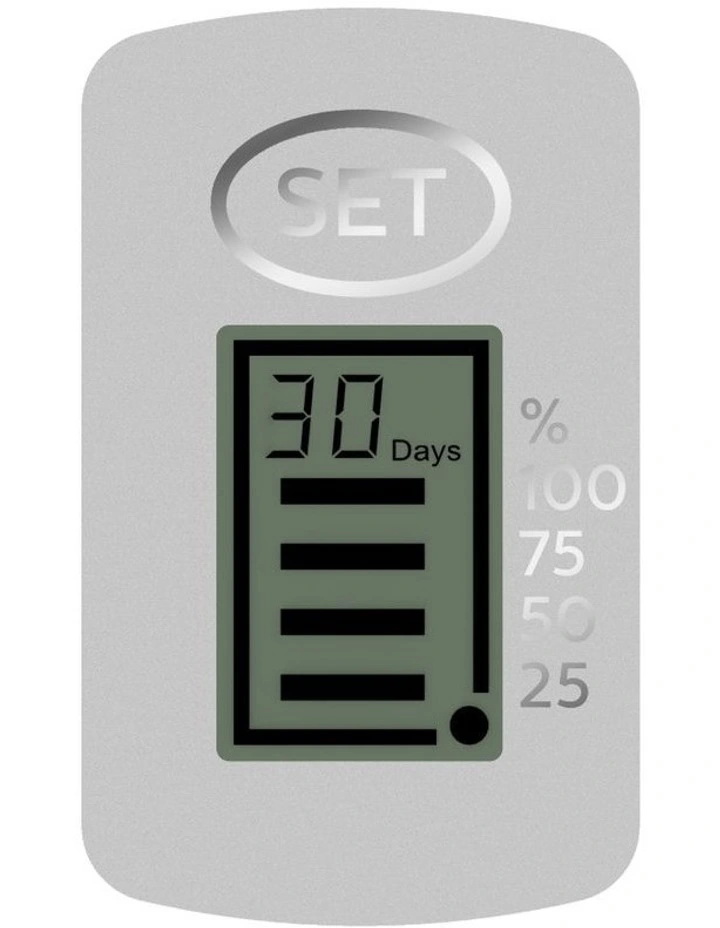
  4. Press the filter down firmly to ensure a tight seat. Press the “SET” button for 3 seconds to activate the timer (applicable for models with timer).
  5. Fill the pitcher with tap water. Discard your first two jugs of filtered water.
  6. Enjoy the clean filtered water.

Both Micro X-Clean and Micro X-Clean Ultra filters are compatible with the following filter jugs: AWP2935, AWP2936, AWP2937, AWP2938, AWP2951, AWP2952, AWP2953, and AWP2954.

There may be differences in the appearance between different models.

Timer for filter replacement

In order to maintain the best status of the filter cartridge. Philips recommends that you to replace the filter cartridge at least every 30 days. This timer has a 30-day countdown. A new pitcher with a timer will show a blank display until it is activated.

  • Start: Please press “SET” button firmly for 3 seconds to activate the timer.
  • Normal reset: When it displays 00. after the filter cartridge is replaced. press the ‘SET’ button firmly for 3 seconds to start a new cycle of countdown.
  • Forced reset: For the replacement of filter cartridge at any time within a cycle of timing. press ‘SET” button firmly for 8 seconds to force it to reset.
  • During countdown, the dot will be flashing, and the number of days & graph will be decreasing. At the beginning it will show 30 days. and please replace the filter when the timer shows 00.

Precautions

  • Use municipal tap water as the source. Do not use any water of unknown source.
  • Keep the jug away from children.
  • Be sure to handle the jug gently and carefully. Do not modify or drop the filter cartridge. If It has been modified. externally damaged or dropped. replace it.
  • This product is Intended for domestic use only.
  • Please note that some models have a button battery. If eaten by mistake. it can cause serious internal burning, even death.
  • Do not pour the filtered water If there’s still raw water in the raw water tank.
  • This product does not filter liquids other than tap water. If you accidentally pour other liquid through the filter cartridge. the filtered cartridge may become blocked.
  • Do not filter hot water above 38°C.
  • If you accidentally pour hot water into the pitcher, there will be a temporary odor in the filtered water.
  • If there are a lot of impurities (after the container is washed or if it has not been used for a long time), please let the tap water run through it for a while before using the jug.
  • Do not put the product in a high temperature environment to avoid deformation of the product.
  • The filtered water should be consumed within 24 hours and not put in direct sunlight.
  • Do not put this product in the freezer, as it may cause damage to the product.

Daily maintenance

  • Philips recommends that you replace the filter cartridge every 30 days. The actual lifetime of the filter cartridge may vary depending on the use frequency and quality of the local tap water.
  • Please keep the product clean. When cleaning it, take out the filter cartridge. Do not use detergent when cleaning it.

KingSmith WalkingPad FAQs

WalkingPad Frequently Asked Questions

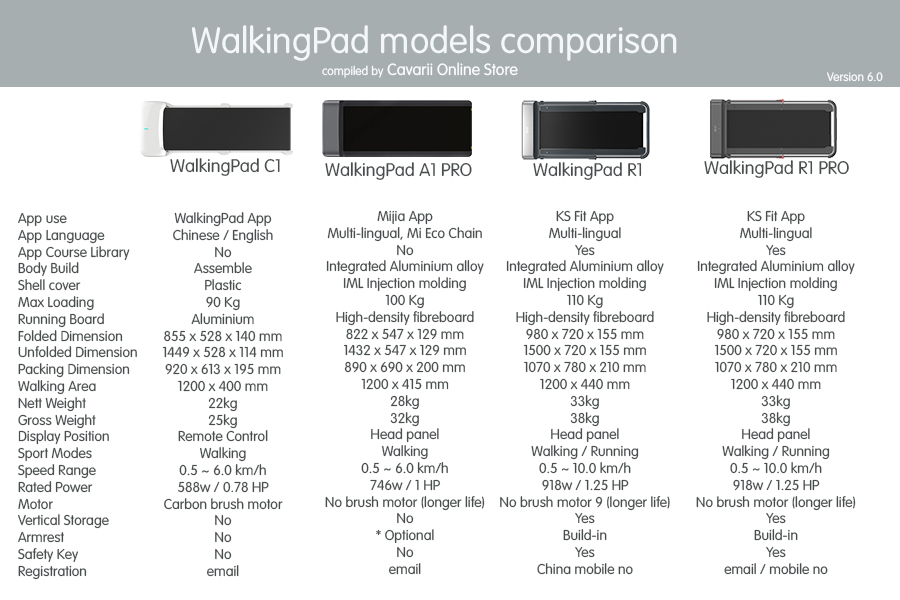
What is the maximum speed of the WalkingPad?
What’s the weight capacity of WalkingPad?

How to unlock the limit speed?

You can install the respective Apps for the WalkingPad models and go through the Novice Guide, after which, the speed limit will be unlocked. This design is use as a safety measures for new users

The WalkingPad speed can be unlocked automatically for new units after walking for 1 km.

Unlocking for A1 / A1 pro

Three modes: “Standby” “M mode” “A mode”, What do they stand for?

  1. “Standby” means sleep mode while not walking.
  2. “M” means modified speed.
  3. “A” means automatic speed, you can switch between the 3 modes with the remote controller.

What is the number of Walkingpad remote battery?

The battery type for remote of WalkingPad A1, A1 Pro, C1, R1 and R1 Pro is CR2032.
It’s removed from the shipment. If the battery run out of juice, please buy one from a local store before using it.

How to operate and pair the remote control?

When powering on the WalkingPad, press the mode switch button on remote control in 5 seconds, then it will be paired with your WalkingPad.

How to lubricate the belt?

  1. Turn off the machine and unplug the power cord.
  2. Lift up the belt and apply silicone oil provided by WalkingPad on the backside of the belt.
  3. Turn on the machine again, Keep the machine running under 4km/hr for 10-20 seconds.
  4. Only apply 5 ml- 10 ml lubricant oil each time, too much lubricant oil makes the belt become slipping.
  5. Apply walkingpad silicone oil once every 3 months.

How to adjust and align the belt?

Press and hold both mode switch button and acceleration button on the remote control for 3 seconds.

  • Front panel shows ‘CALI’ and the speed is 4km/hr (2.5ml/hr)
  • If belt deviates to the left: Turn the left adjusting screw for a half-circle clockwise.
  • If belt deviates to the right: Turn the right adjusting screw for a half-circle clockwise.
  • If belt is slipping: Turn both left and right adjusting screw for a half-circle clockwise at same time
  • Keep the machine running for 1-2 minutes and check whether it needs to readjust.

What does the error codes on the LED panel means?

The electronics of the equipment continuously carries out tests.
In case of deviations, an error code appears on the display and normal operation is stopped for your safety.

  • E01: Drive failure
  • E02: Motor abnormalities
  • E05: Power overload
  • E06: Motor overload protection
  • E08: Sensor error
  • E10: Temperature to high
  • E11: Overload current protection

The device can’t connect to the app, the device WIFI flashes fast.

If the Wi-Fi light flashes fast or can’t find the device and the network timed out. Please follow this method:

  1. Press the big button on the right side of the device
  2. Wait 3 seconds
  3. Press the big button again.
  4. At this time, the Wi-Fi light becomes slower and then restarts.

What should I do if the device has an abnormal noise?

  1. If a slamming noise, you may place a treadmill mat under the WalkingPad.
  2. If Motor carbon brush whistling (very sharp metal whistling sound), front/rear drum abnormal sound. If this situation continues for a couple of days, please contact your support for maintenance.
  3. If the motor cover grinding to the walking belt: magnetic friction sound, please contact our support for maintenance.
  4. If other abnormal sounds, it needs to be judged and processed according to a detail description or video attachment, please report to our support.


What is the difference between rotating and sonic electric toothbrush?

What is the difference between rotating and sonic?

If you’re looking for a new toothbrush, you’ll often encounter the terms rotating and sonic. Those are the 2 terms we use to indicate different brushing techniques. What’s the difference? This article will explain

Comparison between rotating and sonic toothbrushes

Rotating toothbrushesSonic toothbrushes
Shape brush attachmentRound brush headOblong brush head
Brush motionRotating motionVibrating motion
Replacement brush attachment indicatorColor bristles fadeLight signal via handle
BrandsOral-BPhilips Sonicare
Comparison chart

The brush head’s shape

A rotating toothbrush's shape

A rotating toothbrush’s shape

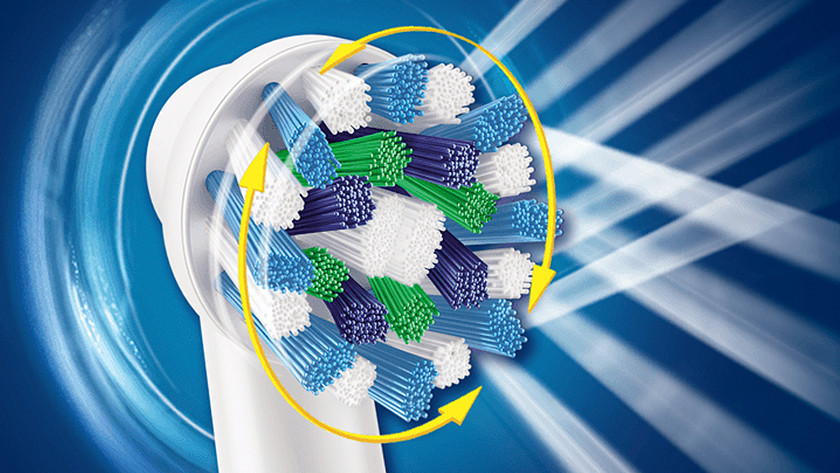
Rotating toothbrushes have a round brush head that rotates at high speed and also pulsates on most cases. The higher the rotational speed, the more brushing motions the brush head makes. The number of brushing motions influences the amount of dental plaque that you remove. The great thing about round brush heads is that – thanks to their shape – they completely envelop each tooth. That means the brush hairs will move deeply down to the gum line.
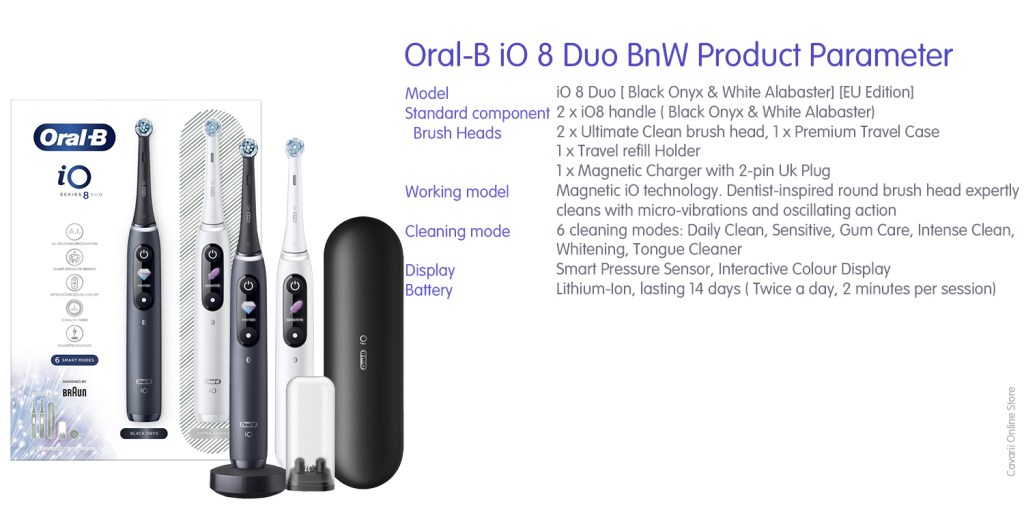
A sonic toothbrush's shape

A sonic toothbrush’s shape

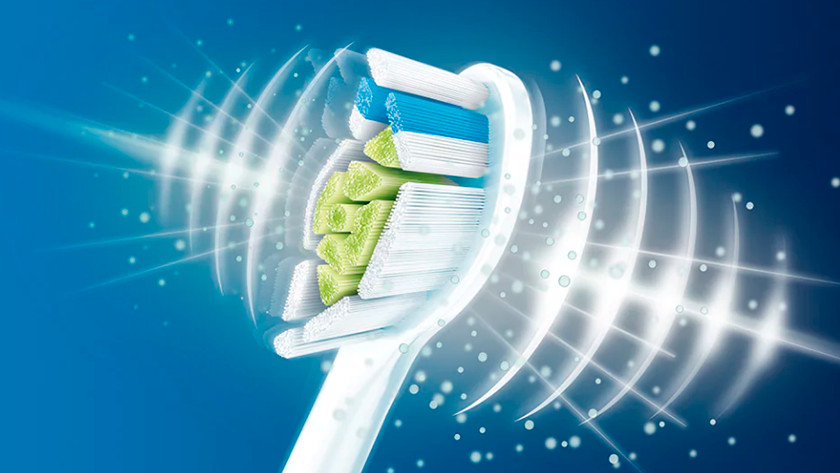
Sonic toothbrushes have an oval brush head, which means they look like a manual toothbrush. The big difference is that the brush hairs themselves vibrate at high speed. The more vibrations per minute, the more brush motions the toothbrush makes. The handy thing about an oval brush head is that it covers a large tooth surface area. In general, you’ll reach more teeth and molars with 1 brushing motion than you would with a rotating toothbrush.

The brushing motion

A rotating toothbrush's brushing motion

A rotating toothbrush’s brushing motion

The power of rotating brush heads is in the combination of a high rotational speed and quick pulsations. That means the brush hairs don’t just brush plaque from the teeth’s surface, it’s also pressed against the surface of the teeth. This pulsating motions loosens the dental plaque from the surface of the teeth, after which it’s brushed away by the rotating brush hairs.

A sonic toothbrush's brushing motion

A sonic toothbrush’s brushing motion

Sonic technology is similar to the motion you make with a manual toothbrush, only a sonic toothbrush makes a thousand times more brushing motions in 1 brushing session. The brush hairs vibrate at such a high speed, that you can remove sticky dental plaque deep down to the gum line. In addition, the vibrations generate micro-bubbles of water that clean even between your teeth and make your mouth feel uniquely fresh.

User-friendliness

The user-friendliness of a rotating toothbrush

The user-friendliness of a rotating toothbrush

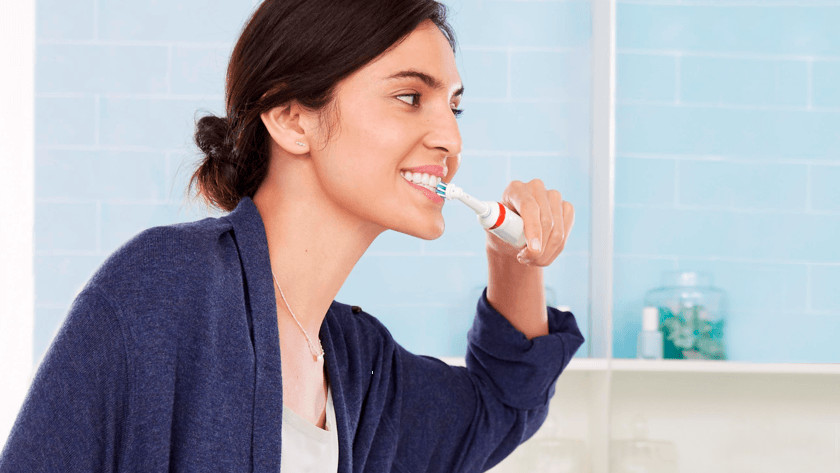
In order to use a rotating toothbrush the right way, it’s important brush to each tooth individually. The brush head’s round shape only works the way it’s supposed to if it truly envelopes each tooth. This requires a different style of brushing than you’re probably used to from a manual toothbrush. You’ll need to press the brush head onto each tooth or molar, so this technique may test your patience a little.

The user-friendliness of a sonic toothbrush

The user-friendliness of a sonic toothbrush

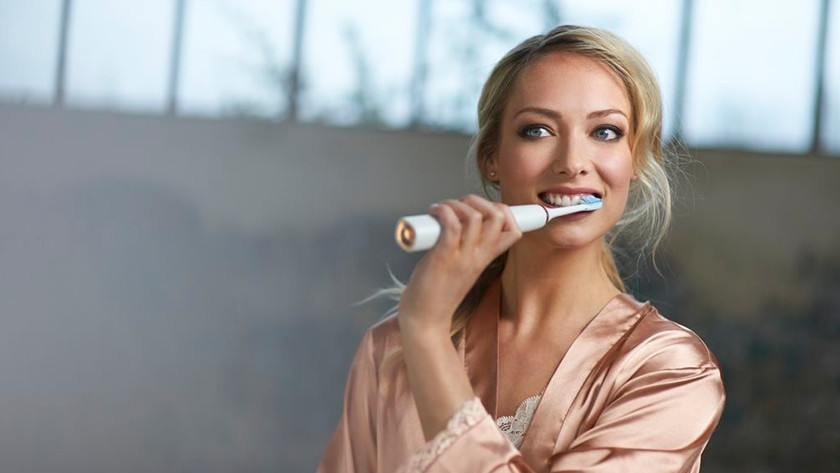
Sonic toothbrushes let you make more of a scrubbing motion. Thanks to the oval shape of the brush head, it already completely covers the tooth’s surface. The only thing you have to do, is move the brush head through each zone in your mouth. The vibrating brush hairs do the rest. This is a technique that’s partially similar to the one you use with a manual toothbrush.

The extra functions

The extra functions of a rotating toothbrush

The extra functions of a rotating toothbrush

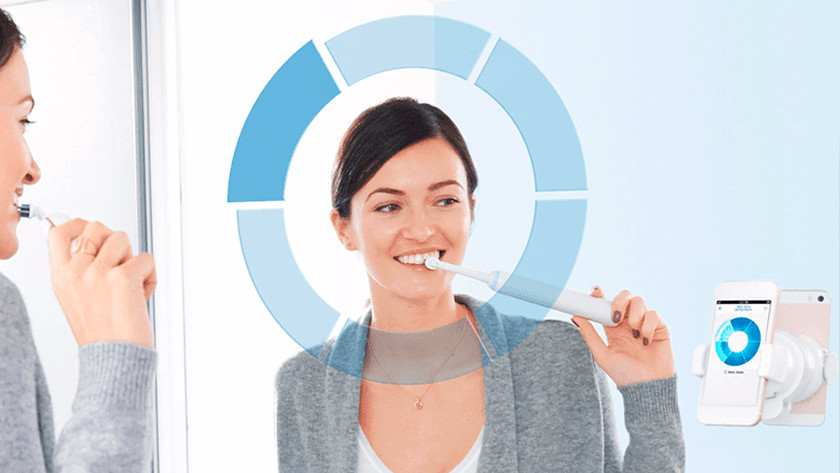
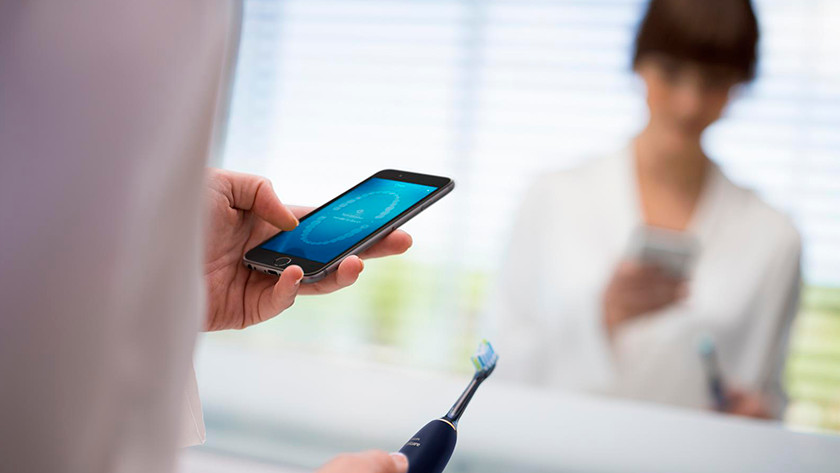
In addition to the basic functions, such as different brush settings and a 2-minute and interval timer, rotating toothbrushes have a number of distinctive functions. One of those is the smart ring. It acts as a pressure sensor, but can be personalized to your own color. The rotating smart toothbrushes from the high-end category also have location detection via your smartphone camera. In order to use this, you attach the smartphone to the bathroom mirror, and you can check if you brush each zone for long enough via the app.

The extra functions of a sonic toothbrush

The extra functions of a sonic toothbrush

Sonic toothbrushes are equipped with a number of special extra functions. Take for instance the adjustable brushing intensity. It allows you to choose how many vibrations you want to brush at. That’s useful if you sometimes suffer from sensitive teeth. In addition, the smart generation also has a microchip in the brush attachment. This chip analyzes which zone you’re brushing, if you’re doing it correctly, and sends the information straight to the smartphone app. On top of that, the chip also recognizes the status of the brush attachment and the toothbrush indicates when it’s time to replace it.

Oral-B’s Dual Handles Sets

Oral-B have a series of Duo brush handles set, targeted for family or couples, where each set consist of dual brush handles, share charger, and their respective brush heads.

These sets are usually reduced price items, as they are usually not a full package as compared with their corresponding counterpart standalone models, usually only comes with a share charger, and either no travel case, or just bundle with one travel case.

Pro 1 290 – Duo Handles set of Pro 1 200

The Pro 1 290 set is the duo handle model for Oral-B’s standalone full package of Pro 1 200

Pro 1 290 Duo handles set
Standard Pro 1 200 set

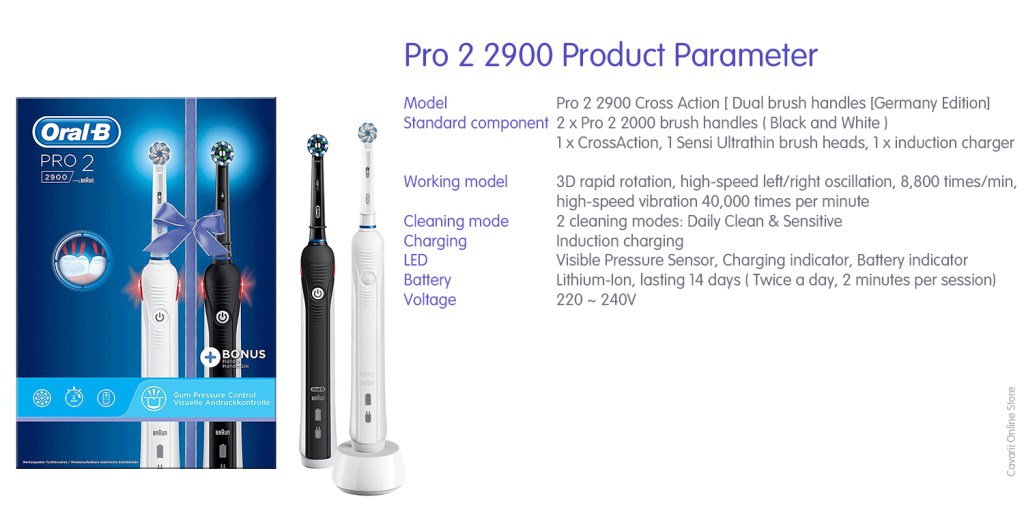
Pro 2 2900 – Duo Handles set of Pro 2 2000

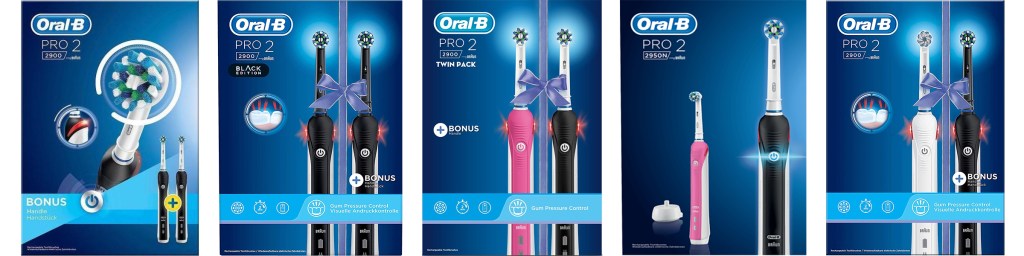
The Pro 2 2900 sets comes in different combinations of brush handles color

Pro 2 2900 Duo handles set
Pro 2 2900 Duo handles sets comes in many varieties of combinations, differ by brush handles color
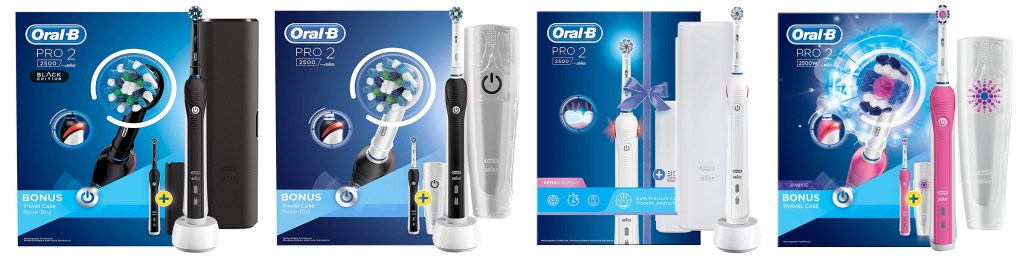
Standard Pro 2 2000 & Pro 2 2700 sets
Pro 2 2500 sets
Pro 2 2500 Design Edition sets

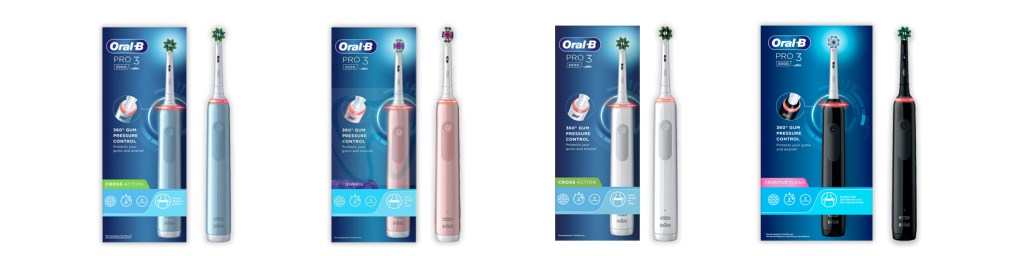
Pro 3 3900 – Duo Handles set of Pro 3 3000

The Pro 3 3900 sets comes in different combinations of brush handles color

Pro 3 3900 Duo handles set
Pro 3 3500 full sets
Pro 3 3000 full sets

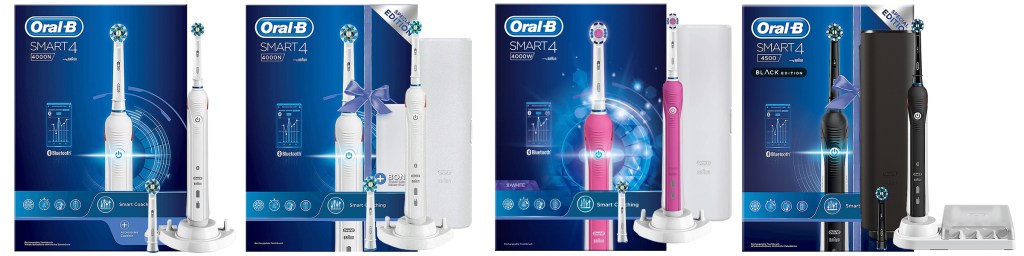
Smart 4 4900 – Duo Handles set of Smart 4 4000

The Smart 4 4900 set is the duo handle model for Oral-B’s standalone full package of Smart 4 4000 series

Smart 4 4900 Duo handles set
Smart 4 4500 full sets

Smart 5 5950N – Duo Handles set of Smart 5 5000

The Smart 5 5950N set is the duo handle model for Oral-B’s standalone full package of Smart 5 5000 series

Smart 5 5950N Duo handles set
Smart 5 5000N

Smart Expert – Duo Handles set of Smart 6 6000 and Smart 7 7000

The Smart Expert set is the duo handle model for Oral-B’s standalone full package of Smart 6 6000 series or Smart 7 7000 Series

Smart Expert Set duo handles set
Smart 6 6000 & Smart 7 7000. Smart 7 7000 is the Australian version of Smart 6 6000, with similar brush handle specs

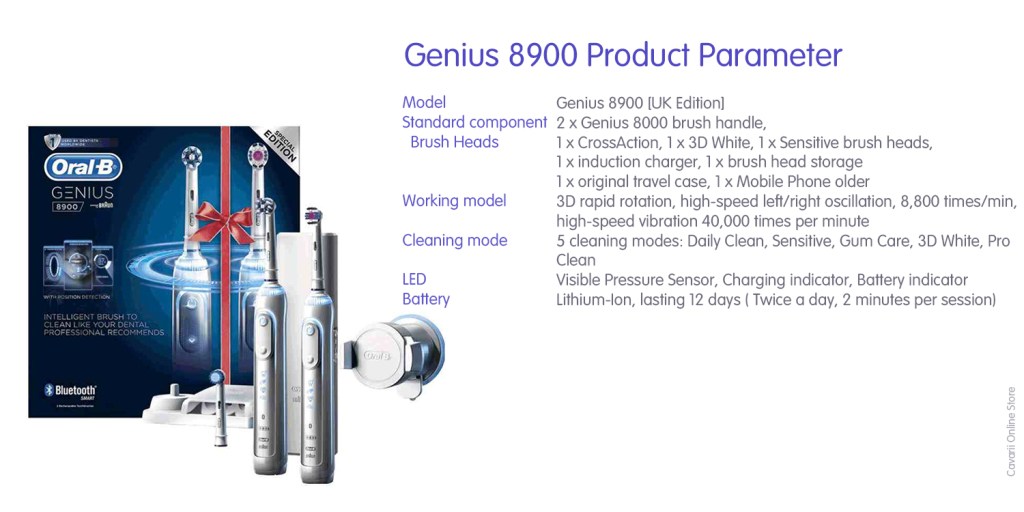
Genius 8900 – Duo Handles set of Genius 8000

The Genius 8900 set is the duo handle model for Oral-B’s standalone full package of Genius 8000

Genius 8900 Duo handles Set

Genius 9900 – Duo Handles set of Genius 9000

The Genius 9900 set is the duo handle model for Oral-B’s standalone full package of Genius 9000

Genius 9900 Duo handles Set
Genius 9000 range of products by colour

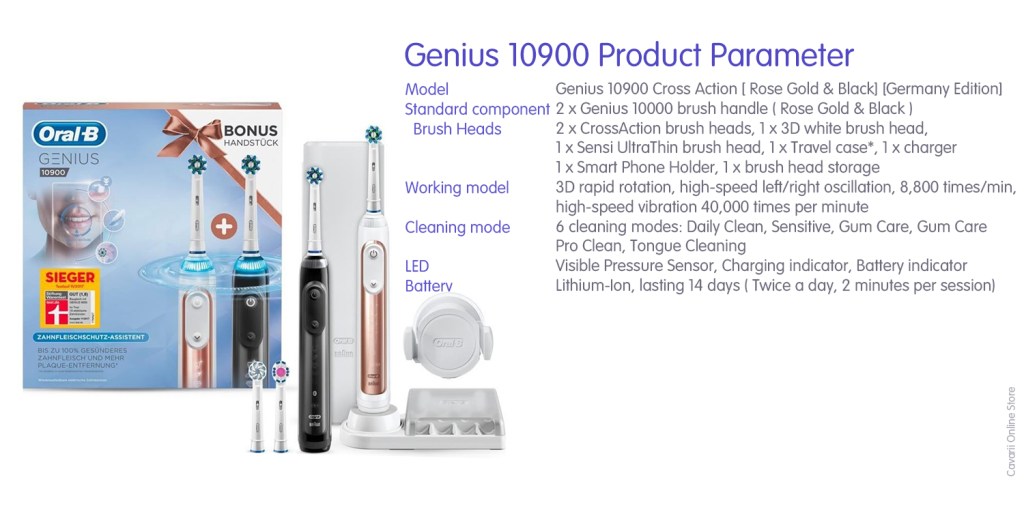
Genius 10900 – Duo Handles set of Genius 10000

The Genius 10900 set is the duo handle model for Oral-B’s standalone full package of Genius 10000. Please note Genius 10000 is with the same specs as Genius 9000, but branded differently for different markets by Oral-B

Genius 10900 Duo handles Set

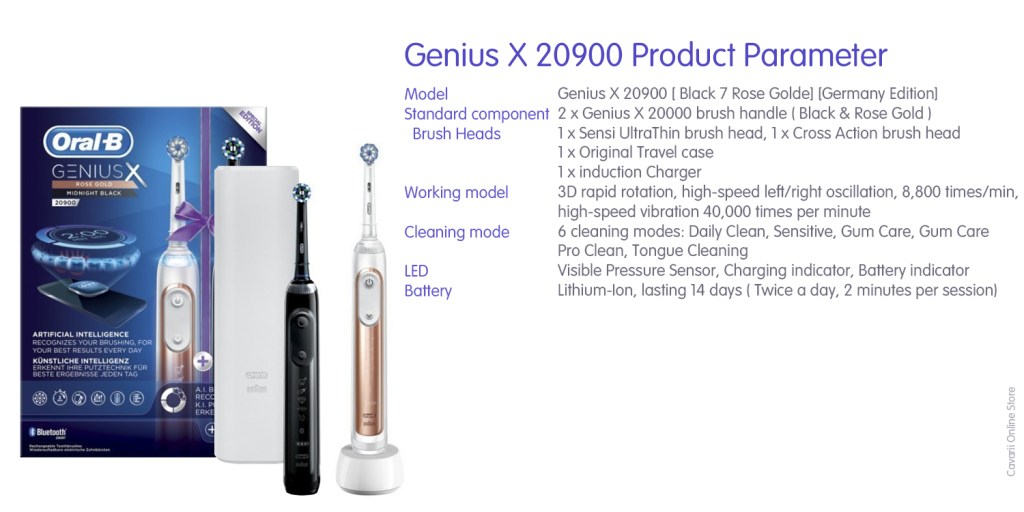
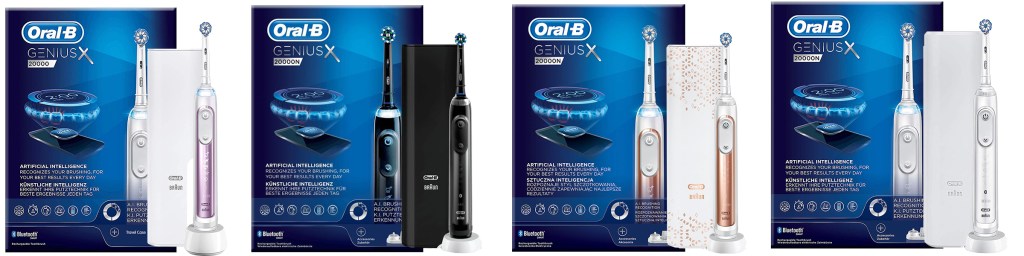
Genius X 20900 – Duo Handles set of Genius X 20000

The Genius X 20900 set is the duo handle model for Oral-B’s standalone full package of Genius X 20900

Genius X 20900 Duo handles Set
Genius X 20000 range of products by colour

iO 8 Duo – Duo Handles set of iO 8 Series

The iO 8 Duo set is the duo handle model for Oral-B’s standalone full package of iO 8 series

iO8 Duo handles set
iO 8 Series range of products by colour

Oral-B Pro 2000 and Pro 2 2000 Series Varieties

Pro 2 2×00 series comes in a lot of varieties, in different colors, number and types of brush heads and accessories bundled.

It is one of the most popular electric toothbrush model from Oral-B, as it is low in price, and have just enough cleaning modes and features required for buyers who want a mid-range product.

Main Features:

  • They all use the same brush handle model, Pro 2 2000, and only differ by different brush handle color;
  • It has charging and battery level indicator LEDs;
  • It had built-in pressure sensor lights;
  • It also has the 2-minutes reminder and quad timer feature;
  • Each comes with 2 cleaning modes;
  • They comes in Lithium-ion battery, which will last 14 days of brushing (base on brushing twice a day, and 2 minutes per brushing session)

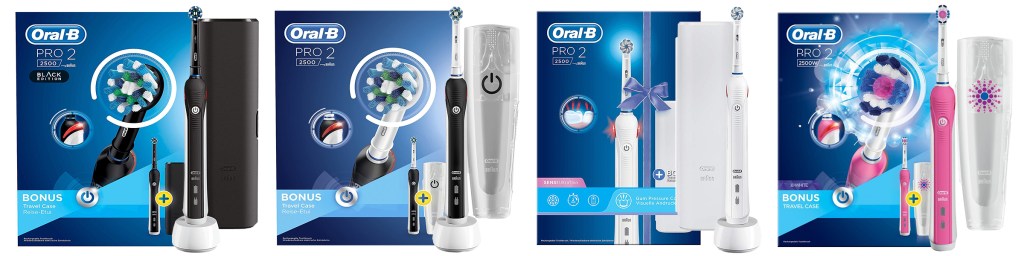
Pro 2 2000 Series

Pro 2 2000 comes in different colors, but does not come with any travel case, and only with 1 brush head.

Pro 2 2700 Series

Pro 2 2700 also does not come with any travel case, but with 2 brush heads

Pro 2 2500 Series

Pro 2 2500 comes with an original Oral-B travel case, and each travel case design varied with different color of brush handle. Pro 2 2500 also comes in 1 brush head only.

Pro 2 2500 Design Series

Pro 2 2500 Design series comes with an original Oral-B travel case, and each travel case design varied with different color of brush handle. Pro 2 2500 Design series also comes in 1 brush head only.

Pro 2 2900 Series

Pro 2 also comes in various duo handle sets, with different colors of brush handles combinations, but as they are packaged as family/couple sets, they only comes with one charger, which you’ll need to share for charging.

Pro 2 2900 does not come with any travel case.

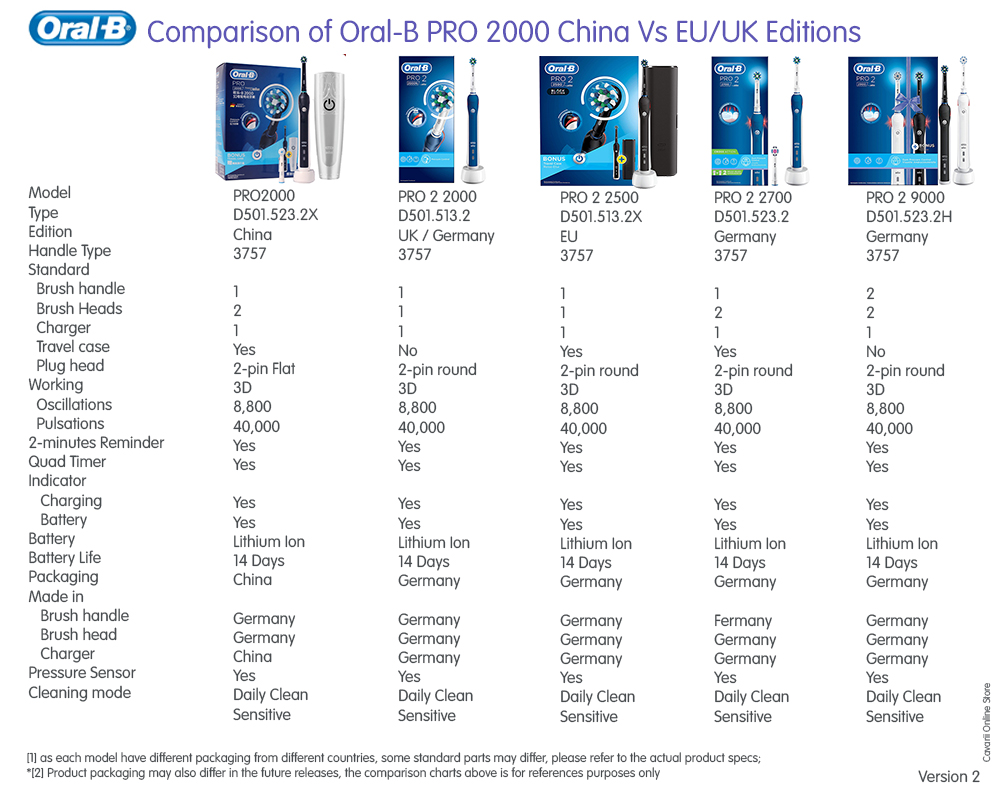
Pro 2000 Series [China Edition]

Oral-B have different branding in different region/countries. In China, the Pro 2 2000 is marketed as Pro 2000, with the same brush handle models but may bundle with different brush heads and accessories

Pro 2000 China edition

Pro 2 2000 Series [China Edition]

Pro 2 2000 China Edition comes with new brush handle design, no original travel case and one brush head

Comparing different Editions of 2000s

China Edition Vs EU Vs UK Vs Germany Editions

Philips Lumea Prestige IPL Cordless Hair Removal Device

The Intense Pulsed Light technology for the home sounds pretty smart. Break the cycle of unwanted hair regrowth with the Philips Lumea Prestige IPL Hair Remover. After 14 years of research with leading dermatologists, Philips Lumea places IPL technology, into your own hands.

First the basics
The light pulse technology does not destroy the hair follicles, but stimulates them to go into the resting phase. The consequence? Hair falls out naturally and hair growth is prevented. With consistent treatments (more on this below), the skin becomes hair-free in the long term.

Intense Pulsed Light (IPL)
Gentle, pain-free pulses of light are applied at the hair root to prevent it from growing back. Naturally it’ll take several treatments to achieve hair-free smoothness, but studies have shown that users have achieved up to 92% hair reduction in just 3 treatments*. To maintain, simply touch up every 4 weeks, or as much as is needed. After 8 touch-ups, enjoy hair-free smooth skin for 6 months**. Lumea is the only IPL with SenseIQ – a technology designed to understand what your skin needs during treatments, and adapts to be as sensitive as it is effective.

How IPL works
IPL emits a wavelength into the skin, which is absorbed by pigment (aka your hair). This turns into heat, which kills the ‘growing cells’ that make the hair. Effectively, this puts the follicle into a resting phase, which means that hair growth gradually declines.

*Measured on legs, 27 out of 55 women reached 92% or higher results.

**Median result 78% hair reduction on legs, after 12 treatments.

Suitable for a variety of hair and skin types
The Philips Lumea Prestige can be used on naturally dark blonde, brown and black coloured hairs and on skin tones from very white to dark brown. As with other IPL based treatments, it can’t be used to treat white or grey, light blonde or red hair and is not suitable for very dark skin. This is due to the high contrast required between the pigment in hair colour and pigment in the skin tone.

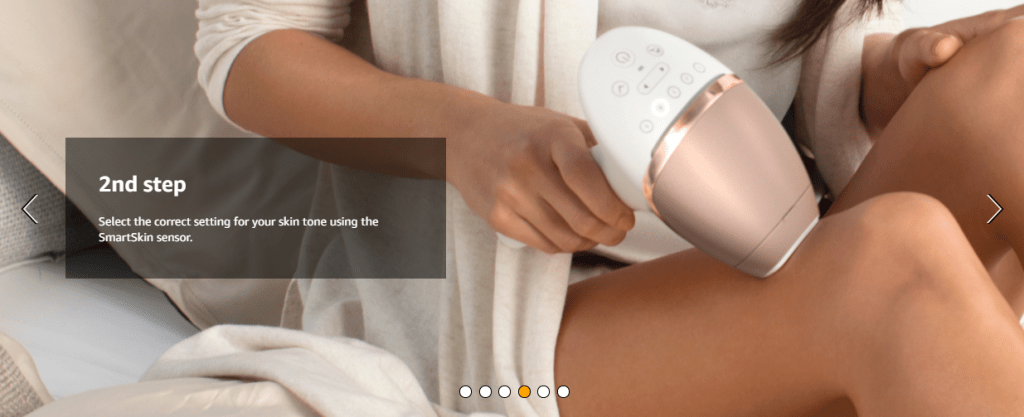
SmartSkin sensor
Philips has taken into account the fact that your skin colour may vary across your body by including a SmartSkin Sensor, which will suggest the best intensity setting for your skin tone.

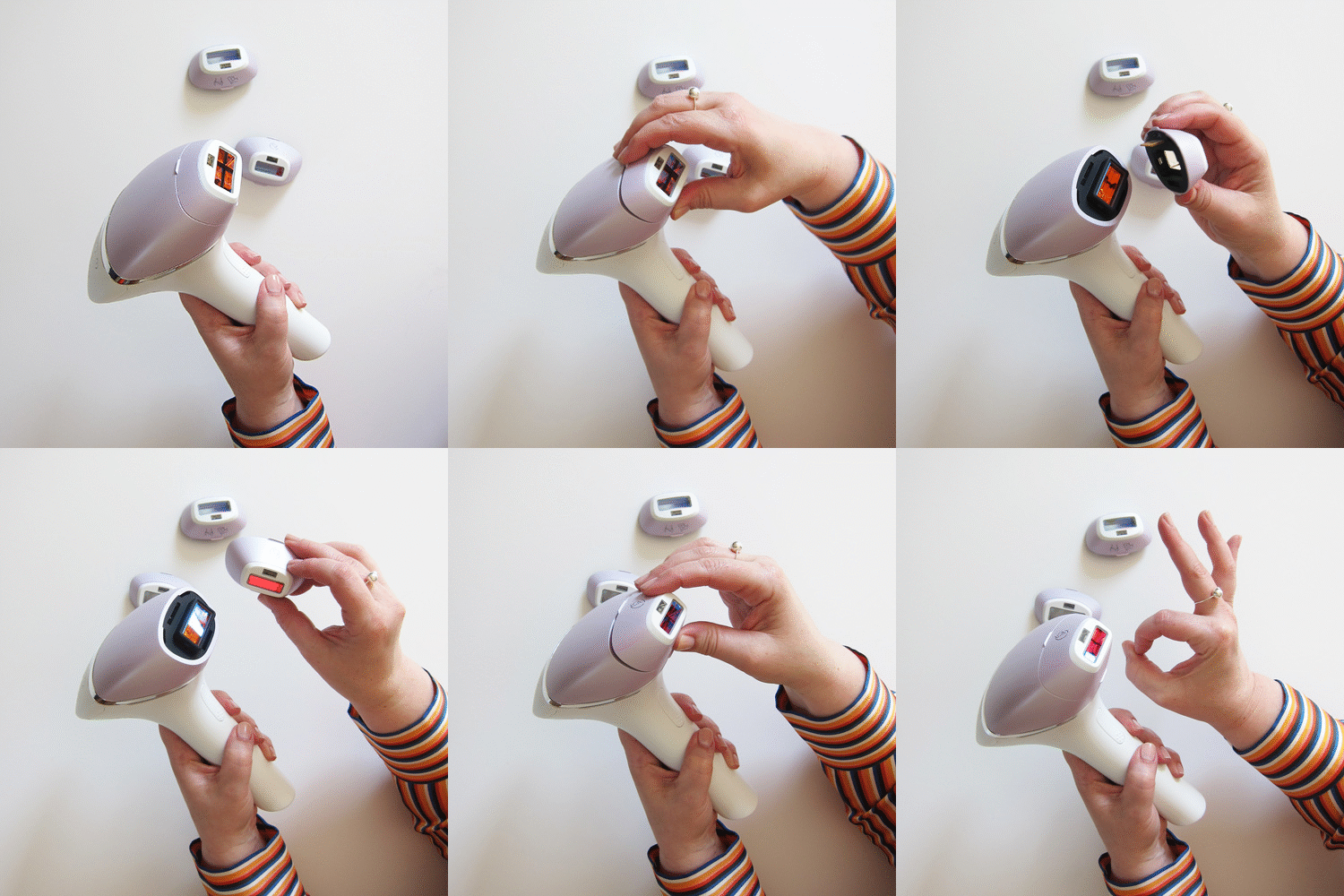
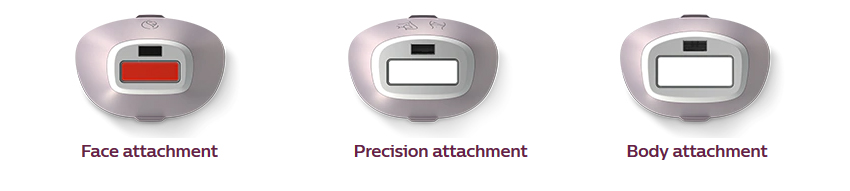
3 Curved attachments

These are shaped to ensure optimal skin contact for ultimate precision.

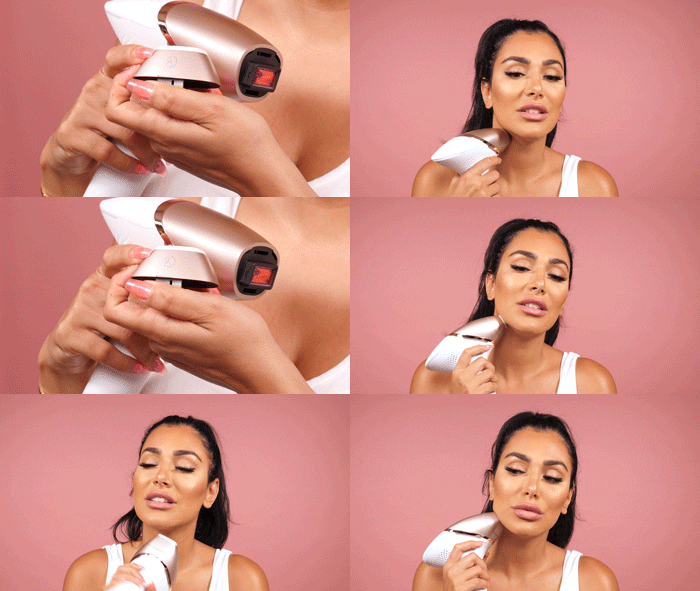
  • Face attachment delivers a gentle, precise treatment for upper lip, chin and jawline. The smallest attachment with a window size of 2 cm² was designed for the face and has an additional UV light filter. The treatment time is given as 1.5 minutes, but that’s totally cool where you have hair everywhere
  • Precision attachment tackles bikini line and underarms. The middle attachment (3 cm²) is suitable for “sensitive zones” (these are clearly the armpits and bikini line!) And is slightly more curved towards the outside in order to also reach “ricochets”.
  • Body attachment is designed to quickly and effectively treat larger areas, such as legs and arms. The largest attachment with 4.1 cm² is the fastest of all, thanks to the large treatment area and – because it is flat – allows optimal skin contact, which ensures that it goes really quickly on the legs, arms or stomach.

Mains-power & cordless

  • The Prestige is the only device to work both on mains-power and cordless. You will love this freedom to use it wherever you want.
  • Go cordless for full freedom of movement or stay plugged in for an uninterrupted session.
  • It’s best to use corded for most of your body because the flashes are fast (every 2 seconds) and you won’t need to stop and recharge. This gets your pins done as quick as possible. And it’s no bother because the long handle keeps the cord out of your way as you work around your body.
  • Then, simply remove the cord for smaller or hard to reach areas where the cord restricts you.
  • Therefore, cordless operation is no good for legs or a whole-body session. But it’s fine for smaller areas like the face and bikini line where you need fewer and slow precise flashes.

Lumea Coaching App

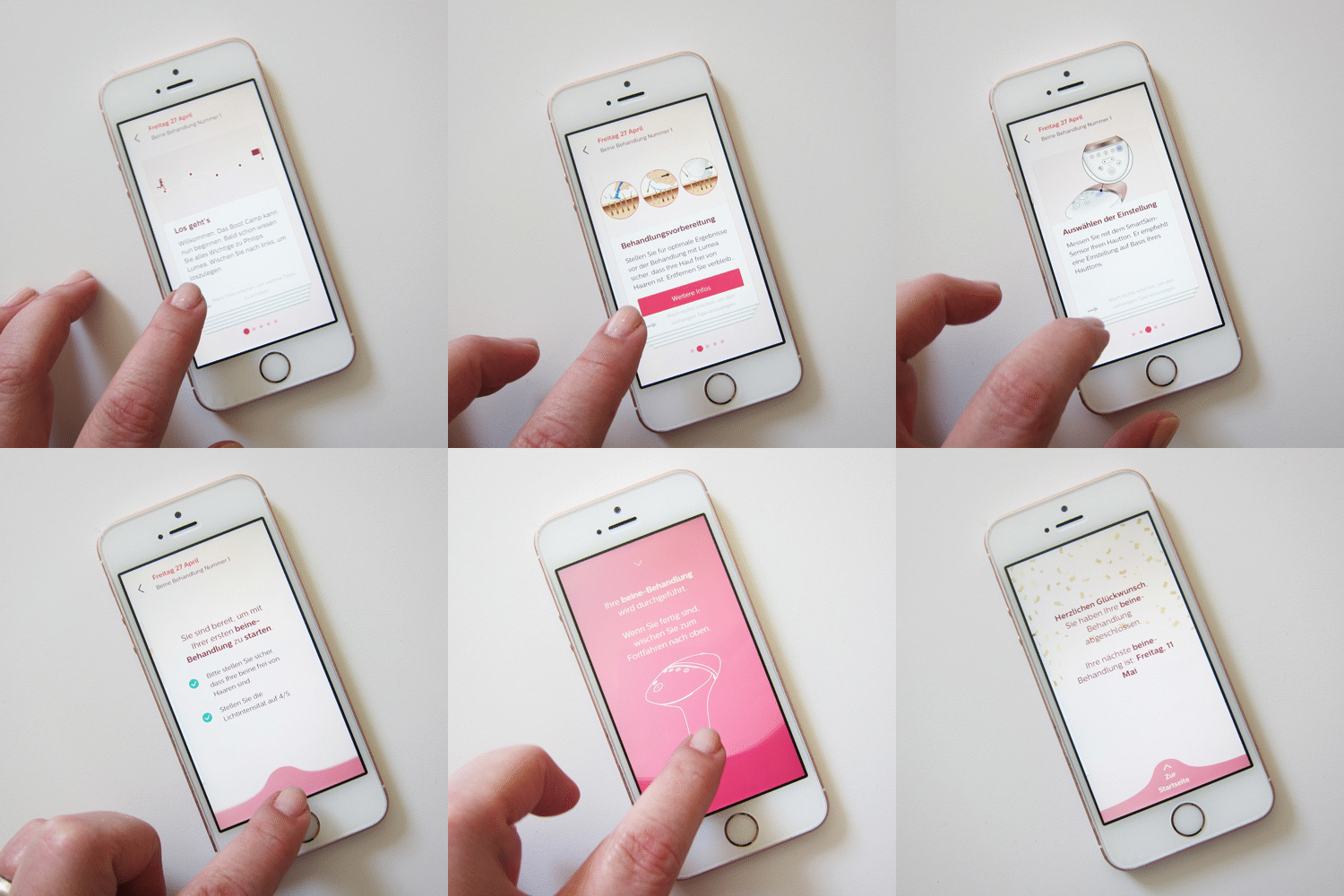
  • Download the FREE Lumea App for a personalised treatment schedule, including tips and advice. With the Lumea Coaching App (free in the App Store and on Google Play ), there is a personalized treatment plan in addition to precise step-by-step instructions and application tips. In this way, you will receive a reminder directly from the app at the “ideal” interval for the next treatment.

Video illustrating how to operate the Lumea Prestige IPL

Getting to Use Lumea Prestige IPL

The following video explain how to go about using the Philips Lumea Prestige IPL BRI954, It shows how to use, download App, setting up, attachments explanation, preparations and usage.

These hairs naturally shed in the following couple of weeks post-treatment, and any re-growth is inhibited, resulting in silky-smooth skin for longer – and the Philips Lumea Prestige provides all this from the comfort of your own home. All you have to do is use the device every two weeks for six to eight weeks (don’t worry, you’ll notice a reduction of up to 92% after just three treatments) and enjoy continuously smooth, summer-ready skin.

While the Philips Lumea Prestige eliminates the schlep across town for a salon appointment, it still delivers salon quality; the device also has a range of four tailor-made attachments to suit different parts of the body for a flawless finish, including a body attachment with a large treatment window, a facial attachment with a gentle-on-skin integrated light feature, a convex underarm attachment and a targeted bikini attachment for those more stubborn hairs. Oh, and you can use the device corded or cordless, meaning ease of use for those harder-to-reach areas as well as lasting plug-in power for the larger regions of the body.

FAQs

The FAQs are partially taken from HeyPretty site

1. Does it hurt?

No. I always say that in certain places it can feel a bit like someone is pecking at you … but in general it’s really not a thing! For the best results, however, you should still choose the highest light intensity that is suitable for your skin tone (and that is still comfortable to the touch). For me, I can say: Even at level 5, it really doesn’t hurt!

2. Do I always have to be freshly depilated before using the Lumea?

Yep, honey. It doesn’t really matter how you remove the hair beforehand – whether it is shaving, epilation, depilatory foam or wax: the main thing is that no visible hairs peek out. You will know why, at the latest when you “flash” a hair and have the smell of slightly scorched keratin in your nose. Personally, I always plan the treatment one day after shaving!

3. How long does it take to see success?

Philips recommends that you do the first 4-5 applications with an interval of 2 weeks. In the post-treatment phase (which also consists of 4-5 treatments on average), an interval of 4 weeks is recommended. It depends on the strength of your hair growth, but after about four treatments I noticed that the hair on my legs had grown back much less … and it took a good five months in total to feel that I was “hair-free”.

4. Do you have hair-free skin forever?

The same applies here: It depends on your individual hair growth … but “top-up” treatments are usually necessary later. I use my Lumea about every two months when I see tiny hairs again. But compared to “untreated” skin, the difference in effort is really huge, and you save both time and money on wax / razor blades and the like in the long run!

5. Are there people for whom IPL and the Lumea are unsuitable?

Yes: Those who want to play laser tag with the device. JUST KIDDING, nobody does that! The answer is “yes” anyway, because IPL is only suitable for people who have a visible difference in the pigmentation of skin and hair. This means that IPL is not suitable for light blonde, gray, red or white hair . 

6. The battery of my Philips Lumea Prestige runs out very quickly, Lumea was not fully charged

If your Philips Lumea Prestige is not fully charged when you start a treatment, the battery will run out during a full body treatment. We advise you to always fully charge the device before you start a treatment or to use it corded.

7. You are over-using your Lumea

The battery of your Philips Lumea is not enough for a full body treatment. We recommend you to use it corded while treating large body areas such as legs and/or arms. You can use it cordless on smaller or harder to reach areas like the face, armpit or the bikini area.

If you have tried the above advice but are still not satisfied with the performance of your Lumea’s battery life then please contact us for further support.

8. How long does the battery last?

When use cordless, the flashes are 2x slower (every 3.5 seconds) and the battery lasts around 30 minutes (or 130 flashes at light intensity 5). A full charge takes 1:40 hours.

The battery of your Philips Lumea is not enough for a full body treatment. We recommend you to use it corded while treating large body areas such as legs and/or arms. You can use it cordless on smaller or harder to reach areas like the face, armpit or the bikini area.

You must also follow the guidelines on tanning and sun exposure to avoid side effects. Philips advise you to:

  • Avoid the sun for 2 weeks before a treatment
  • Avoid the sun / tanning for 48 hours after your treatment.
  • Use a sunscreen of SPF 30+ on your treated skin for 2 weeks after your treatments, or cover up when in the sun.
  • Don’t use self-tanning creams or gels as this darkens your skin

Getting started

Learn more about how to prepare for your sessions including shaving vs waxing, alternatives to shaving your face and how to get a comfortable set up. Here’s a quick summary on how to use the Prestige, and there’s loads more detail in the following sections.

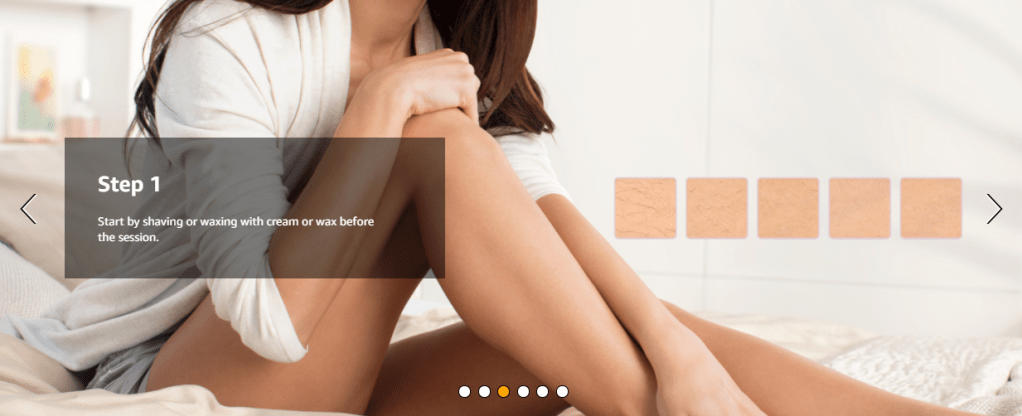
1. Shave before every treatment (unless there’s no hair left!)
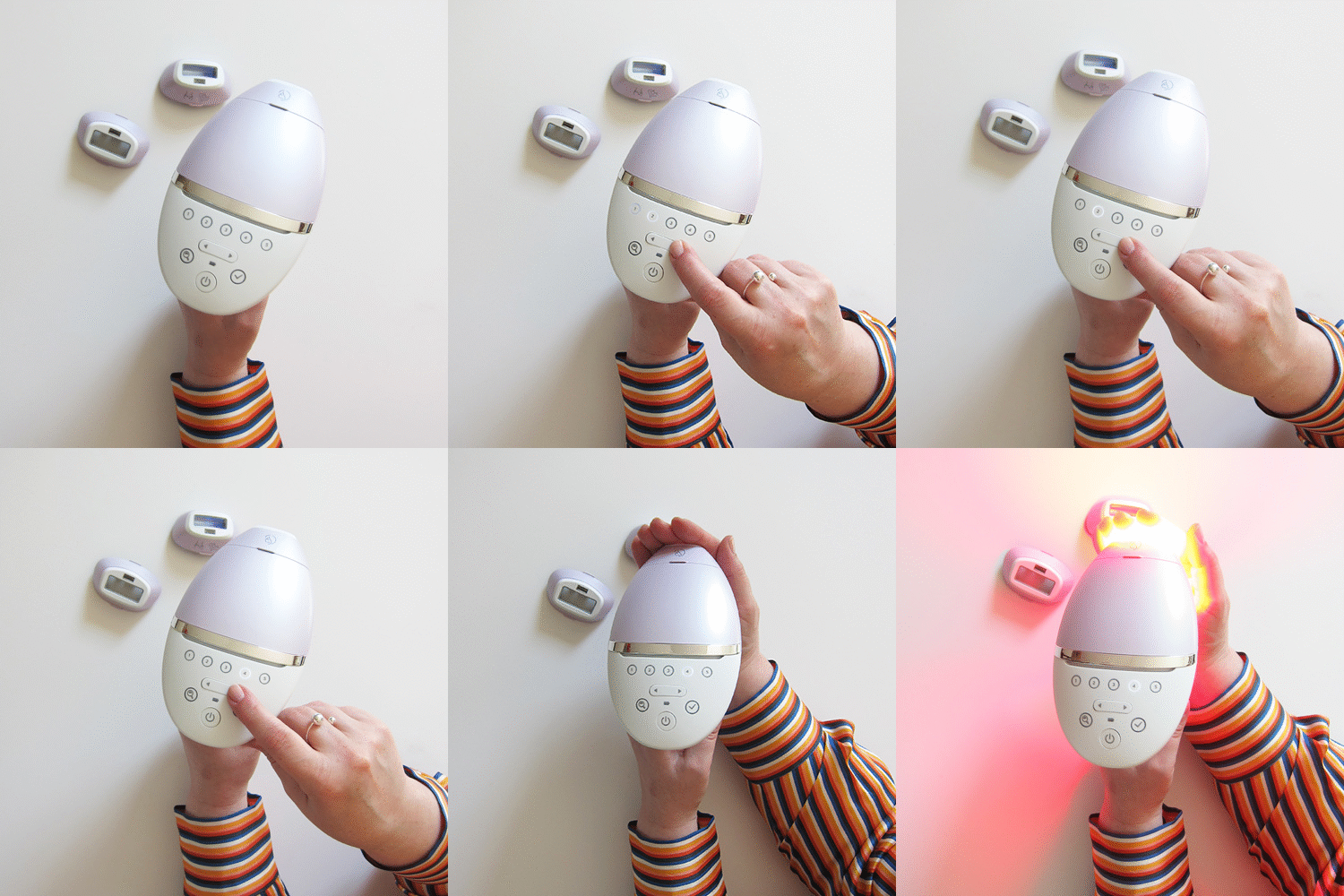
2. Plug-in and press the power button. The buttons illuminate white and you’ll hear the fan start up inside. Select your intensity level either manually, or use the Smartskin sensor
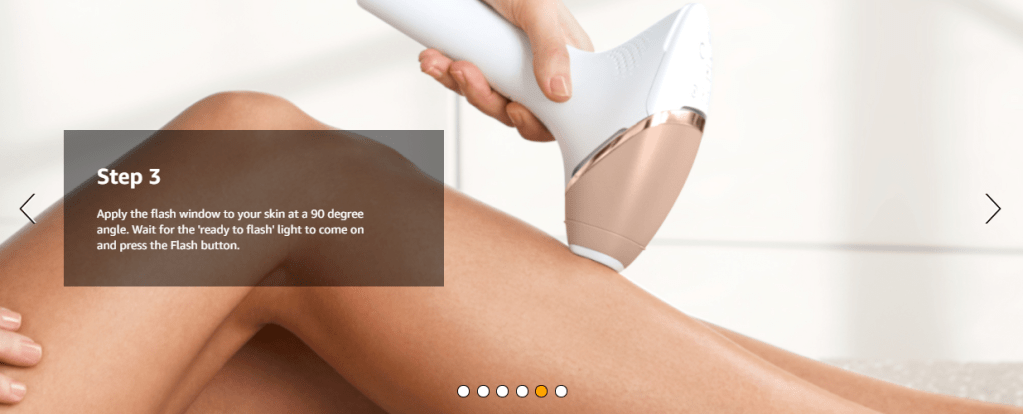
3. Position on your skin at a 90-degree angle and press the trigger button.
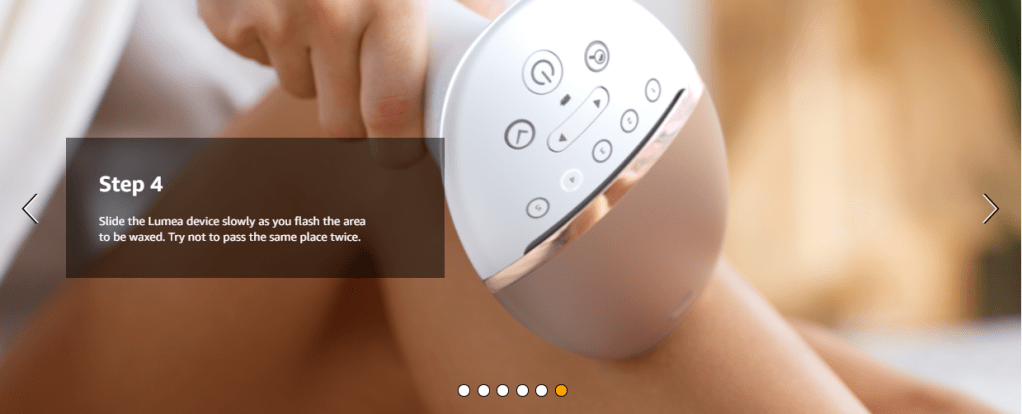
4. After the flash, slide to the next spot and repeat. Cover your skin in flashes avoiding overlap.

When finished, press and hold the power button for 2 seconds to switch it off.

IPL Lamp Lifetime

There’s no need to worry about running out of flashes.

Using a standardised formula, we’ve calculated the lamp lifetime of flashes for all the devices we test. And the Prestige is one of the best.

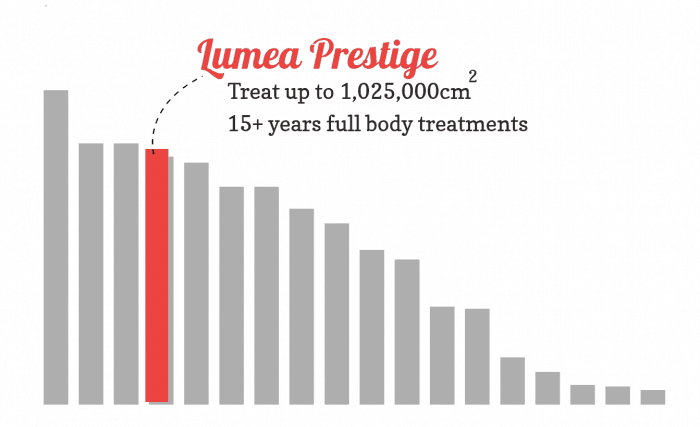
With the 250,000 flashes and 4.1 cm² body attachment you can cover a humongous 1,025,000 cm² of body area.  We calculate that’s 200+ full body treatments (full legs, bikini line, underarms and face) or over 15 years of monthly top-up treatments. That’s more than enough because the more top-ups you do, the less frequently you need them. So, eventually you can go months and months between top-ups.

It’s superb value and an excellent choice for treating your full body. You could share it and still get decades of use.

N.B. 15+ years of use is based on the bulb life only and doesn’t take into consideration general usage, battery care and wear and tear that effect how long the machine keeps working. Philips advertise a lamp lifetime of 20 years.

* Info taken from wearebodybeautiful.com

Oral B Wireless Smart Guide Display / Timer Type 3742

The Smart Guide display units were supplied with various models of Oral-B electric toothbrush and allow the user to keep track of their brushing progress throughout each brushing session. Two main models of Smart Guide exist, the squarer Type 3741 and the more rounded Type 3742. Each type has several variants and offers compatibility with different models of toothbrush.

Type 3742

The Type 3742 Smart Guide from Oral-B is the newer model and comes in at least 2 different versions. Unfortunately the different versions are not interoperable so if you are looking for a replacement Smart Guide to work with your electric toothbrush use our guide below to determine which version of 3742 Smart Guide you have. Available in white and silver, this Smart Guide is powered by two AAA size batteries and we recommend that only Alkaline batteries are used, not zinc ones.

Version A

Version A of the Type 3742 Smart Guide has a letter A at the end of the string of numbers marked inside the battery compartment on the ridge between the two batteries. This version was supplied with Oral-B toothbrushes marked with Type 3762 on the bottom of the handle.

Version B / Version 2.1

Version B of the Type 3742 Smart Guide has a letter B at the end of the string of numbers marked inside the battery compartment on the ridge between the two batteries.

Only available in white, version B of the 3742 is also known as the 2.1 version and will work with the Genius/Smart range of toothbrushes marked with Type 3765 on the toothbrush handle. You might need to enable the Smart Guide functionality on the toothbrush itself via the smartphone app before the brush will synchronize with the Smart Guide.

The Smart Guide is a separate LCD unit powered by two AAA batteries (included in the box).

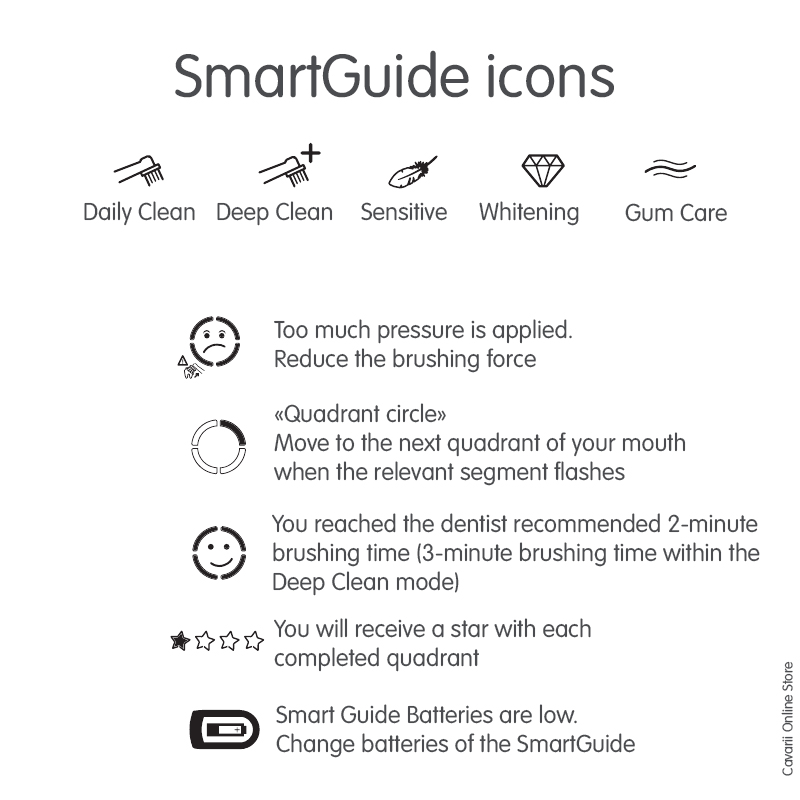
At a glance the Smart Guide communicates which brushing mode you are using, when the time comes to brush a different section of your mouth as well as if you are brushing too hard.

An adhesive ring allows you to mount the smart guide to the wall of your bathroom keeping it within an easy view.

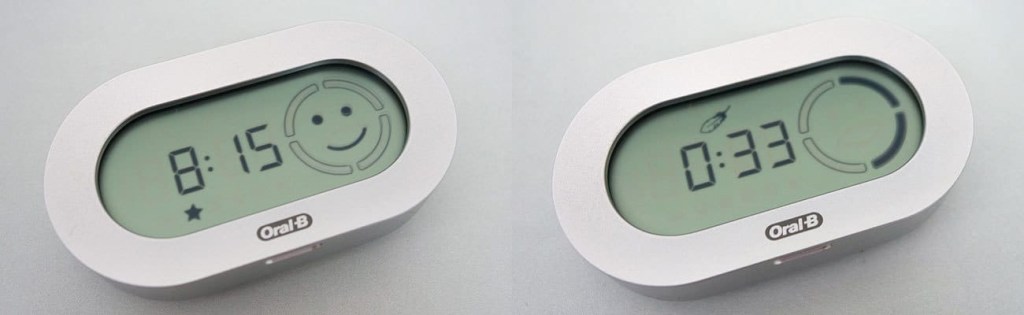
After two minutes of brushing a smiley face appears on the screen. If user stop brushing earlier they are awarded with a star rating (out of five) on the screen. The star rating turned teeth brushing into somewhat of a competition, with user aiming to get as many stars as possible.

When you are not brushing your teeth, the Smart Guide displays the current time as well as the star rating of your last brushing session.

It is also worth mentioning that the Smart Guide is basically the only reliable way to determine which brushing mode you are using. If you are someone who makes use of the different brushing modes then you may find yourself relying on it.

Synchronizing your Smart Guide with your Toothbrush (Pairing)

Please note that you might need to ‘pair’ or synchronize your new SmartGuide with your toothbrush when it arrives.

Note : Your Smart Guide can be synchronized (also called pairing or programming) to work with one or two Braun Oral-B toothbrushes at the same time, as long as both these brushes are of the same Type number.

Setup & Clock

To power up your SmartGuide slide open the battery cover on the back and insert two fresh Alkaline batteries (AAA size for the Type 3742 SmartGuide). The clock display should start flashing ’12:00′.

Press and hold the ‘set’ button inside the battery compartment until ’12h’ is flashing in the display. This means that time will be displayed in the 12-hour format. If you would prefer 24-hour time format press the  ‘h/min’ button once so that ’24h’ is displayed. Press ‘set’ to save the setting.

The hours digits should now be flashing. Keep pressing the ‘h/min’ button until the correct hour is showing and press ‘set’ to save the setting.

The minutes digits should now be flashing. Keep pressing the ‘h/min’ button until the correct minute is showing and press ‘set’ to save the setting.

Synchronizing

  • Open the battery compartment of your Smart Guide and hold down the ‘h/min’ button for 3 seconds until the display starts flashing ‘L ‐ ‐ ‐’
  • Switch on your toothbrush for a few seconds until the SmartGuide displays ‘L ‐ 1 ‐’
  • Switch off your toothbrush
  • If you have a second matching toothbrush to pair with the SmartGuide switch it on now and let it run for a few seconds until the SmartGuide displays ‘Full’
  • You can exit the pairing process by pressing either button inside the battery compartment.

Some toothbrushes have the facility to turn off radio transmission so if this has been used the toothbrush will be unable to pair with the Smart Guide.

Compatible Brush handle models

The following Oral-B models are compatible with this SmartGuide

Fits type 3764 3754 3756 3765:

MPNTypeItem
802821893765# Oral-B Genius White 8000N – Bluetooth with smartphone holder
802822763765# Oral-B Genius White 8000 TriZone – Bluetooth
802822783765Oral-B Genius White 9000N – Bluetooth with smartphone holder
802822963765Oral-B Genius Black 9000N – Bluetooth with smartphone holder
802823333765Oral-B Genius 8900 Duopack, silver
802823343765# Oral-B Genius White 8200 – Bluetooth with smartphone holder
802844053765Oral-B Genius White 8000S – Bluetooth with smartphone holder
802844103765Oral-B Genius White 9000S – Bluetooth with smartphone holder
802868253765# Oral-B Genius Black 9000S – Bluetooth with smartphone holder
802965883765Oral-B Genius 9000N Rose Gold – Bluetooth
802966073765# Oral-B Genius 9000S Rose Gold – Bluetooth
802976523765Oral-B Genius White 8200W – Bluetooth with smartphone holder
802977063765# Oral-B Genius White 8100S – Bluetooth with smartphone holder
802977163765Oral-B Genius White 9100S – Bluetooth with smartphone holder
802977203765Oral-B Genius Black 9100S – Bluetooth with smartphone holder
802977213765Oral-B Genius White 9200W – Bluetooth with smartphone holder
802977223765# Oral-B Genius Black 9200W – Bluetooth with smartphone holder
803011073765# Oral-B SMART 6 – 6000N – Bluetooth, white / blue
803011133765Oral-B SMART 6 – 6100S – Bluetooth, white / blue
803011143765# Oral-B SMART 6 – 6000W – Bluetooth, white / blue
803140493765Oral-B Genius 10100S White – Bluetooth
803141033765# Oral-B Genius 10100S Black – Bluetooth
803141283765Oral-B Genius 10100S rose gold – Bluetooth
803141363765# Oral-B Genius White 8100S – Bluetooth
803150033765Oral-B SMART Expert + travel case, blue / white
803158873765# Oral-B Genius 10100S Orchid Purple – Bluetooth
803235833765# Oral-B Genius 10100S Black Edition
803252063765Oral-B Genius 10000N White
803252093765Oral-B Genius 10200W White / black
803261793765Oral-B Genius 10100S White
803262363765Oral-B Genius 8000N Silver
803262553765Oral-B Genius 8200W Silver
803262743765Oral-B Genius 10100S Black – Bluetooth
803262763765Oral-B Genius 10000N Orchid Purple
803262773765Oral-B Genius 10100S Orchid Purple / white
803262783765Oral-B Genius 10200W Orchid Purple
803291343765Oral-B Genius 9900 Duopack, black / rose gold
803291353765Oral-B Genius 10900 duo pack, black / rose gold
803291363765Oral-B Genius X 29000 Duopack, black / rose gold
803292683765Oral-B Smart Expert Duopack / blue
815752063765Oral-B Genius Stiftung Warentest Duo-Pack, rose gold / black
816368073765# Oral-B folk toothbrush Genius – Bluetooth with smartphone holder
816725353765Oral-B SMART Stiftung Warentest Duo-Pack, white
816752063765# Oral-B Genius Stiftung Warentest Duo-Pack, rose gold / black
816850343765# Oral-B Genius 10100S rose gold – Bluetooth
816970343765Oral-B Genius 10000N Design Edition including Braun Premium travel alarm clock
816970353765Oral-B Genius 10900N Design Edition incl.Brown Premium Travel Alarm Clock
817179433765Oral-B GeniusX Luxe Edition Antracite Gray gift pack, black / gray
817180433765Oral-B GeniusX Luxe Edition rose gold gift pack, rose gold
802480323764Oral-B PRO 6000 SmartSeries – Bluetooth, white D36.545.5X_
802480593764# Oral-B PRO 7000 SmartSeries Black – Bluetooth, D36.555.6X_
802480603764Oral-B PRO 7000 SmartSeries White – Bluetooth / D36.555.6X
802480613764Oral-B TriZone 7000 SmartSeries White – Bluetooth D36.555.6
802500063764Oral-B TriZone 6000 SmartSeries – Bluetooth, white D36.545.5
802500073764Oral-B TriZone 7000 SmartSeries Black – Bluetooth
802509073764Oral-B PRO 6200 with free SmartGuide Edition, D36.545.5X_ws
802509113764Oral-B TriZone 6500 with 2nd handpiece D36.545.5HX, wh.
802509183764Oral-B PRO 6500 with 2nd handpiece Lim.Edition D36.545.5HX, wh
802509373764Oral-B TriZone 6200 with free SmartGuide LE D36.545.5X_ws.
802629953764Oral-B PRO 6000 SmartSeries WOW-Edition, white, D36.545.5X_
802823673764Oral-B Smart Series 5000 – Bluetooth with smartphone holder
815748683764Oral-B PRO 6500 + free handpiece – limited edition, white
816045703764# Oral-B PRO 6400 SmartSeries STIWA – Bluetooth, white
637577003762Braun Oral-B Triumph 5000 with Wireless SmartGuide ** Edition **
802089883762Brown D34.545.5 SG
802090853762Oral-B TriZone 5000 with SmartGuide D34.545.5X
802094563762Brown D34.565.5X
802099723762Oral-B Triumph 5000 pink with free SmartGuide / D34.545.pink
802099803762Braun Oral-B Triumph 5000 + 2nd toothbrush – D34.545.5H pink
802099843762Braun Oral-B TriZone 5000 + 2. Toothbrush – Limited Design Editi
802100003762Braun Oral-B TriZone 5000 green with free SmartGuide
802282253762Oral-B TriZone 5500 with SmartGuide D34.545.5X, silver / white
802282263762Oral-B Triumph 5500 with SmartGuide D34.545.5X, silver / white
802286423762Oral-B Professional Care Black 7000 with SmartGuide
802286523762Oral-B Triumph 5500 with free SmartGuide onpack
802286533762Oral-B TriZone 5500 with free SmartGuide onpack
802286543762Brown D34.545.5H green, trizone
802286563762Brown D34.545.5H
802350783762Oral-B TriZone Black 7000 with SmartGuide
813250053762Braun Oral-B Triumph 5000 with free SmartGuide OLYMPIA
813250073762Braun Oral-B Triumph 5000 with SmartGuide + 2nd handpiece
813602533762Braun Oral-B TriZone 5000 with SmartGuide
814579583762Oral-B Triumph 5500 with 2nd handpiece
814579593762Oral-B TriZone 5500 with 2nd handpiece
814613033762Oral-B Professional TriZone 5500 + free Stage Power CLS
814613073762Oral-B Professional Triumph 5500 + free Stage Power CLS
848523783762Brown D34.545.5H
848523793762Braun toothbrush D34.545.5
848523823762Braun ORAL-B TRIUMPH 5000 PROF. WHITE BOX – D34
848523833762Brown D34.565.5X
848523863762Oral-B Triumph 5000 with SmartGuide D34.545.5X
848599273762Oral-B TriZone 5000 with SmartGuide D34.555.5X
Z802094653762White-Box Oral-B TriZone 5000 with SmartGuide Edition
Z848523823762White-Box Oral-B Triumph 5500 with SmartGuide fZPraxen
802480253754Oral-B PRO 5000 with SmartGuide, dark blue / white
802500053754Oral-B TriZone 5000 toothbrush with SmartGuide, light green / white
802714393754Oral-B PRO 5000 Bluetooth, dark blue / white
802806573754# Oral-B PRO 5000 Sensitive with Bluetooth, dark blue / white
802806583754Oral-B PRO 5000 3D White with Bluetooth, dark blue / white
802823823754# Oral-B Smart Series 4000 3D White – Bluetooth
802824113754# Oral-B Smart Series 4000 Sensitive – Bluetooth
802824173754# Oral-B Smart Series 4000 CrossAction – Bluetooth
802867753754# Oral-B PRO 4900 Black with 2nd handpiece – limited editing
802994703754# Oral-B SMART 4900 with 2nd handpiece – limited edition
815377493754Oral-B PRO 5000 Smart Series Federal Brush – Bluetooth
637387103738** Braun Oral-B Triumph with SmartGuide D30.546.4X
637387123738** Braun Prof. Care 9900 D30.546.4 X, timer smart
637387313738** Brown D30.546.4 + D 30.500 X, timer
637387323738Brown ** D30.546.4 X, timer smart
637707103738** Braun Oral-B Triumph 5000 SmartGuide, D32.564.5X
637707133738** Braun Oral-B Triumph 5000 m. free SmartGuide (StiWa VERY GOOD)
637707403738** Braun Oral-B Triumph 5000 with SmartGuide + 2nd toothbrush

Philips Sonicare Replacement Brush heads

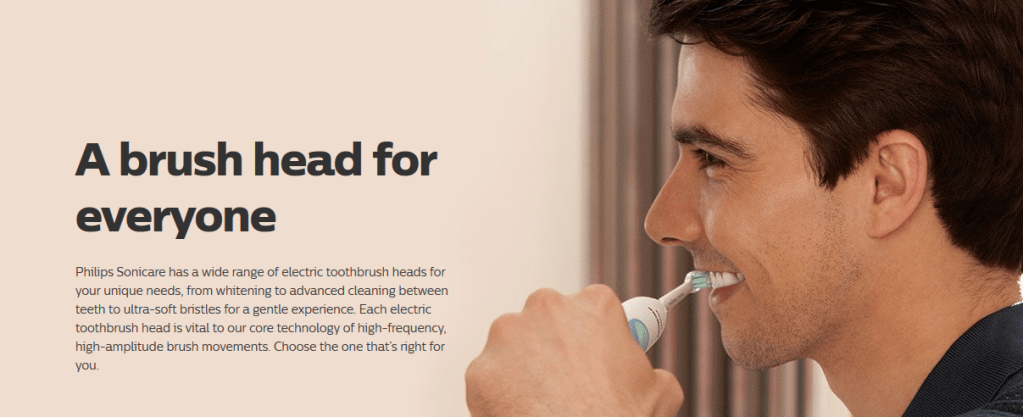
A brush head for everyone

Philips Sonicare has a wide range of electric toothbrush heads for your unique needs, from whitening to advanced cleaning between teeth to ultra-soft bristles for a gentle experience. Each electric toothbrush head is vital to their core technology of high-frequency, high-amplitude brush movements. Choose the one that’s right for you.

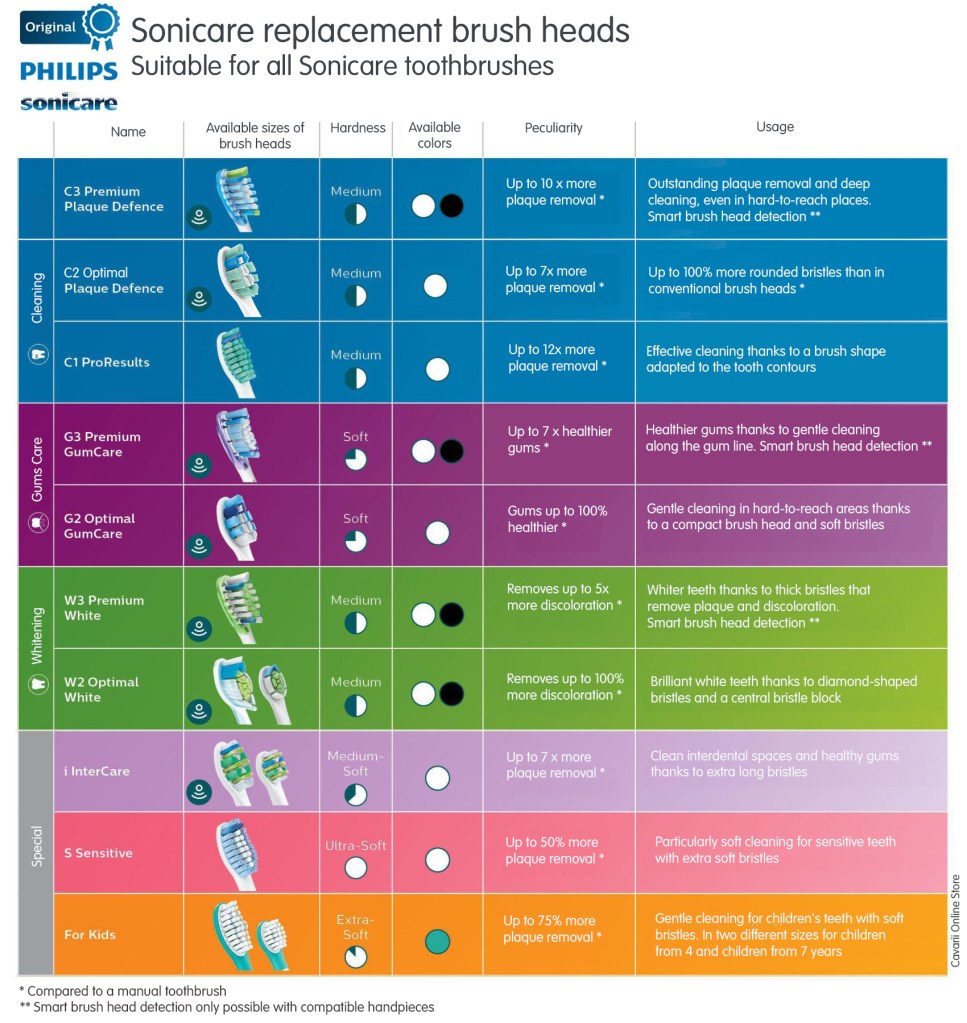
Here’s a quick guide for Sonicare replacement brush heads

Quick guide of all Sonicare Replacement brush head models


The following gives a brief overview of each style of brush head.

  • C1 ProResults — A contoured profile to the brush head achieves twice the plaque removal thanbu a manual brush.
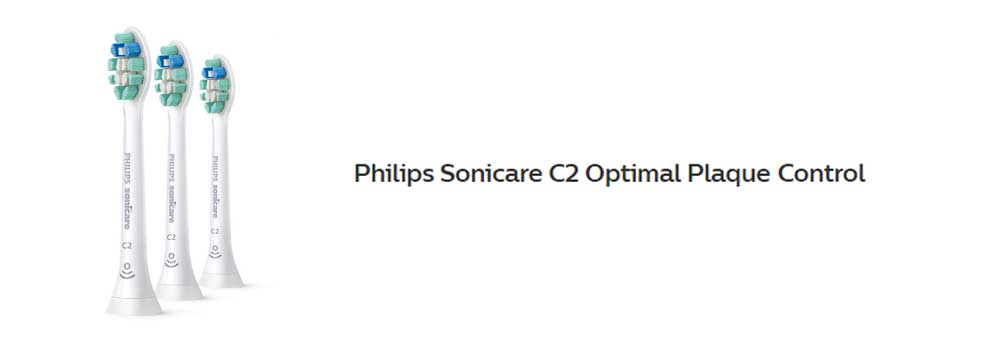
  • C2 Optimal Plaque Control — BrushSync compatible it is possible to remove 7 times more plaque than a manual brush head, thanks to the soft bristles and specially curved power tip makes reaching the teeth at the back of your mouth a breeze.
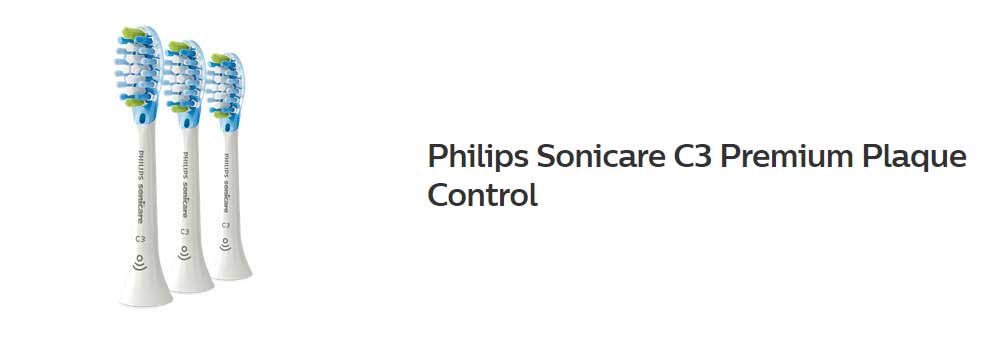
  • C3 Premium Plaque Control  – BrushSync compatible the bristles on this head offer up to 4 times more surface contact whilst the flexible sides are soft on the cheeks and gums.
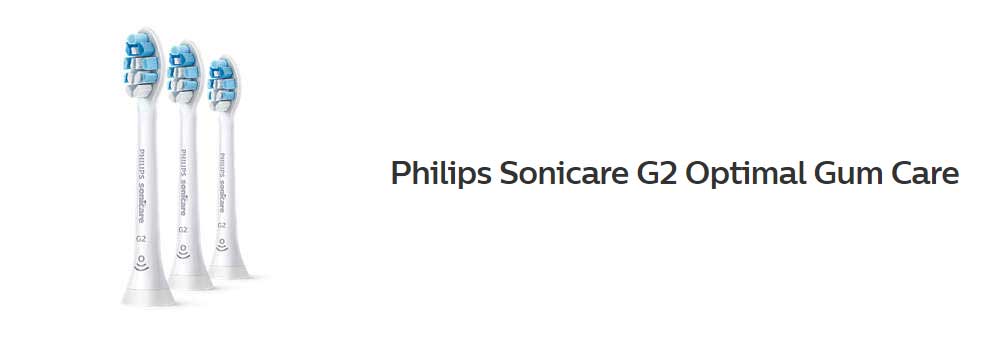
  • G2 Optimal Gum Care — BrushSync compatible this head is gentle, yet effective plaque removal, particularly along the gumline, improving your gum health.
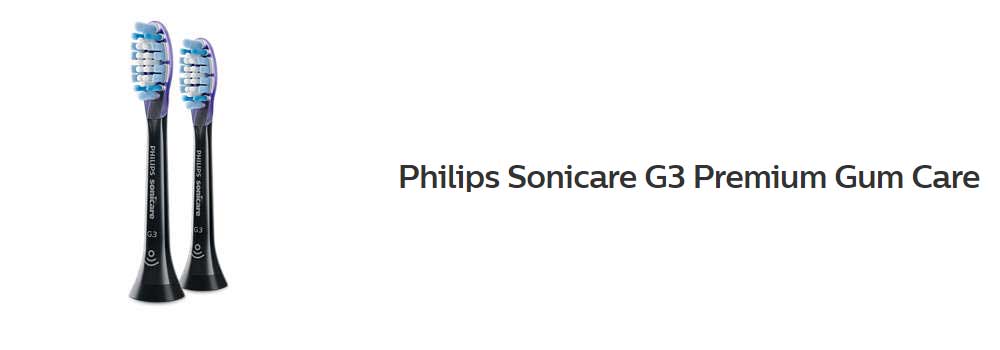
  • G3 Premium Gum Care – BrushSync compatible the head absorbs excess pressure through the bristles and flexible sides and can remove 10 times more plaque than a manual toothbrush.
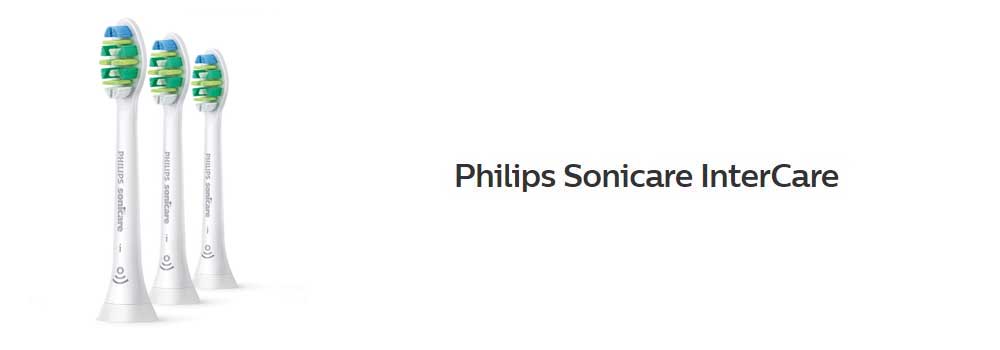
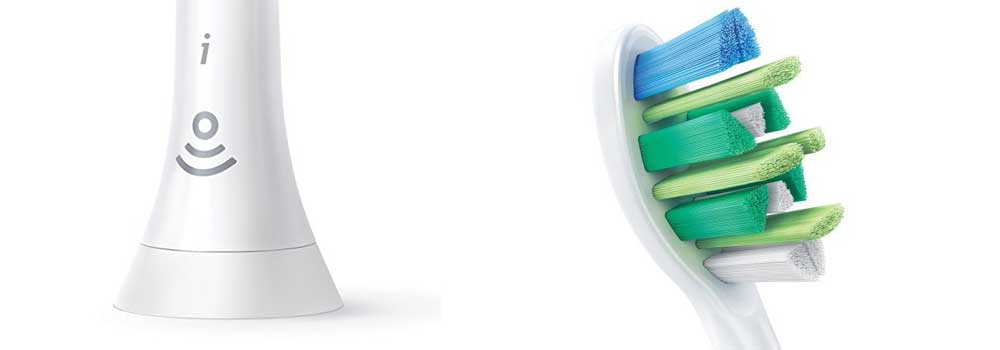
  • I InterCare — BrushSync compatible, within 2 weeks bleeding and inflammation at the gumline will be reduced. Long bristles read deep between teeth to dislodge more plaque and bacteria within interdental spaces.
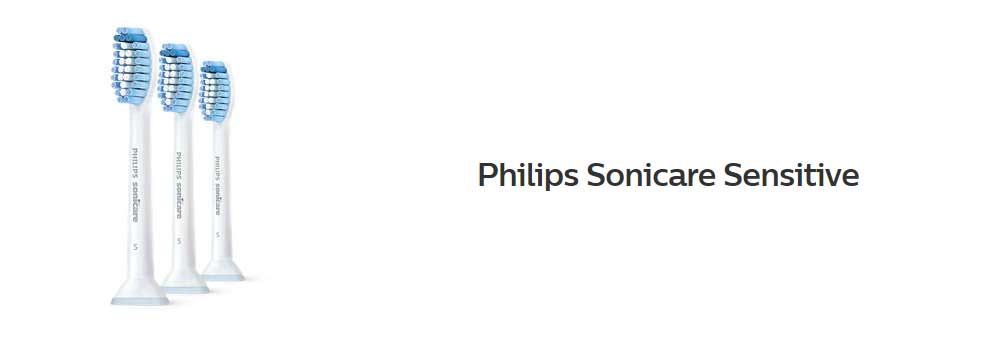
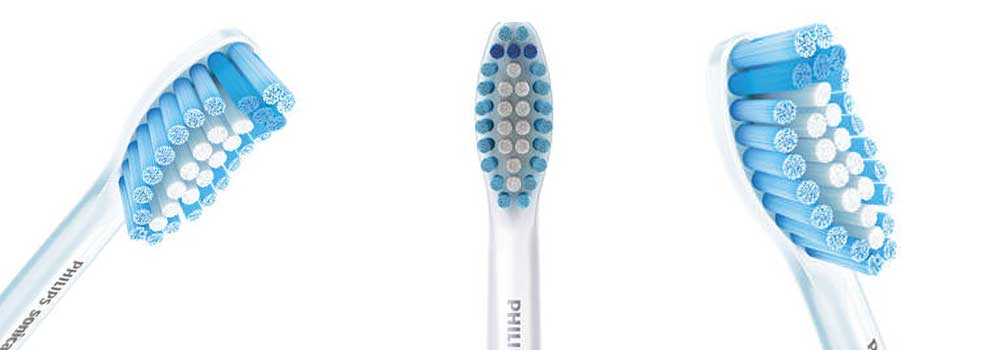
  • S Sensitive – Ultra-soft bristles for gentle, effective cleaning. It also features a special trim profile to cushion teeth for a gentler brushing experience.
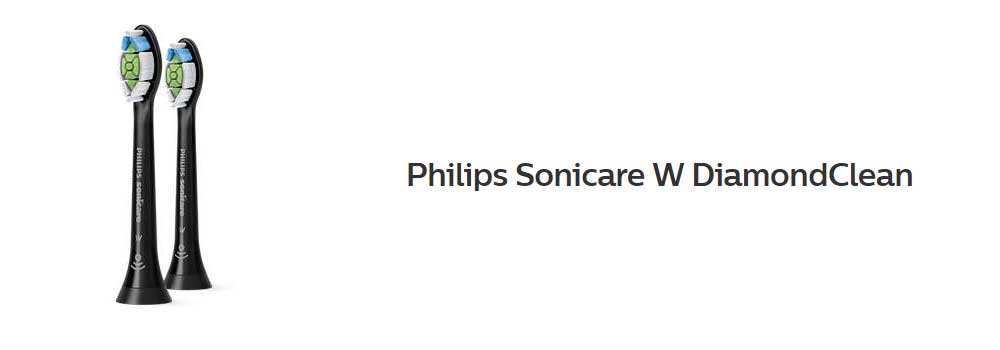
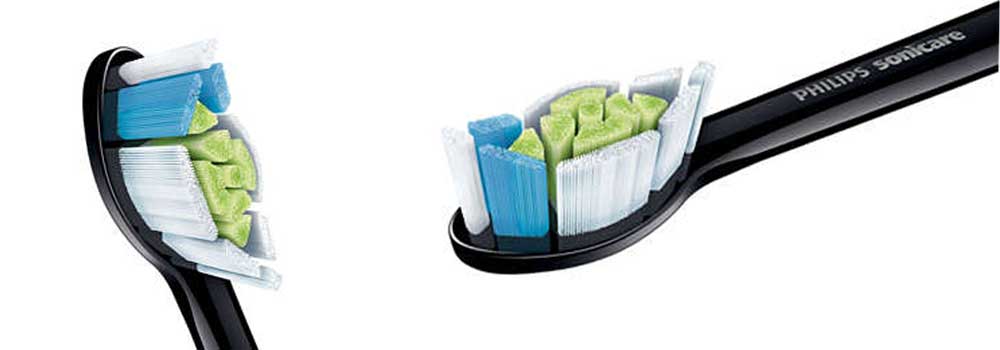
  • W DiamondClean — BrushSync compatible effective surface stain removal offers up to a 100% whiter smile in just 7 days thanks to the Diamond shaped bristles.
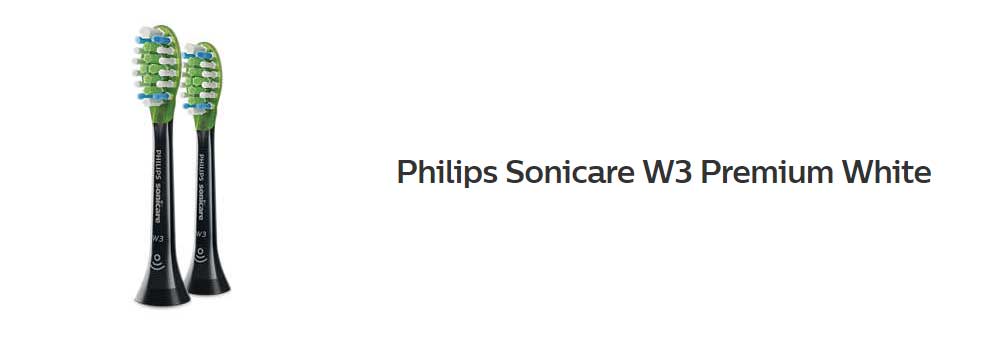
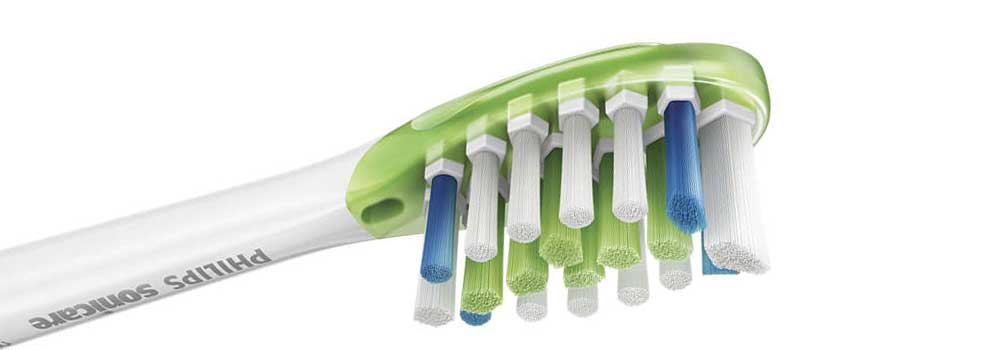
  • W3 Premium White – BrushSync compatible, in just improvements in your oral health can be seen in as little as 3 days.  Removing plaque and surface stains, the bristles make plenty of contact with the teeth and gums, but is able to flex and adapt to the differing shapes to ensure maximum results at all times.
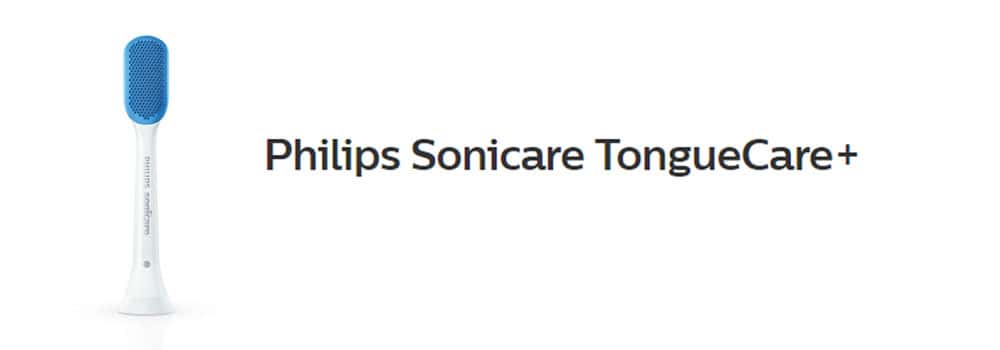
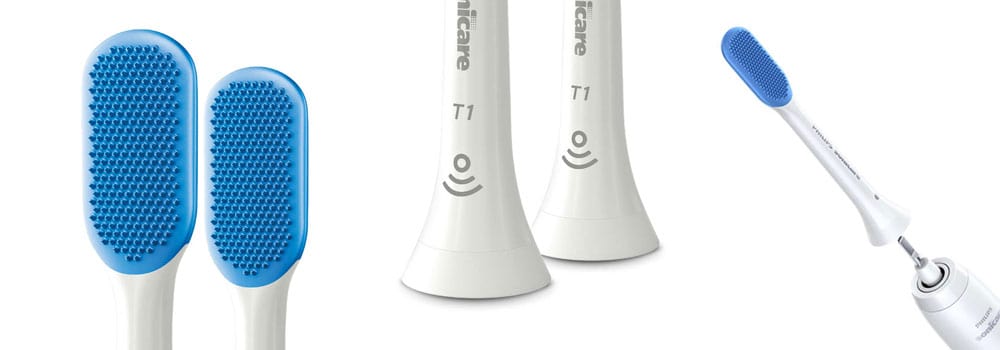
  • T1 TongueCare+ — BrushSync compatible, this paddle shaped brush head has 240 MicroBristles that clean deep into the pores of the tongue surface.
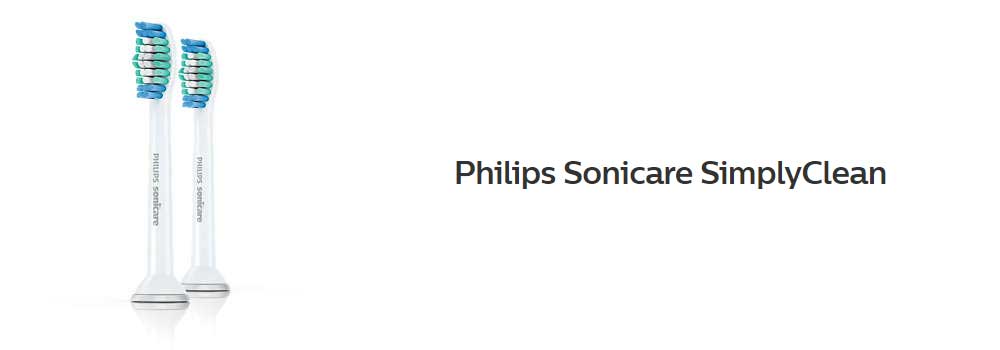
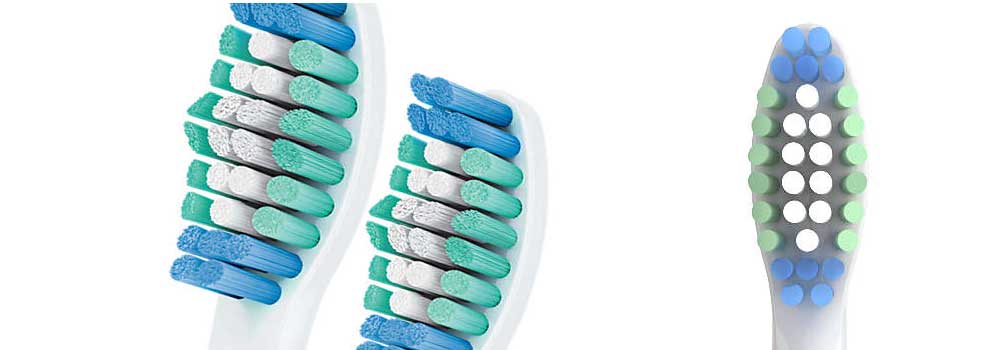
  • SimplyClean — Click on brush head with the authentic Sonicare cleaning experience. Bristles cut and shaped to differing lengths gives a thorough clean.
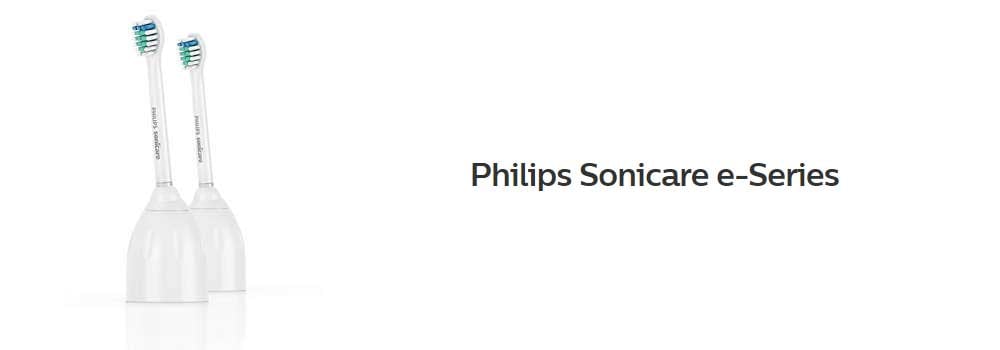
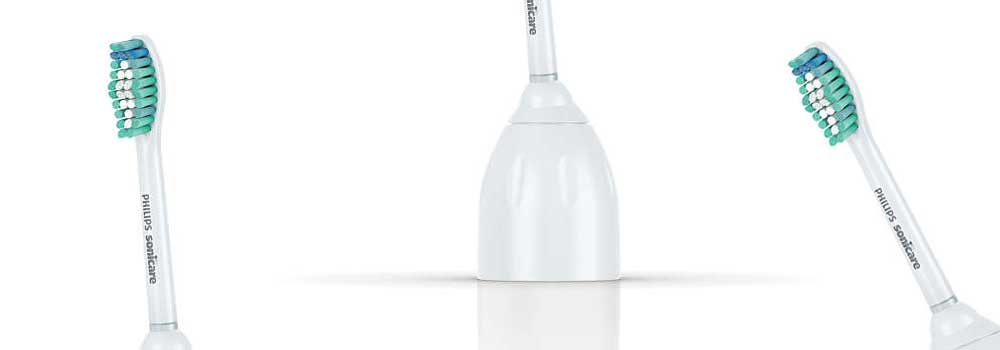
  • E-Series — The classic Sonicare brush head with a contoured profile to naturally fit the shape of your teeth for a thorough clean.  Screw on style brush head.
  • PowerUp — Designed specifically for the battery operated PowerUp the large head is designed for a good overall clean and even features crisscross bristles on the side for effective gumline cleaning

Given that each brush head offers something a little different, it is easy to think that you should use more than 1 different style, but that is not the case.

A look at the individual types of brush head

Hopefully, that overview has helped, but now we shall take a much more thorough look at the heads on offer and better understand their differences and selling points.

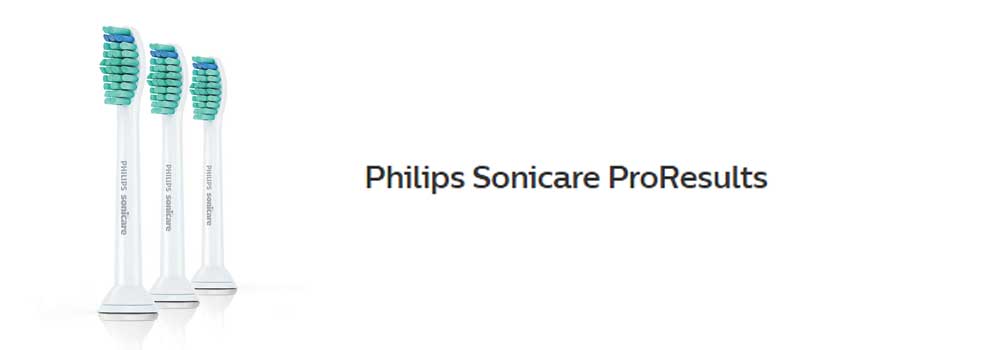
C1 ProResults

Sonicare ProResults Brush Heads

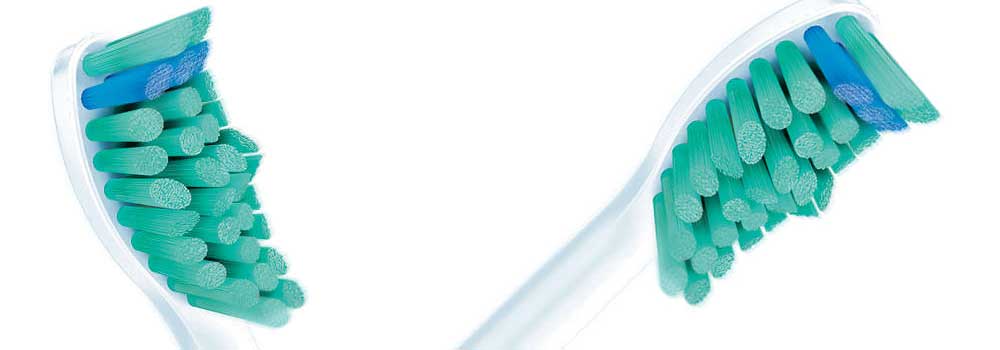
Twice as effective as a regular toothbrush head, the bristle formation is designed with plaque removal and user comfort in mind.

Contoured to the shape of the teeth, the bristles sweep with ease, but effectiveness to get rid of the bacteria that builds up in the mouth and on the surfaces within.

Sonicare brushes can offer up to 31,000 strokes per minute so the ProResults head has been designed to take advantage of this to effectively clean tooth surfaces that bristles can reach and into deeper gaps between teeth.

This does not mean a harsh or aggressive brushing experience, in fact, quite the opposite.

Like the other brush heads available, simply click on and off and replace every 3 months.

Not sure how long ago you changed? Just take a look at the blue indicator bristles. If they look more white than blue, it is time for a change.

The head fits all Philips Sonicare toothbrush handles except PowerUp Battery and Essence.

Philips Sonicare brush heads explained, compared and reviewed: which is best? 12

The C1 ProResults brush head is compatible with:

  • DiamondClean Smart
  • DiamondClean
  • ExpertClean
  • FlexCare Platinum Connected
  • FlexCare Platinum
  • FlexCare+
  • FlexCare
  • ProtectiveClean
  • HealthyWhite
  • HealthyWhite
  • 2 Series

C2 Optimal Plaque Control Heads

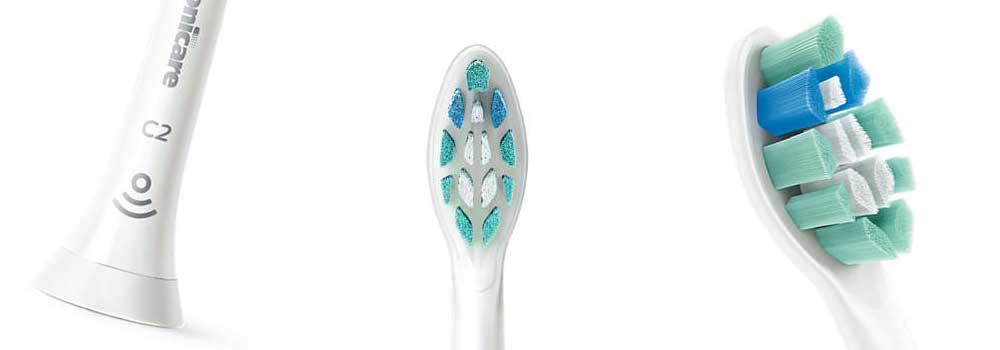
Sonicare C2 Optimal Plaque Control Heads

Lots of bristles are packed tightly together to create the shape and sized tufts seen on the Plaque Defence brush head.

Their angle, length and positioning make them effective for all over cleaning and plaque removal.  They are in fact 7 times more effective than a manual toothbrush.

Perfectly suited for those wishing to ensure optimum plaque removal as part of their daily brushing routine, the C2 brush head does too boast a specially designed curvature to the tip of the brush head, that helps reach the very back teeth.

Philips’s development team have engineered this brush head to make best use of the sonic motion that a Sonicare handle can offer. The dynamic fluid action that is created as a result of the high frequency and high-amplitude brush movements works to offer a deep cleaning action from all areas of the brush head, driving fluid deep between the teeth and along the gumline.

This brush head clicks on and off your brush handle for a secure fit and easy maintenance and cleaning.

It fits all Philips Sonicare toothbrush handles except, PowerUp Battery and Essence.

A built-in RFID chip makes this a BrushSync compatible head.

Subject to brush handle, it will pre-select the most appropriate cleaning mode as well as reminding you via an LED on the brush handle, when it requires replacing.

Not as high tech, but effective nonetheless is the reminder system built into the brush head itself.  The Blue colored bristles on the head fade in time and with use, to a translucent/White color.

Philips Sonicare brush heads explained, compared and reviewed: which is best? 13

The C2 Optimal Plaque Control brush head is compatible with:

  • ProtectiveClean
  • ExpertClean
  • DiamondClean Smart
  • Any other Sonicare model with BrushSync mode pairing

It is possible to use the C2 Optimal Plaque Control head on the following models, but the ‘Smart’ feature of the brush head WILL NOT work.

  • DiamondClean
  • FlexCare Platinum Connected
  • FlexCare Platinum
  • FlexCare+
  • FlexCare
  • HealthyWhite
  • HealthyWhite
  • 2 Series

C3 Premium Plaque Control Heads

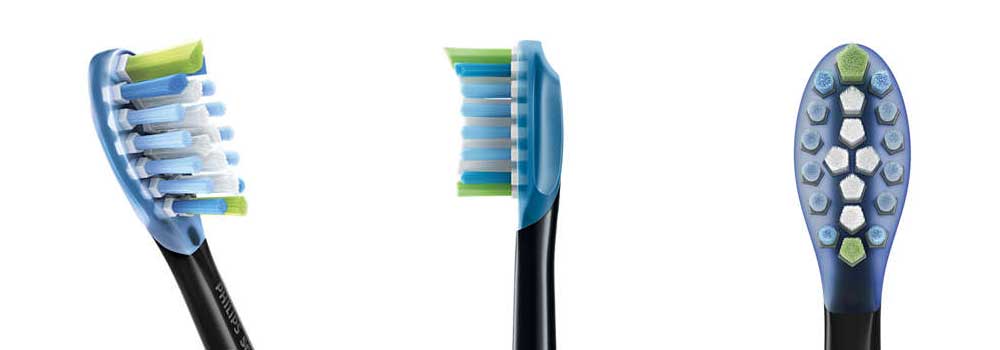
Sonicare C3 Premium Plaque Control Heads

Offering the deepest clean yet for and 4 times more surface contact than a manual brush head, the Plaque Control toothbrush head from Sonicare follows the unique shape of the teeth and gums.

Flexible sides complement the unique bristle pattern design to remove up to 10 times more plaque, even in the hard to reach areas.  Cleaning thoroughly in between teeth and along the gumline, the soft rubbers sides of the Plaque Control brush head adapt to the contours of your mouth.

Precision engineered, the brush head makes use of all the sonic vibrations passed out by the brush handles motor.  It whips toothpaste into bubbles and drives them deep between your teeth and along the gumline for gentle and effective cleaning.

This brush head simply clicks on and off your brush handle for a secure fit and easy maintenance and cleaning.

This is no ordinary brush head though.  Thanks to a built-in chip, when you fit onto a compatible brush handle, the microchip communicates with the brush handle to launch the optimum cleaning mode and intensity level for the most effective plaque removal experience.

Fading reminder bristles are present to help you recognize when it is time to change the head (recommendation of every 3 months).  But better still, if using a Smart Sonicare brush handle the brush will monitor how often the head is used and how hard you brush and remind you at precisely the right time to change.

Philips Sonicare brush heads explained, compared and reviewed: which is best? 14

The C3 Premium Plaque Control brush head is compatible with:

  • ProtectiveClean
  • ExpertClean
  • DiamondClean Smart
  • Any other Sonicare model with BrushSync mode pairing

It is possible to use the C3 Premium Plaque Control head on the following models, but the ‘Smart’ feature of the brush head WILL NOT work.

  • DiamondClean
  • FlexCare Platinum Connected
  • FlexCare Platinum
  • FlexCare+
  • FlexCare
  • HealthyWhite
  • HealthyWhite
  • 2 Series

G3 Premium Gum Care Heads

G3 Premium Gum Care Heads

Taking the pressure out of the brushing motion to offer a softer, more enjoyable clean, you can have gums up to 7 times healthier in just 2 weeks.

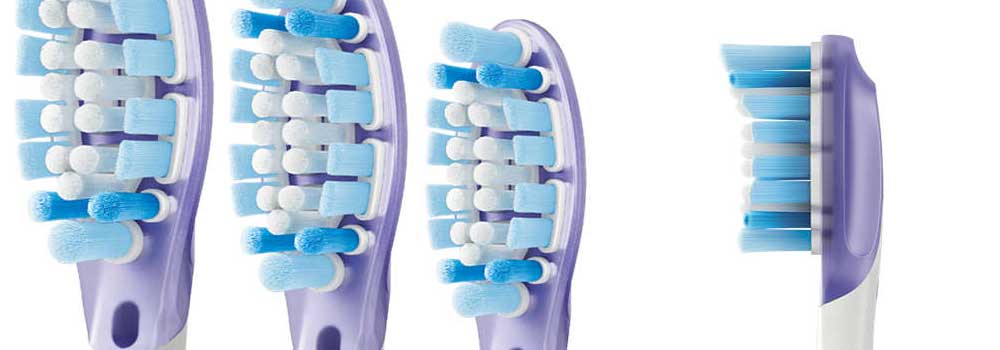
Flexible sides and bristles absorb excess pressure so that your gums are protected, even when you brush too hard.

The bristles work to remove as much plaque and bacteria from along the gumline to improve your gum health.

Capable of removing up to 10 times more plaque than a manual brush, whilst achieving 2 times more surface contact, the Gum Care brush head makes use of all the sonic vibrations passed out by the brush handles motor.  It whips toothpaste into bubbles and drives them deep between your teeth and along the gumline for gentle and effective cleaning.

This brush head simply clicks on and off your brush handle for a secure fit and easy maintenance and cleaning.

This is no ordinary brush head though.  Thanks to a built-in chip, when you fit onto a compatible brush handle, the microchip communicates with the brush handle to launch the optimum cleaning mode and intensity level for the most effective plaque removal experience.

Fading reminder bristles are present to help you recognize when it is time to change the head (recommendation of every 3 months).  But better still, if using a Smart Sonicare brush handle the brush will monitor how often the head is used and how hard you brush and remind you at precisely the right time to change.

Philips Sonicare brush heads explained, compared and reviewed: which is best? 15

The G3 Premium Gum Care brush head is compatible with:

  • ProtectiveClean
  • ExpertClean
  • DiamondClean Smart
  • Any other Sonicare model with BrushSync mode pairing

It is possible to use the G3 Premium Gum Care head on the following models, but the ‘Smart’ feature of the brush head WILL NOT work.

  • DiamondClean
  • FlexCare Platinum Connected
  • FlexCare Platinum
  • FlexCare+
  • FlexCare
  • HealthyWhite
  • HealthyWhite
  • 2 Series

G2 Optimal Gum Care Heads

Sonicare G2 Optimal Gum Care Heads

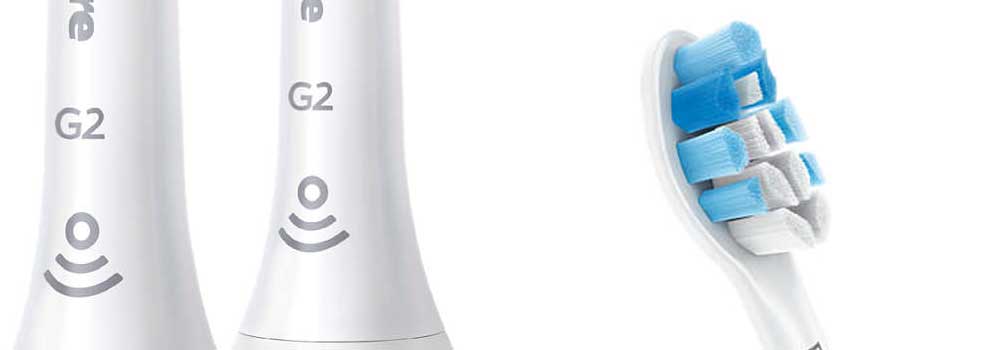
Densely packed bristles are organized to create a trim profile that is effective at removing plaque, particularly along the gumline and stimulating better gum health.

Up to a 100% improvement is possible when compared to a manual brush head.

Clusters of bristles form a large surface area that covers the whole tooth but reaches up and along the gumline as the brush head is moved tooth to tooth.

Effective plaque removal helps improve and maintain great gum health.

A specially curved power tip aids with reaching the back teeth, so you really do achieve a good all over clean.

When the Sonic motion from the brush motor travels to the bristles tips, the result is a series of movements that create microbubbles that drives toothpaste deep between the teeth and into the soft gum tissue

This brush head clicks on and off your brush handle for a secure fit and easy maintenance and cleaning.

It fits all Philips Sonicare toothbrush handles except, PowerUp Battery and Essence.

The Blue colored bristles on the head are in fact reminder bristles that fade in time and with use.  It is a visual reminder to you as and when the head needs replacing, to ensure you get optimum cleaning results.

However, with this brush head, the reminder will be electronic (subject to brush handle) thanks to the BrushSync technology built-in.

It will too, with the appropriate handle select the most appropriate cleaning mode.

Philips Sonicare brush heads explained, compared and reviewed: which is best? 16

The G2 Optimal Gum Care brush head is compatible with:

  • ProtectiveClean
  • ExpertClean
  • DiamondClean Smart
  • Any other Sonicare model with BrushSync mode pairing

It is possible to use the G2 Optimal Gum Care head on the following models, but the ‘Smart’ feature of the brush head WILL NOT work.

  • DiamondClean
  • FlexCare Platinum Connected
  • FlexCare Platinum
  • FlexCare+
  • FlexCare
  • HealthyWhite
  • HealthyWhite
  • 2 Series

I Intercare heads

Philips Sonicare I InterCare Heads

Capable of reducing gingival bleeding and inflammation within 2 weeks, the long bristles reach deep into interdental spaces to remove more plaque and bacteria.

The powerful motor of the Sonicare brush handles drive a high-frequency and high-amplitude that results in brush movements of 31,000 strokes per minute.

The I Intercare heads offer superior cleaning performance and create is a dynamic fluid action that drives fluid deep between teeth, even in hard to reach areas and along the gum line.

Suitable for a variety of users, but particularly those looking to improve gum health.

This is no ordinary brush head, though. Thanks to a built-in chip, when you fit it onto a compatible brush handle, the microchip communicates with the brush handle to launch the optimum cleaning mode and intensity level for the most effective plaque removal experience.

Fading reminder bristles are present to help you recognize when it is time to change the head (recommendation of every 3 months). But better still, if using a Smart Sonicare brush handle the brush will monitor how often the head is used and how hard you brush and remind you at precisely the right time to change.

Philips Sonicare brush heads explained, compared and reviewed: which is best? 17

The I InterCare brush head is compatible with:

  • ProtectiveClean
  • ExpertClean
  • DiamondClean Smart
  • Any other Sonicare model with BrushSync mode pairing

It is possible to use the I InterCare head on the following models, but the ‘Smart’ feature of the brush head WILL NOT work:

  • DiamondClean
  • FlexCare Platinum Connected
  • FlexCare Platinum
  • FlexCare+
  • FlexCare
  • HealthyWhite+
  • HealthyWhite
  • 2 Series

S Sensitive Heads

Sonicare sensitive heads

Bleeding and sensitive gums can be a sign of poor oral health, it can also be as a result of dental work or you can be prone to suffering with this more than most.

The Sensitive brush head is designed to make the experience of cleaning your teeth with a Sonicare electric toothbrush that bit better.

The stiffness of the bristles are 25% less than a normal brush head resulting in a less abrasive feeling as the power of the motor delivers the clean to the teeth and gums.

To further offer a softer yet effective clean, the head has a trim profile that cushions the teeth

All Sonicare electric toothbrush handles can use the Sensitive brush head with the exception of PowerUp Battery and Essence.

Pair this brush head with the Sensitive, Gum Care or Massage cleaning modes available on Sonicare brushes to ensure the power delivery is not too much and works to ease the pain you may suffer.

This brush head clicks on and off your brush handle for a secure fit and easy maintenance and cleaning.

Reminder bristles ensure you get the most effective clean. At first glance, it may not be obvious, but brush heads lose stiffness and gradually wear down over months of normal use. Blue reminder bristles fade to white and help you recognize when it’s time for a replacement. For optimal results, replace your brush head every three months.

Philips Sonicare brush heads explained, compared and reviewed: which is best? 18

The Sensitive brush head is compatible with:

  • DiamondClean Smart
  • DiamondClean
  • ExpertClean
  • FlexCare Platinum Connected
  • FlexCare Platinum
  • FlexCare+
  • FlexCare
  • ProtectiveClean
  • HealthyWhite
  • HealthyWhite
  • 2 Series

W DiamondClean Heads

Sonicare W DiamondClean Heads

The Sonicare W DiamondClean brush head is specially designed to remove up to 100% more stains for whiter teeth in just 7 days.

In the middle of the brush head is a tight cluster of bristles that form the Whitening pad, that removes the exterior stains found on the tooth surface.

Densely packed, Diamond shaped bristles lift stains caused by food, drink and lifestyle habits.

Philips’s development team have engineered this brush head to make best use of the sonic motion that a Sonicare handle can offer. The dynamic fluid action that is created as a result of the high frequency and high-amplitude brush movements works to offer a deep cleaning action from all areas of the brush head, driving fluid deep between the teeth and along the gumline.

This brush head clicks on and off your brush handle for a secure fit and easy maintenance and cleaning.

It fits all Philips Sonicare toothbrush handles except, PowerUp Battery and Essence.

The Blue colored bristles on the head are in fact reminder bristles that fade in time and with use.  It is a visual reminder to you as and when the head needs replacing, to ensure you get optimum cleaning results.

However, with this brush head, the reminder will be electronic (subject to brush handle) thanks to the BrushSync technology built-in.

It will also, with the appropriate handle, select the most appropriate cleaning mode.

Philips Sonicare brush heads explained, compared and reviewed: which is best? 19

The W DiamondClean brush head is compatible with:

  • ProtectiveClean
  • ExpertClean
  • DiamondClean Smart
  • Any other Sonicare model with BrushSync mode pairing

It is possible to use the W DiamondClean head on the following models, but the ‘Smart’ feature of the brush head WILL NOT work.

  • DiamondClean
  • FlexCare Platinum Connected
  • FlexCare Platinum
  • FlexCare+
  • FlexCare
  • HealthyWhite
  • HealthyWhite
  • 2 Series

W3 Premium White Heads

W3 Premium White Heads

​More effective at removing plaque and staining on the tooth surfaces, within just 3 days whiter teeth are possible.

Flexible sides let the bristles move to the exact shape of your teeth and mouth whilst absorbing excess pressure.

The bristles work to remove as much plaque and bacteria from the tooth surfaces for healthier and whiter teeth.

Capable of removing up to 10 times more plaque than a manual brush, whilst achieving 4 times more surface contact, the Premium White brush head makes use of all the sonic vibrations passed out by the brush handles motor.  It whips toothpaste into bubbles and drives them deep between your teeth and along the gumline for gentle and effective cleaning.

This brush head simply clicks on and off your brush handle for a secure fit and easy maintenance and cleaning.

This is no ordinary brush head though.  Thanks to a built-in chip, when you fit onto a compatible brush handle, the microchip communicates with the brush handle to launch the optimum cleaning mode and intensity level for the most effective plaque removal experience.

Fading reminder bristles are present to help you recognize when it is time to change the head (recommendation of every 3 months).  But better still, if using a Smart Sonicare brush handle the brush will monitor how often the head is used and how hard you brush and remind you at precisely the right time to change.

W3 Premium White Heads

The W3 Premium White brush head is compatible with:

  • ProtectiveClean
  • ExpertClean
  • DiamondClean Smart
  • Any other Sonicare model with BrushSync mode pairing

It is possible to use the W3 Premium White Care head on the following models, but the ‘Smart’ feature of the brush head WILL NOT work.

  • DiamondClean
  • FlexCare Platinum Connected
  • FlexCare Platinum
  • FlexCare+
  • FlexCare
  • HealthyWhite
  • HealthyWhite
  • 2 Series

T1 TongueCare+

Philips Sonicare brush heads explained, compared and reviewed: which is best? 20

​Designed to clean the pores of the tongue surface to aid an all over mouth clean and get to the areas most commonly associated with bad breath.

The TongueCare+ brush head is a specialist head that has a more unique design than most.

The paddle shaped head contains 240 MicroBristles.

The ergonomic shape of the head enables you to reach every part of your tongue.  The small and flexible head makes it easy to clean away bad-breath causing bacteria that gets trapped in the tiny pores of the tongues surface.

This brush head simply clicks on and off your brush handle for a secure fit and easy maintenance and cleaning.

This is no ordinary brush head though.  Thanks to a built-in chip, when you fit onto a compatible brush handle, the microchip communicates with the brush handle to launch the optimum cleaning mode and intensity level for the most effective plaque removal experience.

Philips Sonicare brush heads explained, compared and reviewed: which is best? 21

The T1 TongueCare+ brush head is compatible with:

T1 TongueCare+ brush head is ideally suited to work with:

  • DiamondClean Smart

This is the only brush in the Sonicare range with a dedicate tongue cleaning mode.

Despite this, it will work with:

  • ExpertClean
  • ProtectiveClean
  • Any other Sonicare model with BrushSync mode pairing

It is possible to use the T1 TongueCare+ head on the following models, but the ‘Smart’ feature of the brush head WILL NOT work.

  • DiamondClean
  • FlexCare Platinum Connected
  • FlexCare Platinum
  • FlexCare+
  • FlexCare
  • HealthyWhite
  • HealthyWhite
  • 2 Series

SimplyClean

Sonicare SimplyClean Heads

Click on style heads, the SimplyClean brush head offers Sonicare’s classic brush head style that offers a good standard of overall gleaning to the teeth and gums.

Bleeding and sensitive gums can be a sign of poor oral health, it can also be as a result of dental work or you can be prone to suffering with this more than most.

Sonic motion from the brush handle is transferred into rapid movements amongst the bristles that create a dynamic motion to drive fluids over and around the teeth for thorough cleaning.

Reminder bristles ensure you get the most effective clean At first glance it may not be obvious, but brush heads lose stiffness and gradually wear down over months of normal use. Blue reminder bristles fade to white and help you recognize when it’s time for a replacement. For optimal results, replace your brush head every three months.

Philips Sonicare brush heads explained, compared and reviewed: which is best? 22

The SimplyClean brush head is compatible with:

  • DiamondClean Smart
  • DiamondClean
  • ExpertClean
  • FlexCare Platinum Connected
  • FlexCare Platinum
  • FlexCare+
  • FlexCare
  • ProtectiveClean
  • HealthyWhite
  • HealthyWhite
  • 2 Series

E- Series Heads

Sonicare E-Series Heads

A classic Sonicare brush head, the contoured bristles offer a great clean to the teeth and gums.

Ideally suited for everyday use, plaque removal is effective with this E-Series brush head.

It takes the sonic movement delivered from the brush motor and drives the bristles around the teeth to get that overall clean but too create an action that helps drive the toothpaste and cleaning effect deeper between teeth.

The head screws on, rather than clips onto the brush handle and is therefore suitable for select models, notably the Sonicare Essence.

Reminder bristles ensure you get the most effective clean At first glance it may not be obvious, but brush heads lose stiffness and gradually wear down over months of normal use. Blue reminder bristles fade to white and help you recognize when it’s time for a replacement. For optimal results, replace your brush head every three months.

Philips Sonicare brush heads explained, compared and reviewed: which is best? 23

The E-Series brush head is compatible with:

  • Essence (E-Series)

PowerUp Heads

Sonicare PowerUp Heads

Designed to be used with the battery powered PowerUp electric toothbrush these larger brush heads give a great overall clean.

Covering a large surface area the teeth and gums get swept with the soft bristles placed in this head.

A criss-cross configuration on the side of the head work to clean effectively along the gumline, a common location for plaque buildup.

Available with Blue or Orange bristles, it is the Orange bristles that are the softest for those who are particularly sensitive to the rapid motion offered by a toothbrush head.

This brush head clicks on and off your brush handle for a secure fit and easy maintenance and cleaning.

Fading indicator/reminder bristles are built into the brush head.

Blue bristles fade over time to a pale Blue/Translucent color as they are used and worn.  For optimal results, replace your brush head every three months.

Philips Sonicare brush heads explained, compared and reviewed: which is best? 24

The PowerUp brush head is compatible with:

  • PowerUp Battery

Sonicare brush heads for kids

Sonicare For Kids Brush Heads

The main focus of this article has been on the brush heads designed and engineered for Adults, but Sonicare do produce electric toothbrushes for children too.

There are 2 different brush heads that work on their brush handles.

These heads are very similar in what they aim to achieve, but have been designed with the smaller and more delicate mouths of children in mind.

You will find lots of super soft bristles on the brush head, which not only gently remove plaque and food debris, but allow children to take advantage of the power of an electric toothbrush without discomfort that might come from firmer bristles that could damage the soft tissues within their mouth.

The whole head is even coated in a soft rubber so that as it passes across the cheeks and gums, its is not as abrasive as a harder plastic.

With a contoured profile to fit your child’s teeth, the standard sized heads are most suited to children aged 7+ whilst the smaller compact option are best suited to kids aged 3/4+.

Simple to replace, click on and off just like adult heads.

Philips Sonicare brush heads explained, compared and reviewed: which is best? 27

You can buy them in the following pack sizes, all available here from Amazon:

The Sonicare For Kids brush head is compatible with:

Sonicare For Kids brush heads work with a more select range of brush handles, these are:

  • For Kids
  • For Kids with Bluetooth